Data Domain: Loop voor opnieuw opstarten van DDOS-upgrade
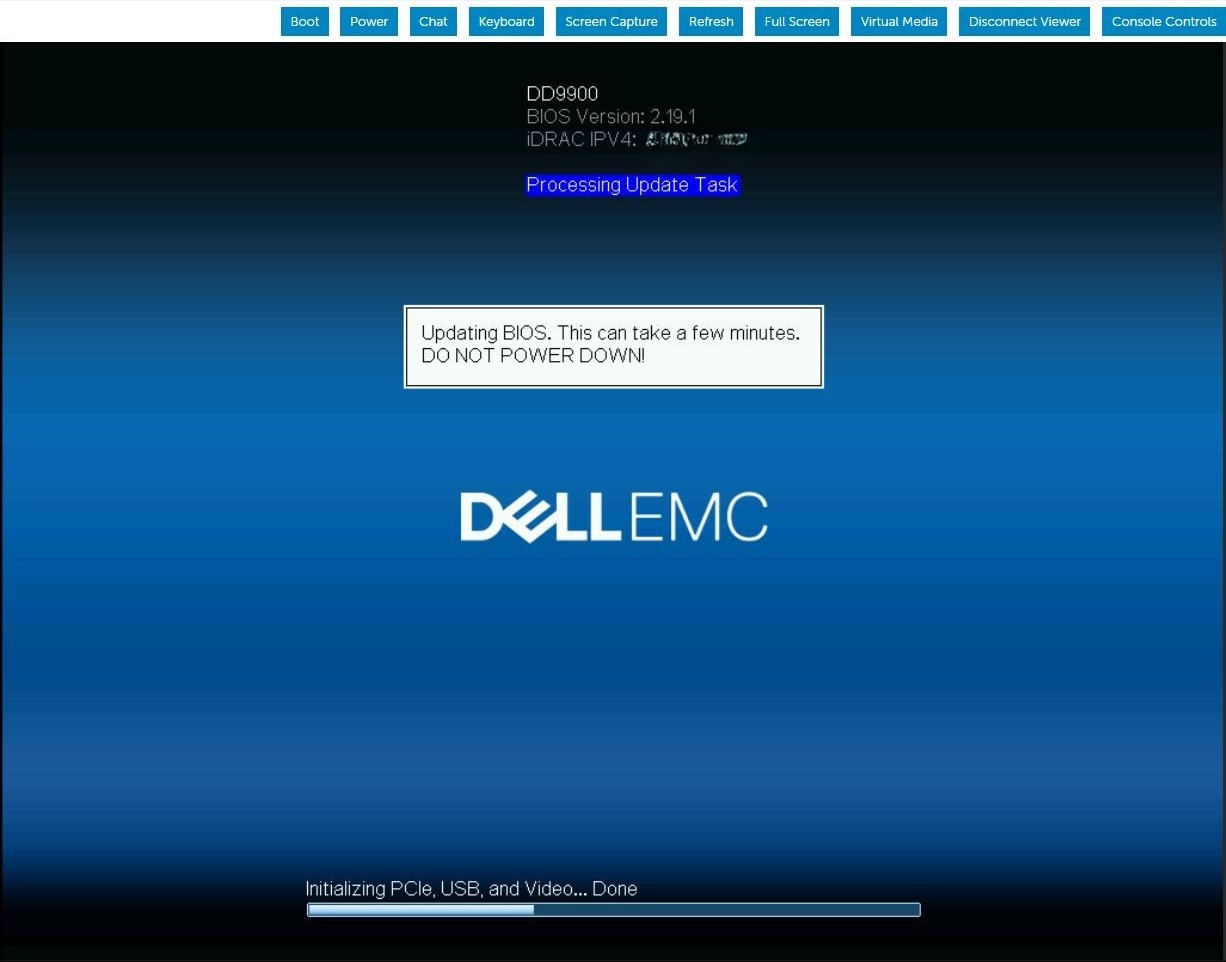
Summary: DDOS upgrade wordt voortdurend opnieuw opgestart tijdens de BIOS-upgradetaak. In de iDRAC-taakwachtrij wordt weergegeven dat de firmware het BIOS bijwerkt.
This article applies to
This article does not apply to
This article is not tied to any specific product.
Not all product versions are identified in this article.
Symptoms
De server start opnieuw op en lijkt het BIOS-capsulebestand te downloaden en de BIOS-update uit te voeren. Nadat de server opnieuw is opgestart, wordt de BIOS-updatevolgorde herhaald bij de volgende POST. Dit patroon herhaalt zich voor onbepaalde tijd totdat er handmatig wordt ingegrepen.

Cause
Wanneer iDRAC9 bijna geen geheugen meer heeft tijdens het bijwerken van de gefaseerde BIOS-taak, wordt de iDRAC SMA-daemon opnieuw gestart terwijl wordt geprobeerd de BIOS-bestandsoverdracht te verwerken.
Resolution
iDRAC9 firmwareversie 6.00.30.00 corrigeert de geheugenverwerking om deze gefaseerde BIOS-updatefout te voorkomen. Oplossing:
Wis en verwijder de huidige iDRAC-taken en reset iDRAC.#racadm jobqueue delete -i JID_CLEARALL_FORCE (this is the only way to delete a job in running state).racadm>>racadm jobqueue delete -i JID_CLEARALL_FORCERAC1032: JID_CLEARALL_FORCE job(s) was cancelled by the user. #racadm racresetracadm>>racadm racresetRAC reset operation initiated successfully. It may take a few minutes for the RAC to come online again.
Affected Products
DD OS, iDRAC9 - 5.xx SeriesArticle Properties
Article Number: 000248899
Article Type: Solution
Last Modified: 16 Jun 2026
Version: 5
Find answers to your questions from other Dell users
Support Services
Check if your device is covered by Support Services.