Data Domain:DDOS 升級重新開機迴圈
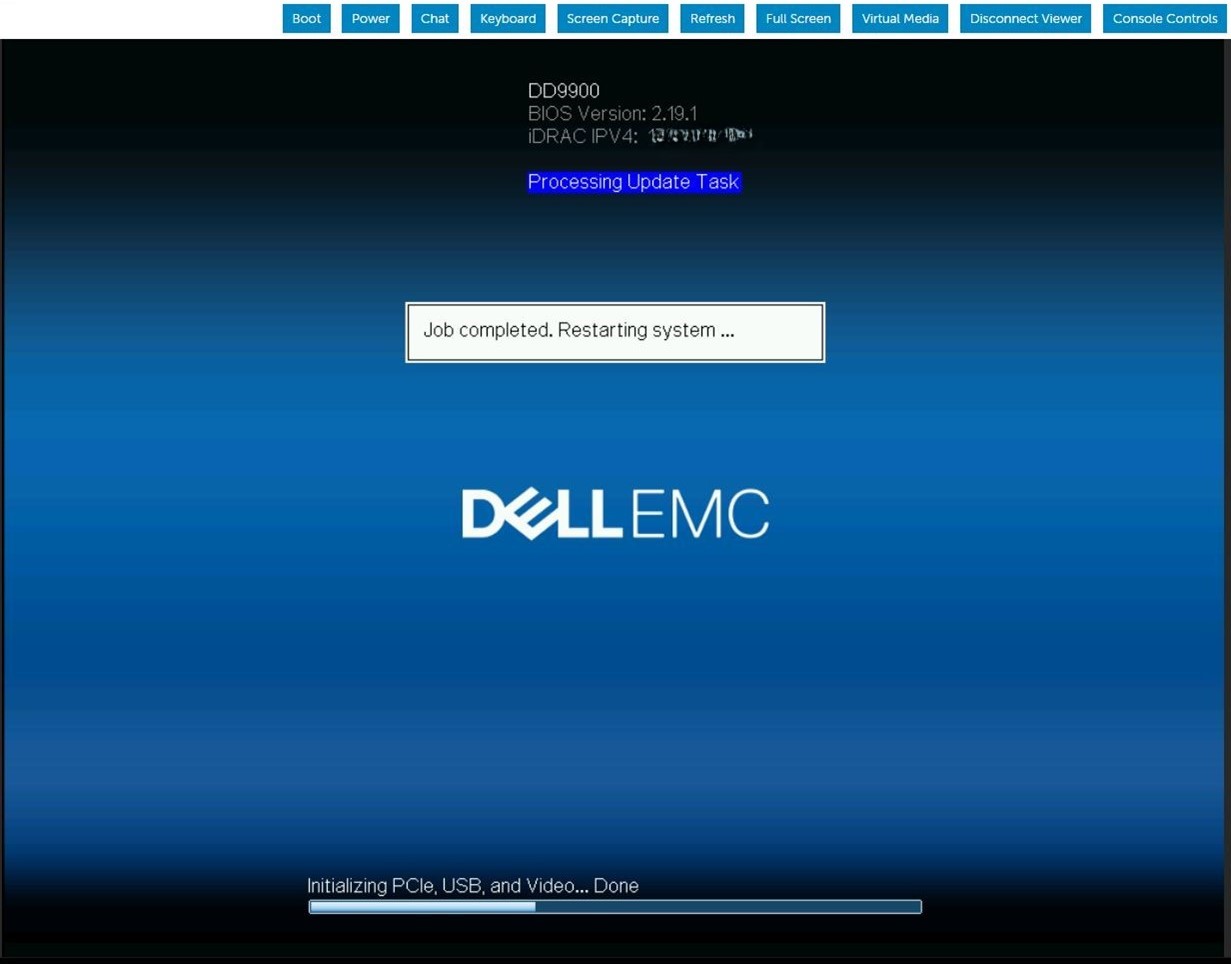
Summary: DDOS 升級會在 BIOS 升級工作期間持續重新開機。iDRAC 工作佇列顯示韌體正在更新 BIOS。
This article applies to
This article does not apply to
This article is not tied to any specific product.
Not all product versions are identified in this article.
Symptoms
伺服器會重新開機,並顯示為下載 BIOS Capsule 檔案並執行 BIOS 更新。伺服器重新開機後,BIOS 更新順序會在下列 POST 上重複執行。此模式無限期重複,直到手動干預。

Cause
當 iDRAC9 在更新暫存 BIOS 工作時記憶體不足,iDRAC SMA 精靈會在嘗試處理 BIOS 檔案傳輸時重新啟動。
Resolution
iDRAC9 韌體版本 6.00.30.00 會修正記憶體處理方式,以避免發生 BIOS 更新失敗的狀況。 因應措施:
清除並刪除目前的 iDRAC 工作,並重設 iDRAC。#racadm jobqueue delete -i JID_CLEARALL_FORCE (this is the only way to delete a job in running state).racadm>>racadm jobqueue delete -i JID_CLEARALL_FORCERAC1032: JID_CLEARALL_FORCE job(s) was cancelled by the user. #racadm racresetracadm>>racadm racresetRAC reset operation initiated successfully. It may take a few minutes for the RAC to come online again.
Affected Products
DD OS, iDRAC9 - 5.xx SeriesArticle Properties
Article Number: 000248899
Article Type: Solution
Last Modified: 16 Jun 2026
Version: 5
Find answers to your questions from other Dell users
Support Services
Check if your device is covered by Support Services.