PowerEdge:在 17G AMD 平台上使用 LC 部署 Windows Server 2025 失敗
Summary: 透過 Lifecycle Controller (LC) 安裝作業系統 (OS) 失敗 (使用 F10 → OS Deployment) 當透過 iDRAC Virtual Media 使用舊版 Windows Server 2025 ISO 映像時。
This article applies to
This article does not apply to
This article is not tied to any specific product.
Not all product versions are identified in this article.
Symptoms
在 「正在載入檔案...」畫面後,會出現「安裝驅動程式以顯示硬體」提示,而非預期的語言選擇畫面。

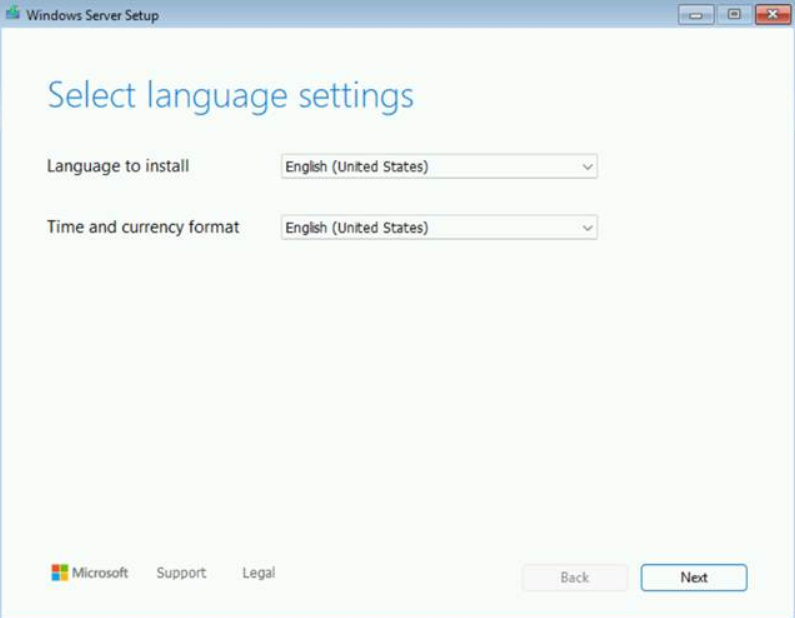
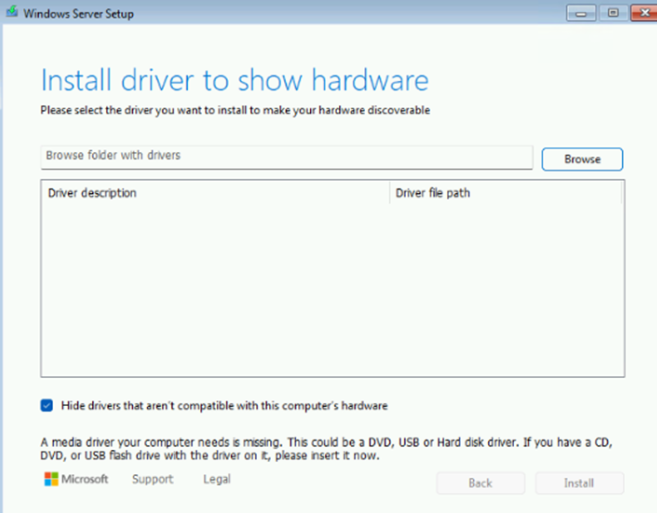
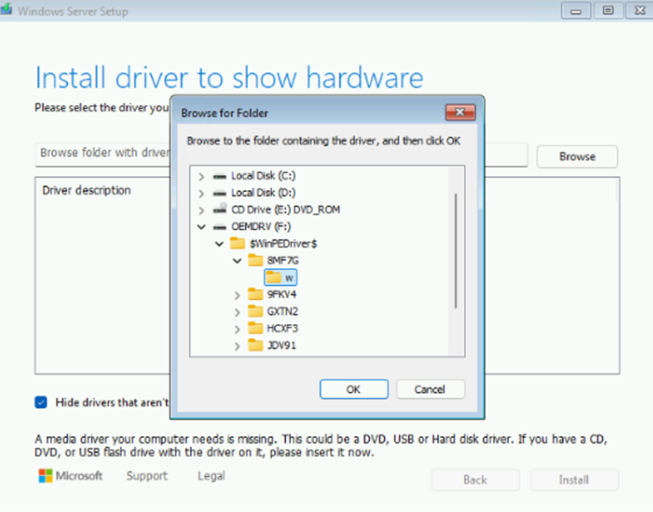
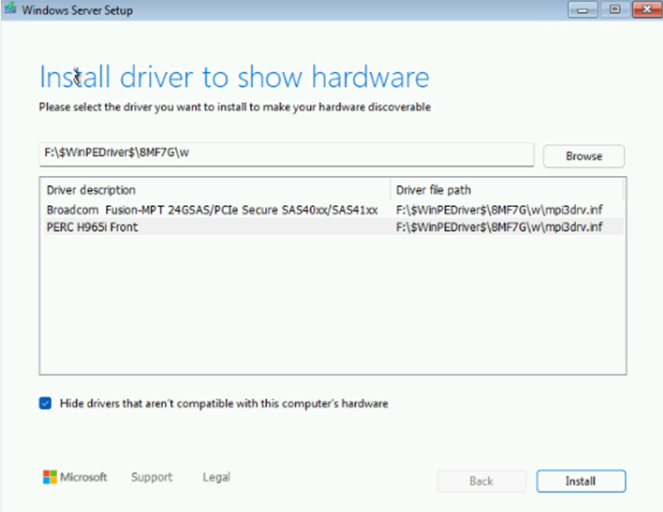
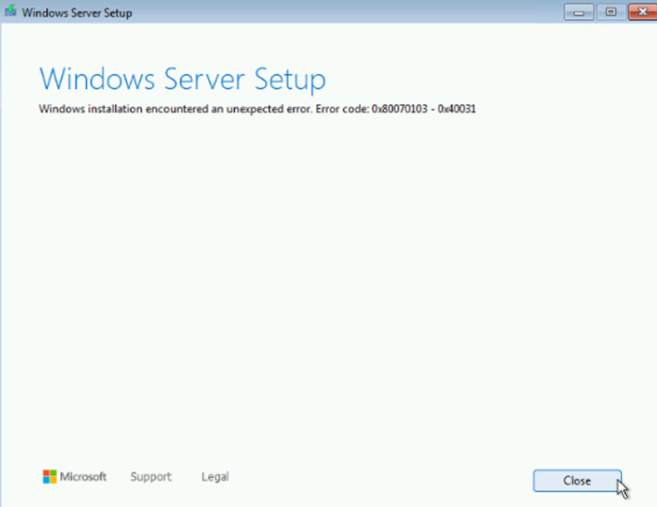
當手動載入 PERC H965i 驅動程式時,Windows 安裝發生非預期的錯誤。
Cause
這是舊版 Windows Server 2025 ISO 映像的已知問題,包括:
- Windows Server 2025 評估影像
- Windows Server 2025 Dell OEM 映像:
YD82YA00_WS25_MUL1_DC.isoT0K5WA00_WS25_MUL3_DC.iso
Resolution
此問題已在較新的 Windows Server 2025 映像中解決,例如從 MSDN 下載的 3 月或 9 月版本或 Dell OEM 映像: 00MCFA00_WS25_MUL_DC.iso
如果沒有較新的映像,且需要進行 LC 部署,請使用下列其中一種因應措施:
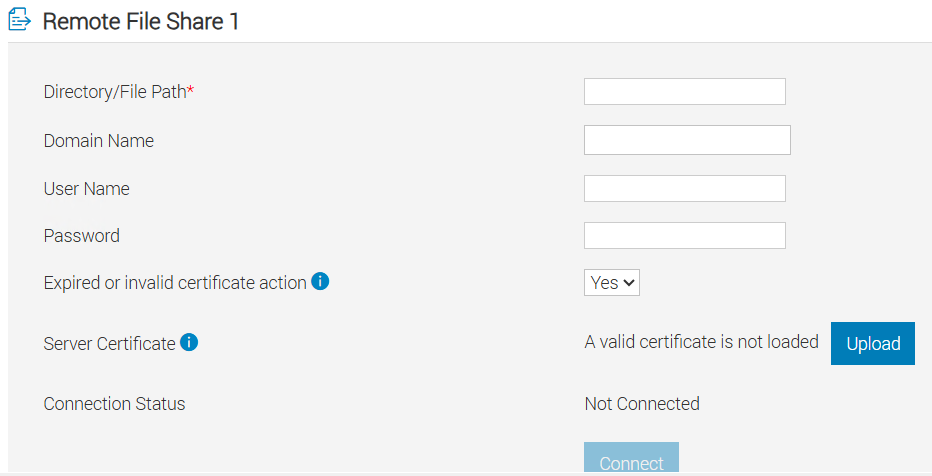
- 在 iDRAC 中使用遠端檔案共用 (RFS),而非 iDRAC 虛擬媒體
- 使用實體 DVD 媒體 (如果有的話)
Affected Products
PowerEdge R6715, PowerEdge R6725, PowerEdge R7715, PowerEdge R7725Article Properties
Article Number: 000387609
Article Type: Solution
Last Modified: 21 Nov 2025
Version: 3
Find answers to your questions from other Dell users
Support Services
Check if your device is covered by Support Services.