NVP vProxy:NetWorker vProxy 网络配置失败
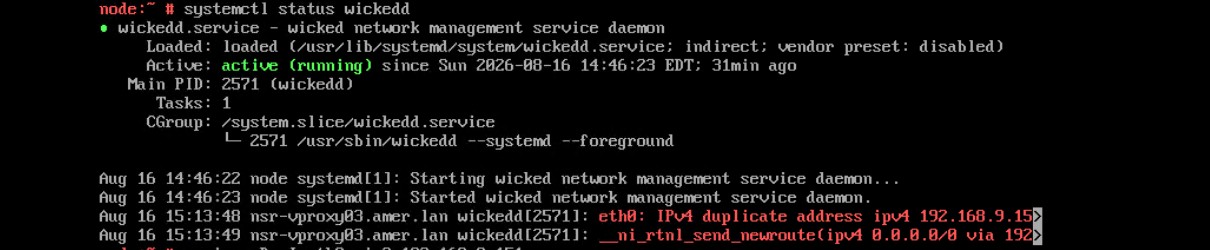
Summary: vProxy 一体机使用静态 IPv4 地址进行部署,该地址永远不会出现在虚拟机上,也不会响应;wickedd 报告重复 IP 错误,因为该地址正在网络上使用。
This article applies to
This article does not apply to
This article is not tied to any specific product.
Not all product versions are identified in this article.
Symptoms
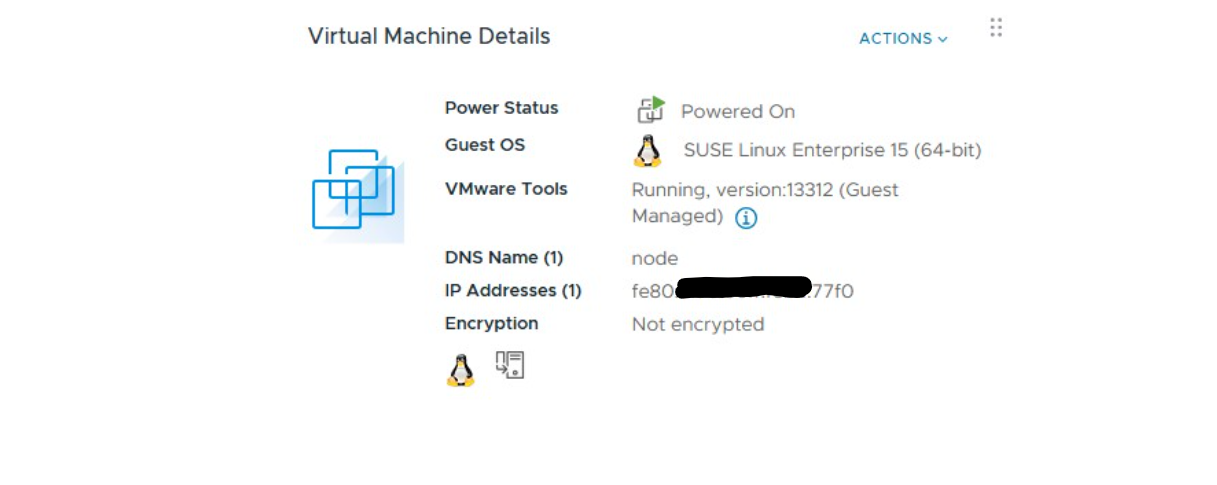
vProxy OVF 使用指定的 IPv4 地址进行部署,但部署的虚拟机不显示该地址,并且不在网络上响应该地址。
ip a
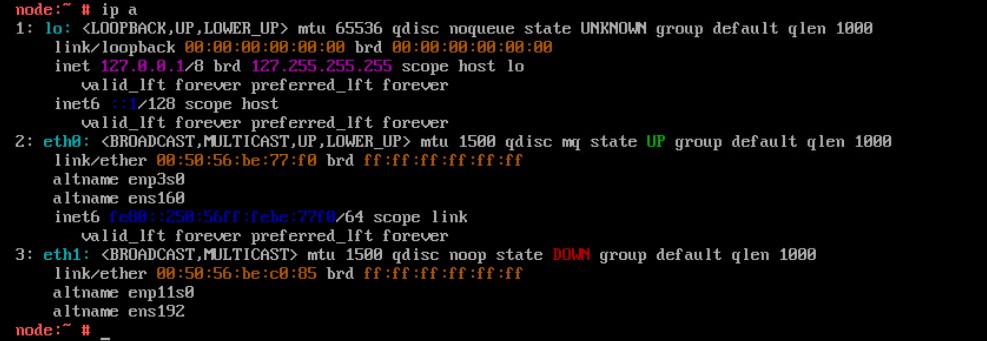
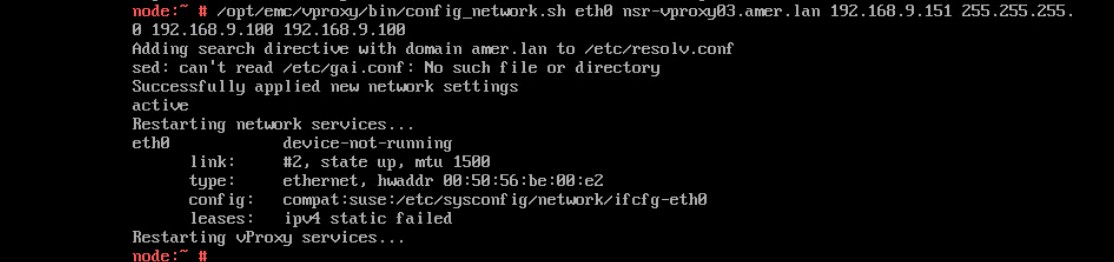
使用 重新配置网络参数 config_network.sh 脚本应用静态 IPv4 地址失败
/opt/emc/vproxy/bin/config_network.sh <Interface> <FQDN> <IP Address> <Netmask> <Gateway> <DNS List (comma separated)>
的状态 wickedd service 显示重复 IP 地址错误。
systemctl status wickedd
Cause
Resolution
查找新的唯一地址,并使用以下命令分配新的 IP 地址。
- 以服务身份登录到相关设备,然后提升为 root。
- 运行下列命令。
/opt/emc/vproxy/bin/config_network.sh <Interface> <FQDN> <IP Address> <Netmask> <Gateway> <DNS List (comma separated)>
*有关更多信息,请参阅 NVP vProxy:如何手动更改 vProxy 设备网络接口设置
Affected Products
NetWorkerArticle Properties
Article Number: 000499204
Article Type: Solution
Last Modified: 28 Aug 2026
Version: 2
Find answers to your questions from other Dell users
Support Services
Check if your device is covered by Support Services.