PowerStore: Health Check to Identify Block Systems with Internal File Data Network Devices
Summary: This article describes the PowerStore health check alert for Internal File Data Network Device Check on block-only appliances upgraded to PowerStoreOS 4.4.
Symptoms
A health check detects this issue and raises an alert:
"Block optimized appliance detected with internal file data network devices."

Cause
For PowerStoreOS versions prior to 4.4.x, the bond0 port for block-only appliances has an underlying eth_data0 network device (File Data interface). After upgrading a block-only appliance to PowerStoreOS 4.4.x, this eth_data0 device still remains associated with the bond0. As a result, a subsequent attempt to delete the bond0 interface from the GUI fails.
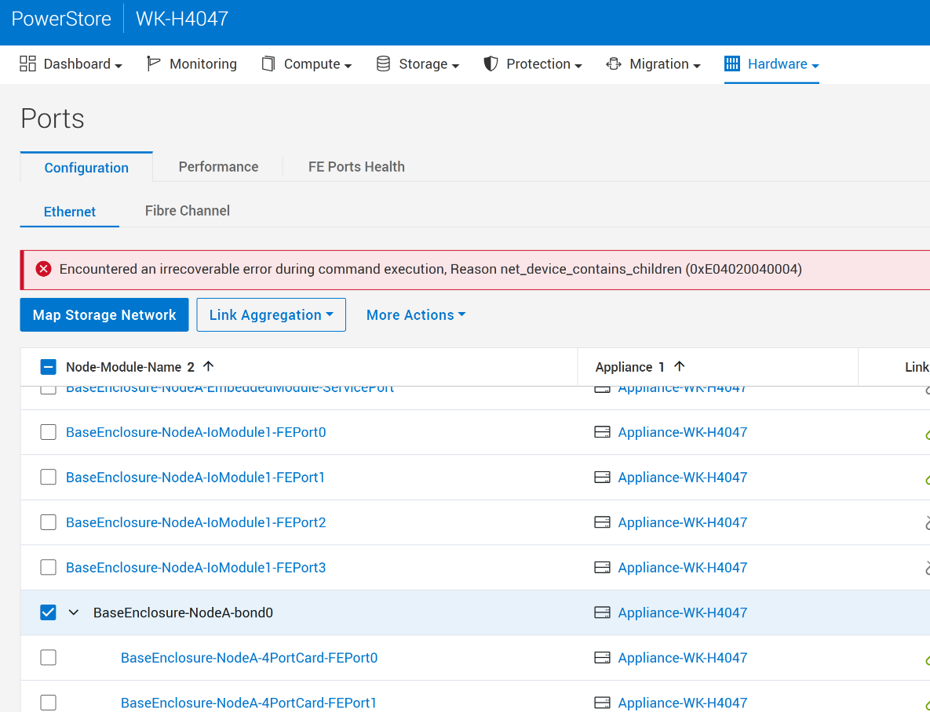
This issue does not occur on block-only appliances freshly installed with 4.4.x, where the bond0 port does not have an underlying eth_data0 network device.
The root cause is that eth_data0 (File Data interface) was being created even in block-only configurations. The software fix ensures that eth_data0 is not created or attached when operating in block-only mode.
See KB#000452127 PowerStore: Unable to delete bond0 on PowerStoreOS 4.4.0.0, Reason net_device_contains_children (0xE04020040004) for additional details
Resolution
This alert notification includes Auto-Repair capabilities that can be enabled or disabled from PowerStore Manager (GUI) -> Settings -> Support -> Auto-Repair.
If Auto-Repair is already enabled:
- PowerStore automatically fixes the problem and clears the alert if the remediation is successful.
If Auto-Repair is disabled:
- Auto-Repair can be enabled from PowerStore Manager (GUI) -> Settings -> Support -> Auto-Repair -> Toggle to "Auto-Repair" mode from "Alert Only" mode.
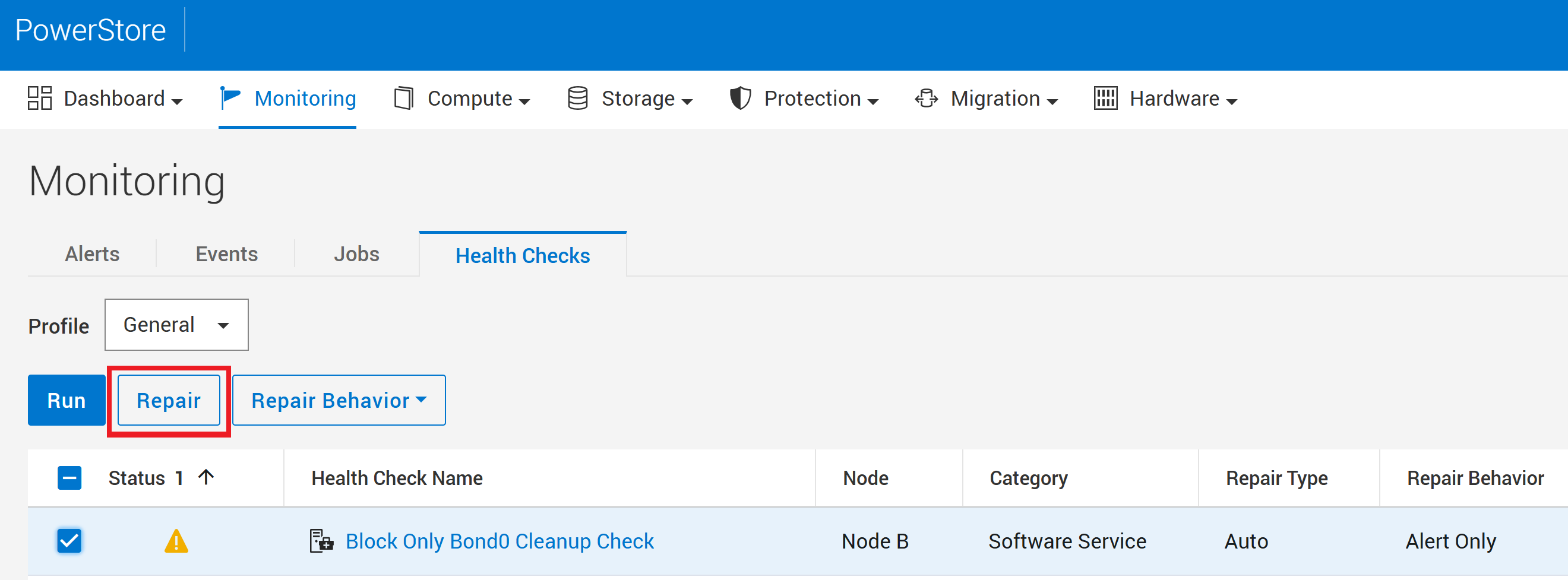
- Alternatively, manually initiate the repair process for this alert from PowerStore Manager -> Monitoring -> Health Checks -> Block Only Bond0 Cleanup Check -> Repair.
Notes:
Only the Auto-Repair will be able to fix the issue. The manual repair from the GUI does not work and will be fixed in a future release of this Health Check.
For systems with Auto-Repair disabled, the following service command can be run from the Service container of the Node hosting the Control Patch container. Please contact Technical Support for assistance.
svc_health_check run --repair -rhc pd_block_only_bond0_cleanup
Important:
The bond0 port can be deleted only in single-appliance block-only clusters after the repair. For multi-appliance configurations, the bond0 interface is used for cluster communications.
If the issue persists, contact Technical Support so they can review the underlying cause of the error to determine the best course of action. Mention this KB article ID to expedite processing.
Additional Information
See KB#000193518PowerStore: Landing Page for RxDefinitions Issuesfor more information on the health check mechanism, the RxDefinitions package, and a complete list of RxDefinitions alerts.
See KB#000452127 PowerStore: Unable to delete bond0 on PowerStoreOS 4.4.0.0, Reason net_device_contains_children (0xE04020040004) for additional issue details