PowerStore: Pre-Upgrade Health Check (PUHC) to identify duplicate NTP entries
Summary: This health check verifies two things: (1) that no duplicate Network Time Protocol (NTP) server IP addresses are configured, and (2) that all NTP settings are internally consistent.
Symptoms
PowerStore Pre-upgrade Health Check (PUHC) fails with error: cyc_ntp_addresses_duplication_check_error
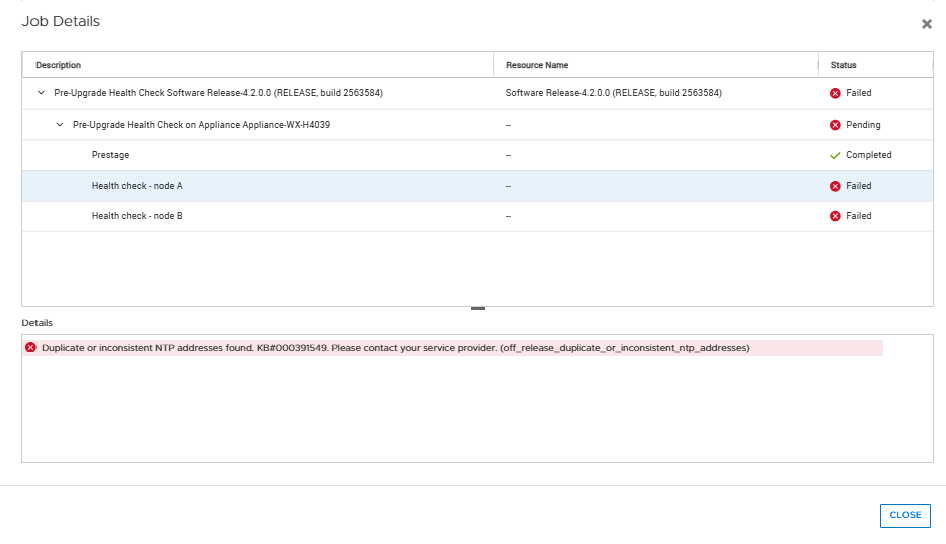
Without this health check, customers risk encountering upgrade failures due to duplicate NTP server IP configurations. PowerStore OS remains in a partially upgraded state, requiring manual intervention and rollback or recovery steps. This can lead to extended downtime and delayed upgrade schedules, impacting service availability.
Cause
The failure is triggered by duplicate NTP server IP addresses configured in the system, causing mismatched Universally Unique Identifier (UUID) updates between System Manager (SYM) and the internal management database.
This condition typically occurs when multiple identical NTP servers are added manually during initial installation through the Initial Configuration Wizard (ICW) or by PowerStore Command Line Interface (PSTCLI) before starting the upgrade.
Resolution
Do not proceed with the NDU until the issue is resolved:
Remove duplicate NTP server entries before retrying the upgrade. NTP configuration can be validated from the PowerStore Manager UI, or PSTCLI as noted in this example:
cli> ntp show
 #  |  id  |   addresses
----+------+---------------
  1 | NTP1 | 10.244.53.108
    |      | 10.228.254.66
If the configuration has no duplicate NTP server entries or the PUHC still fails after removing duplicates, this indicates an inconsistency between System Manager (SYM) and the management database. Contact Support to address this.