Avamar FLR misslyckas för säkerhetskopiering av vCenter-avbildning med felet "Det gick inte att parsa LVM GUID-listan".
Summary: FLR-bläddring misslyckas med felmeddelandet "Det gick inte att parsa LVM GUID-listan" för säkerhetskopiering av vCenter-avbildning.
Symptoms
FLR misslyckas med felmeddelande "Failed to parse the LVM GUID list" på AUI eller Avamar Administrator om det är en säkerhetskopia av vCenter-avbildning.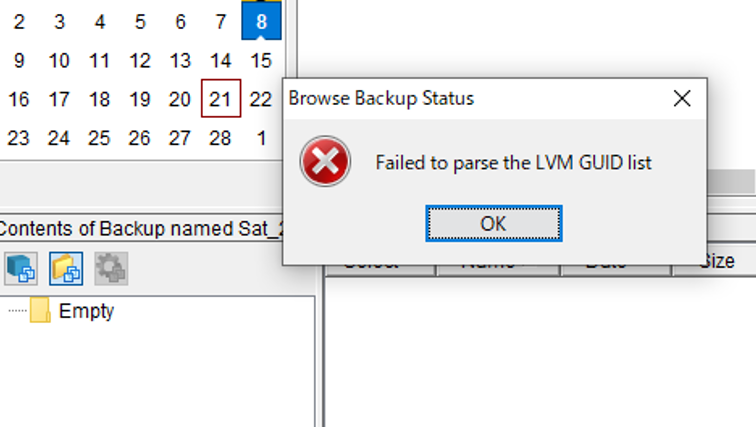

Cause
Om vCenter OS är VMware Photon misslyckas FLR med felet eftersom operativsystemet inte stöds.
Resolution
Så här kontrollerar du vCenter OS-typen:
Logga in på vCenter som root och kör kommandot nedan för att kontrollera OS-typen.
shell
cat /etc/*release
<Snippet>
root@vCenter01 [ ~ ]# cat /etc/*releaseDISTRIB_ID="VMware Photon OS"DISTRIB_RELEASE="3.0"DISTRIB_CODENAME=PhotonDISTRIB_DESCRIPTION="VMware Photon OS 3.0"NAME="VMware Photon OS"VERSION="3.0"ID=photonVERSION_ID=3.0PRETTY_NAME="VMware Photon OS/Linux"ANSI_COLOR="1;34"HOME_URL="https://vmware.github.io/photon/"BUG_REPORT_URL="https://github.com/vmware/photon/issues"VMware Photon OS 3.0PHOTON_BUILD_NUMBER=05f9d3d8d