Alienware GSYNC-R4 Model Monitors Connected With HDMI Deep Sleep Mode Wake Up Fails
Summary: Alienware GSYNC-R4 Model monitors do not wake from deep sleep mode using a mouse or keyboard.
This article applies to
This article does not apply to
This article is not tied to any specific product.
Not all product versions are identified in this article.
Symptoms
The below G-SYNC R4 models cannot wake up from deep sleep mode when using a mouse or keyboard on the personal computer. This occurs if connecting the personal computer and monitor by using HDMI cable.
Affected Platforms:
- Alienware 25 Gaming Monitor AW2521H
- Alienware 27 Gaming Monitor AW2721D
- Alienware 34 Curved OLED Monitor AW3423DW
- Alienware 38 Curved Gaming Monitor AW3821DW
Cause
This is an NVIDIA G-SYNC R4 design marginality where certain combinations of parts to cause this deep sleep mode wake-up fail issue.
Resolution
Press any on-screen display (OSD) menu key or Power button to wake up the monitor.
Location of OSD key and power button:
AW2521H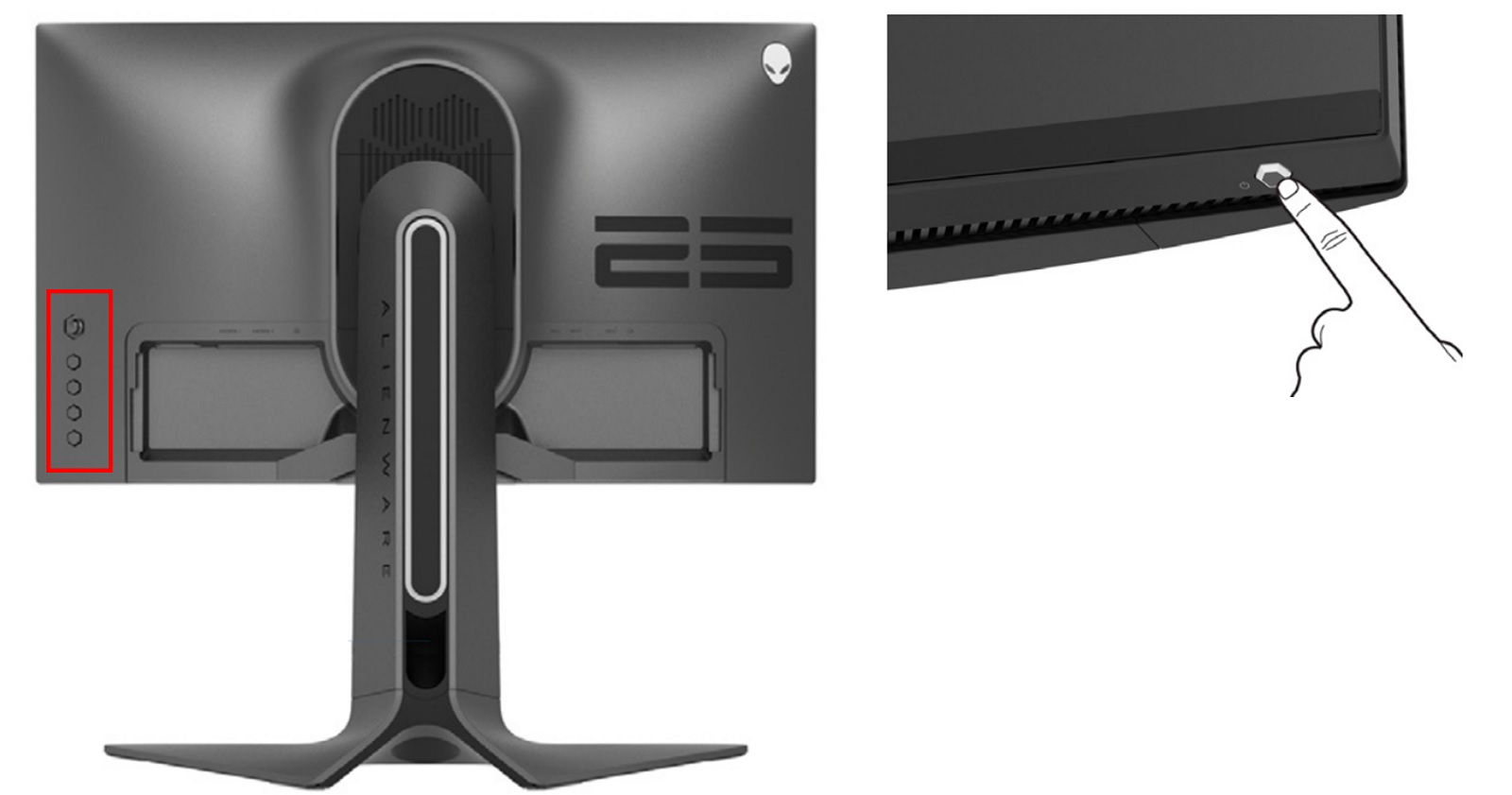
AW2721D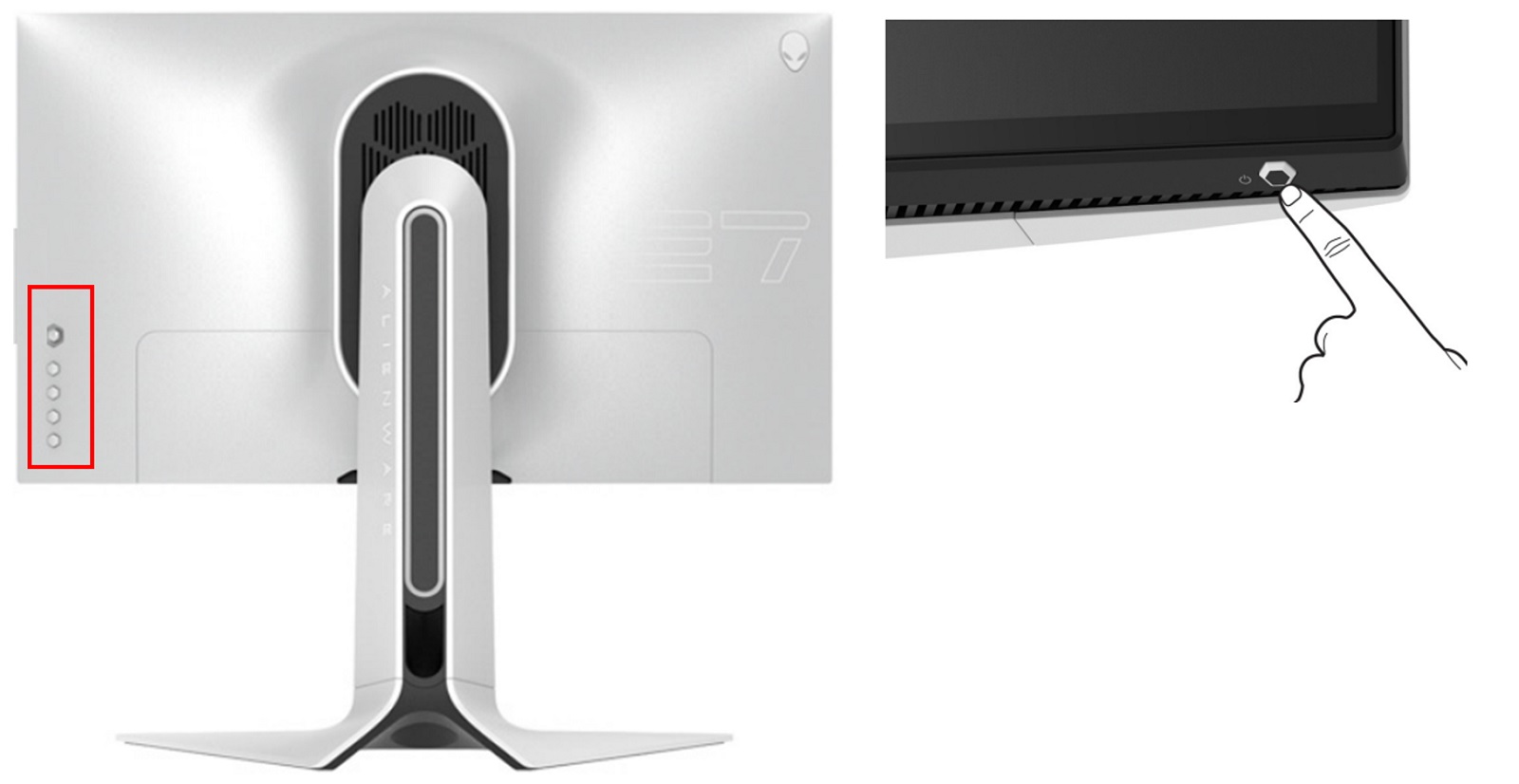
AW3821DW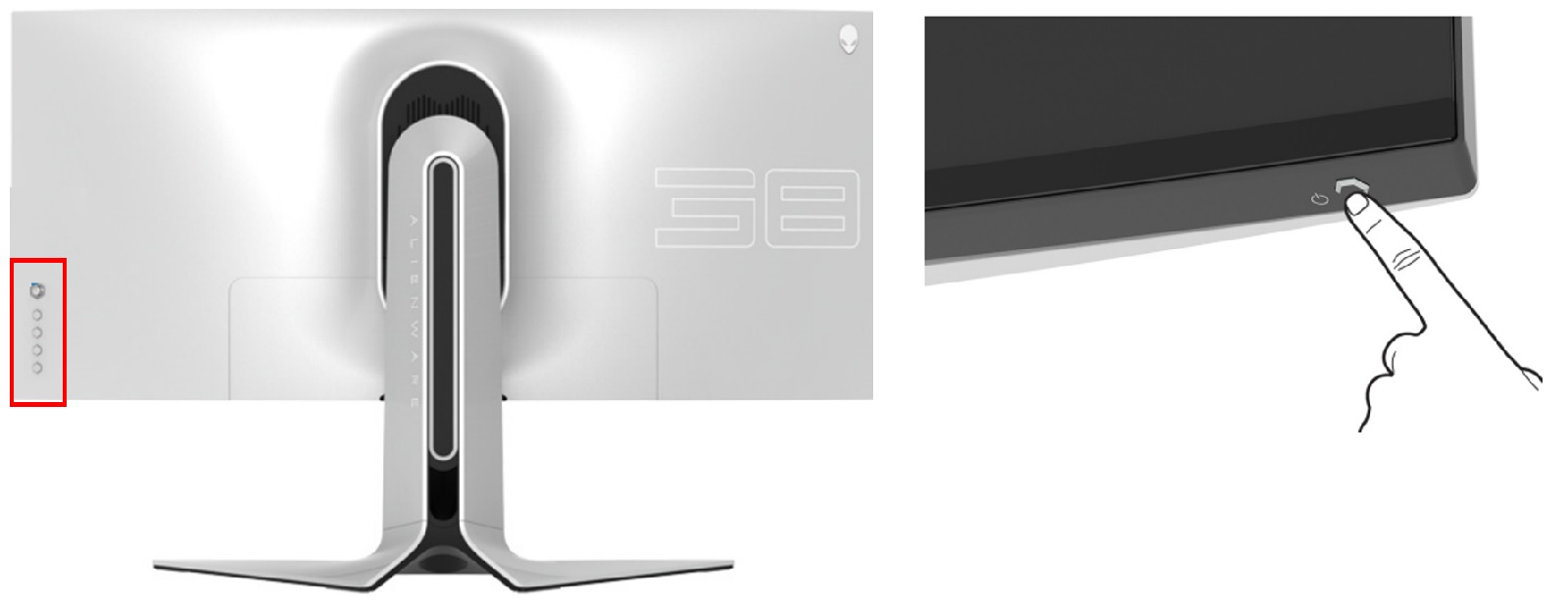
AW3423DW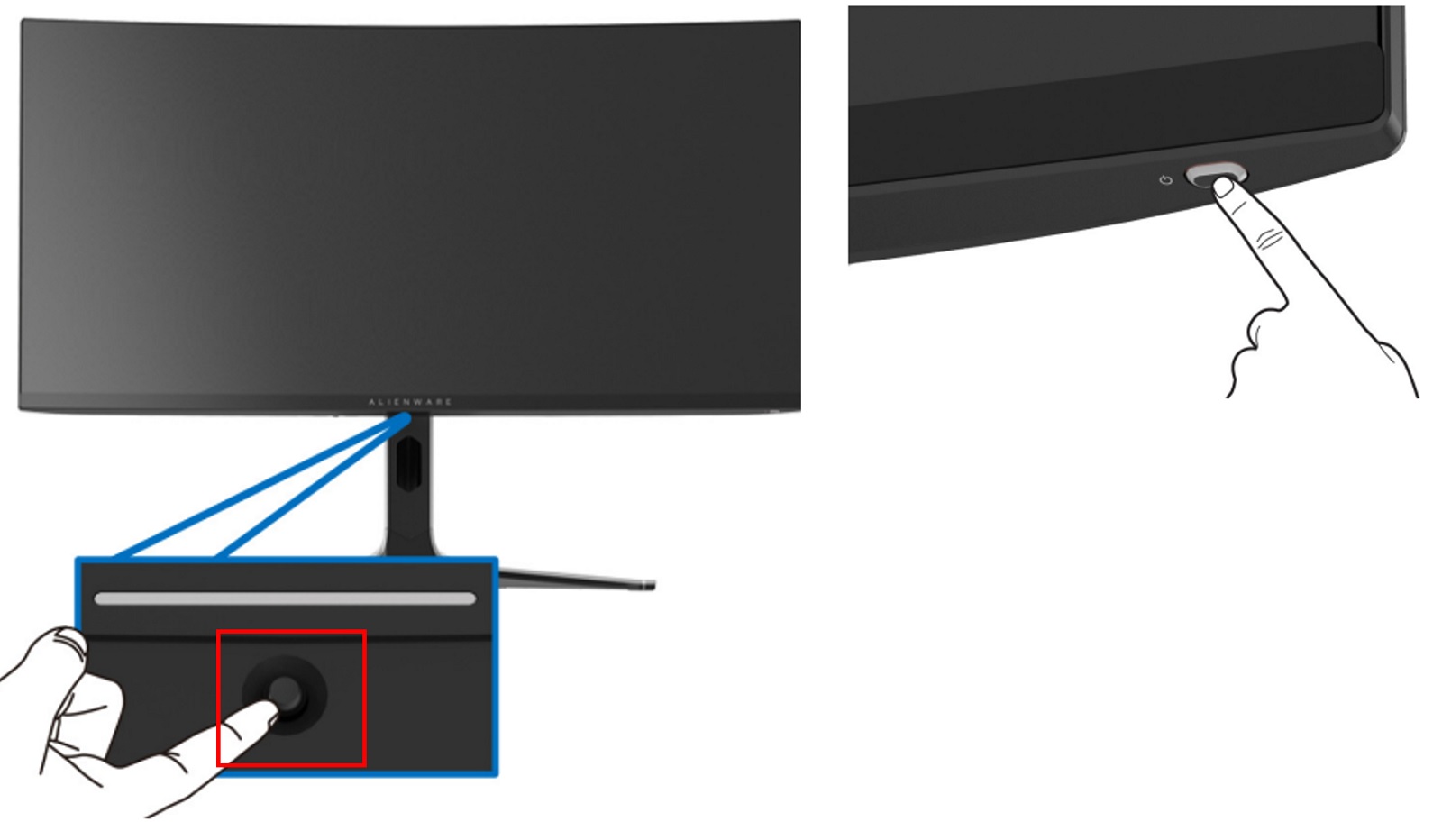
Affected Products
Alienware 34 Curved OLED Monitor AW3423DW, Alienware 25 Gaming Monitor AW2521H, Alienware 27 Gaming Monitor AW2721D, Alienware 38 Curved Gaming Monitor AW3821DWArticle Properties
Article Number: 000202876
Article Type: Solution
Last Modified: 05 Sept 2025
Version: 6
Find answers to your questions from other Dell users
Support Services
Check if your device is covered by Support Services.