PowerEdge: XE8640 with H100 - GPU Performance Issue
Summary: A drop in GPU Performance and "nvsmi-q" log might indicate that hardware Power Brake Slowdown is active.
This article applies to
This article does not apply to
This article is not tied to any specific product.
Not all product versions are identified in this article.
Instructions
In some corner cases, the user might come across a poor GPU Performance and the nvsmi-q log might indicate that hardware Power Brake Slowdown is Active.nvidia-smi and GPU_burn log output: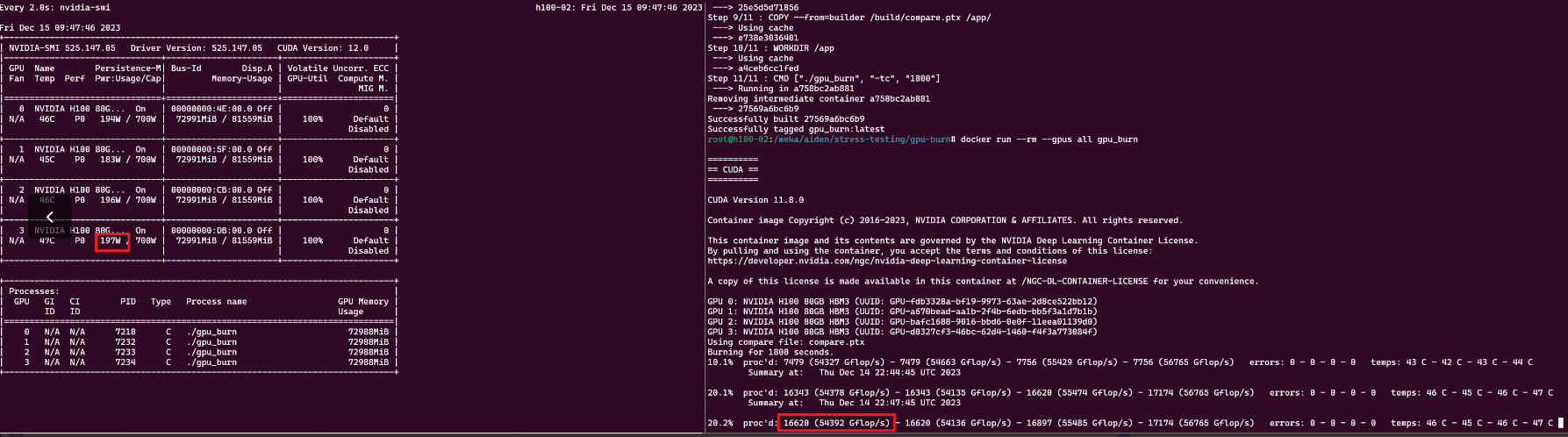
nvsmi-q log output:
    Clocks Throttle Reasons
        Idle                              : Not Active
        Applications Clocks Setting       : Not Active
        SW Power Cap                      : Not Active
        HW Slowdown                       : Active
            HW Thermal Slowdown           : Not Active
            HW Power Brake Slowdown       : Active
        Sync Boost                        : Not Active
        SW Thermal Slowdown               : Not Active
        Display Clock Setting             : Not Active
nvidia-smi --query-gpu=index,timestamp,power.draw,clocks.sm [clocks.sm],clocks.mem,clocks.gr [clocks.gr] --format=csv -l 1 log output:
Resolution:
Update the BIOS, CPLD, and iDRAC to the latest firmware version. Recent field cases have shown that updating the CPLD to version 1.2.2 and the iDRAC to version 7.10.30 has resolved the issue.
Snippet Post update:
gpu_burn is operating at ~ 300k Gflops, and nvidia-smi shows each GPU ~700W at 100% utilization.
nvsmi-q log output post BIOS update:
 Clocks Throttle Reasons
        Idle                              : Active
        Applications Clocks Setting       : Not Active
        SW Power Cap                      : Not Active
        HW Slowdown                       : Not Active
            HW Thermal Slowdown           : Not Active
            HW Power Brake Slowdown       : Not Active
        Sync Boost                        : Not Active
        SW Thermal Slowdown               : Not Active
        Display Clock Setting             : Not Active
nvidia-smi & GPU_burn log output post BIOS update: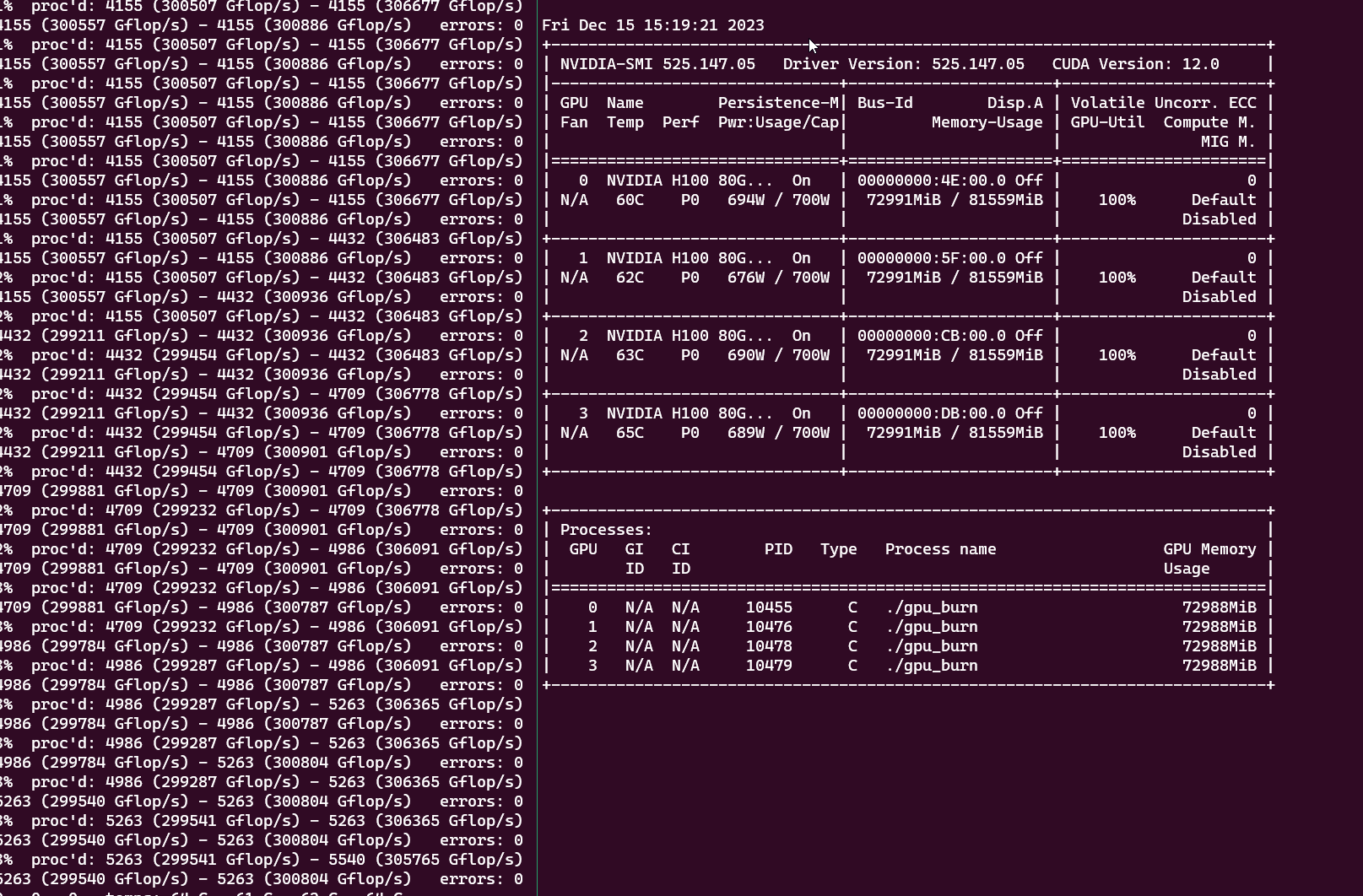
Affected Products
PowerEdge XE8640Article Properties
Article Number: 000220508
Article Type: How To
Last Modified: 10 Apr 2025
Version: 5
Find answers to your questions from other Dell users
Support Services
Check if your device is covered by Support Services.