DPA Dashboard buttons do not open reports in new tab as expected
Summary: DPA Dashboard buttons do not open reports in new tab as expected
This article applies to
This article does not apply to
This article is not tied to any specific product.
Not all product versions are identified in this article.
Symptoms
Custom dashboard templates allow users to implement an 'Add button' feature that will open reports/dashboards with the specified parameters when clicked.
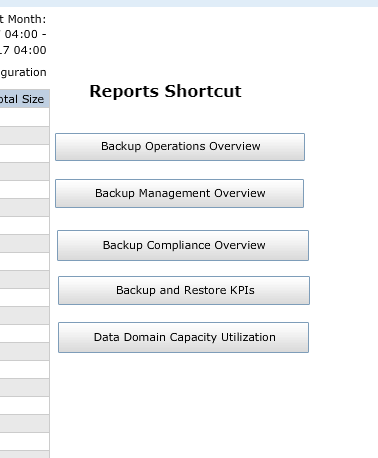
After adding buttons to a custom dashboard in 18.1 the feature does not work as designed. The buttons in the dashboard will appear in grey (see below) and will not open additional dashboards or reports in the 'Run Reports' tab.
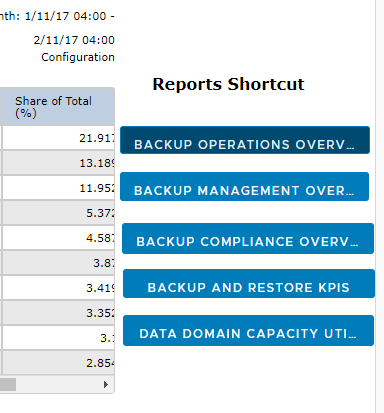
If the dashboard template is run from Reports > Run Reports, the buttons appear in blue (see bellow) and will open addition dashboards or reports in a new tab in the Run Reports section.
Cause
This feature is not available for DPA 18.1 in the new HTML5 interface.
Resolution
Use the DPA 18.1 FlexUI or upgrade to DPA 18.2 where the feature is available in the new HTML5 interface.
Affected Products
Data Protection AdvisorProducts
Data Protection AdvisorArticle Properties
Article Number: 000050274
Article Type: Solution
Last Modified: 11 Oct 2024
Version: 3
Find answers to your questions from other Dell users
Support Services
Check if your device is covered by Support Services.