PowerStore: How to download a new version of PowerStoreOS
Summary: This article shows you how to download the PowerStoreOS in preparation for activities such as a PowerStoreOS upgrade.
This article applies to
This article does not apply to
This article is not tied to any specific product.
Not all product versions are identified in this article.
Instructions
- Go to Dell Support and Sign In.
Attention: You cannot see all files available unless you sign in with a business account, with a service tag that has an active entitlement.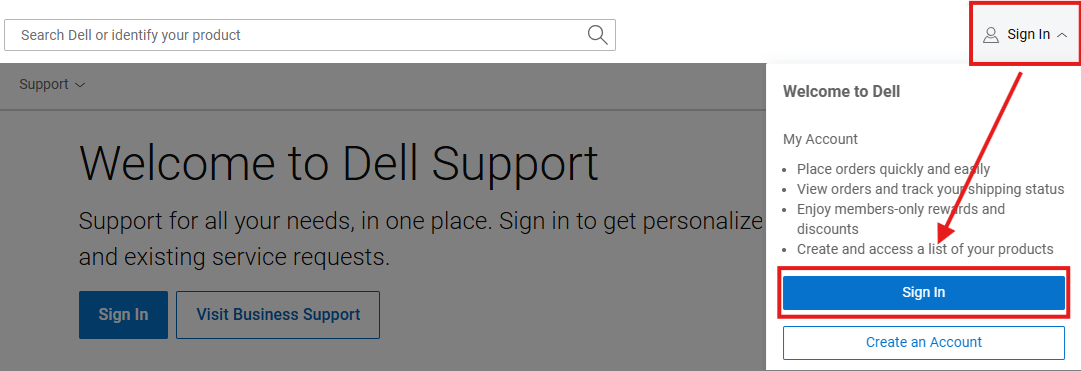
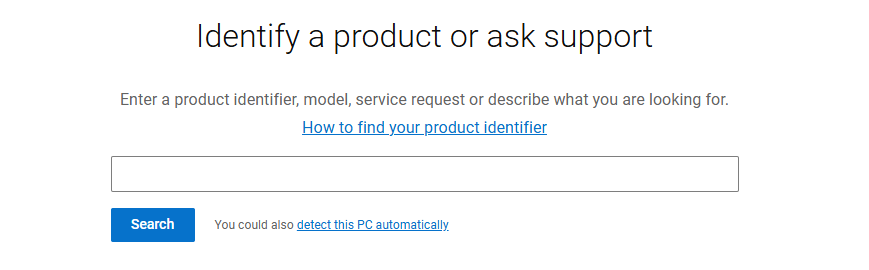
- Enter the PowerStore system service tag in the search field.
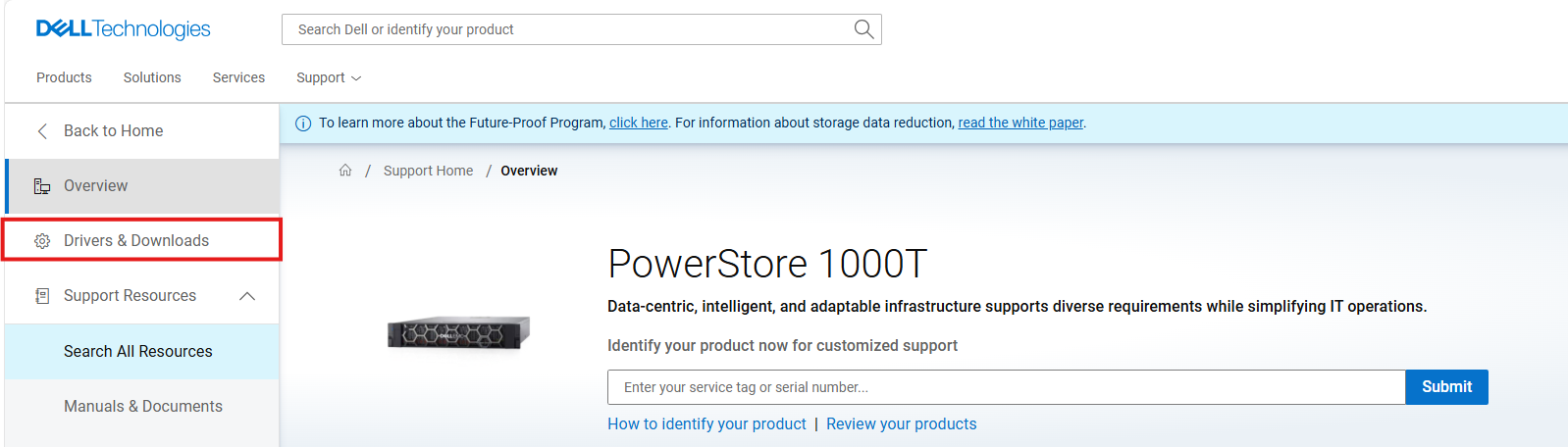
- Click Drivers & Downloads on the upper left side.
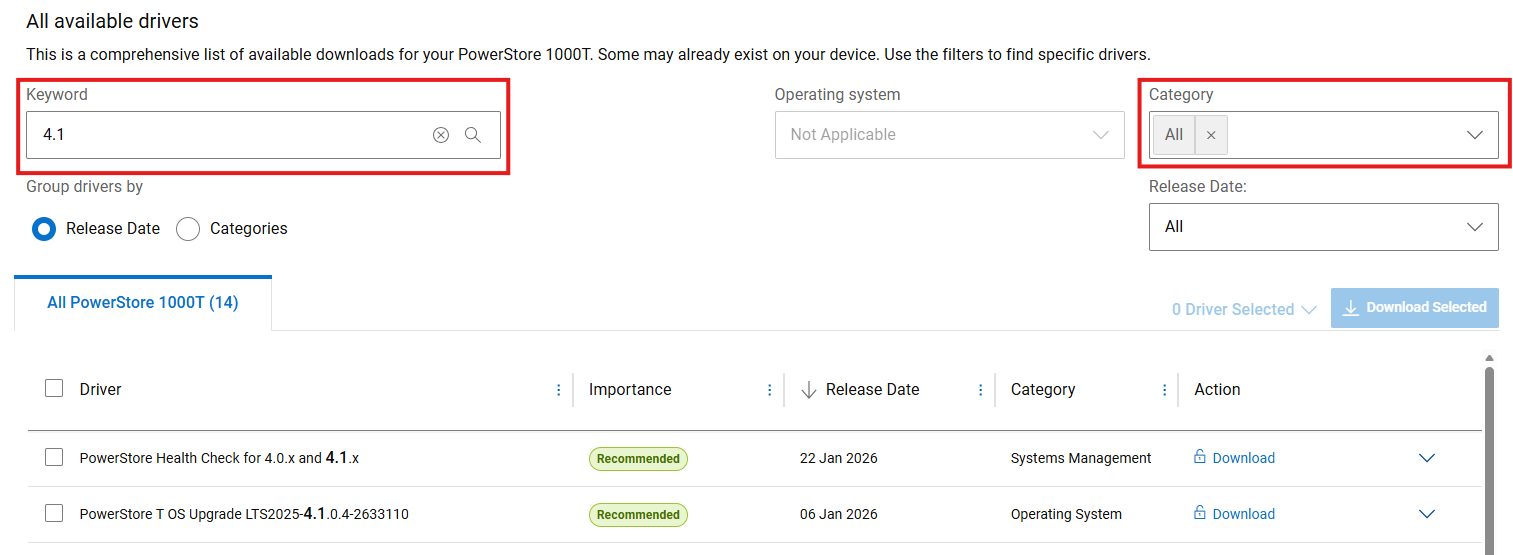
- Use the Keyword search if you know the version or you can use the Category selection to filter to a list of options, for example "Operating System."
Do you need an account or are you having trouble signing-in to your business account?
How to Register for Access to Dell Technologies Online Support or Upgrade an Existing Account
Do you need guidance for a PowerStore upgrade?
PowerStore: How to Prepare for a PowerStore Non-Disruptive Upgrade
Do you need guidance for which OS version to select?
PowerStore: PowerStoreOS Matrix
Affected Products
PowerStoreArticle Properties
Article Number: 000123950
Article Type: How To
Last Modified: 11 Mar 2026
Version: 14
Find answers to your questions from other Dell users
Support Services
Check if your device is covered by Support Services.