Échec de la mise à jour du nœud PowerFlex Manager - SO dans la fonction update_clc_node_agent
Summary: PFxM ne parvient pas à mettre à niveau le nœud SO (Storage Only) pendant la fonction « update_clc_node_agent », ce qui entraîne l’arrêt de l’opération de mise à niveau lorsque vous tentez de placer le SDS en mode PMM. ...
Symptoms
Scénario
- Environnement : Appliances CloudLink Center haute disponibilité (HA)
- Problème : Le groupe de ressources SO ne répertorie qu’une seule des deux machines virtuelles CLC attendues.
- Symptôme : La mise à niveau des nœuds SO échoue, car le nœud n’est pas en PMM.
Ce scénario représente le point déclencheur de l’échec de la mise à niveau. Vous trouverez ci-dessous un exemple de la façon dont une pile saine doit apparaître lors de l’exécution de la commande update_clc_node_agent fonction:
Exemple de pile saine :
Emplacement du journal : Job-afe400aa-d7fe-4897-9a04-fe08b924c4ae-0-1/deployment.logs
DEBUG [2024-12-16T11:20:36.199529] 13742: service_deployment.rb:5348:in `process_firmware_update': Processing firmware update after selecting resources
DEBUG [2024-12-16T11:20:36.200310] 13742: service_deployment.rb:5353:in `block in process_firmware_update': Processing firmware update on rackserver-xxxxxxx
INFO  [2024-12-16T11:20:36.201536] 13742: service_deployment.rb:5363:in `block in process_firmware_update': Updating CLC Agent update on vmcl01-esxi08.dell.lab
DEBUG [2024-12-16T11:20:36.201933] 13742: service_deployment.rb:5365:in `block in process_firmware_update': Updating CLC Agent version on node svm-vmcl01-esxi08
DEBUG [2024-12-16T11:20:36.202379] 13742: type/base.rb:412:in `delegate': service_deployment.rb:5366:in `block in process_firmware_update' calling delegated method update_clc_node_agent on #
DEBUG [2024-12-16T11:20:36.204979] 13742: type/base.rb:412:in `delegate': cloudlinkcenter.rb:205:in `clc_agent_info' calling delegated method os_connect_ip on #
DEBUG [2024-12-16T11:20:38.054169] 13742: type/base.rb:412:in `delegate': cloudlinkcenter.rb:742:in `update_clc_node_agent' calling delegated method os_connect_ip on #
DEBUG [2024-12-16T11:20:38.760221] 13742: provider/cloudlink/cloudlinkcenter.rb:747:in `update_clc_node_agent': clc-10.10.30.20: CLC Server and agent are running on same version 7.1 (build 140)
INFO  [2024-12-16T11:20:38.760840] 13742: service_deployment.rb:5367:in `block in process_firmware_update': Competed CLC agent update on vmcl01-esxi08.dell.lab
En revanche, la pile défectueuse affiche l’erreur suivante :NoMethodError: undefined method '[]' for nil:NilClass
Emplacement du journal : Job-afe400aa-d7fe-4897-9a04-fe08b924c4ae-0-1/deployment.logs
DEBUG [2024-12-19T13:35:48.462150] 19552: service_deployment.rb:5348:in `process_firmware_update': Processing firmware update after selecting resources
DEBUG [2024-12-19T13:35:48.462349] 19552: service_deployment.rb:5353:in `block in process_firmware_update': Processing firmware update on rackserver-xxxxxxx
INFO  [2024-12-19T13:35:48.463044] 19552: service_deployment.rb:5363:in `block in process_firmware_update': Updating CLC Agent update on PFSON04
DEBUG [2024-12-19T13:35:48.463276] 19552: service_deployment.rb:5365:in `block in process_firmware_update': Updating CLC Agent version on node PFSON04
DEBUG [2024-12-19T13:35:48.463622] 19552: type/base.rb:412:in `delegate': service_deployment.rb:5366:in `block in process_firmware_update' calling delegated method update_clc_node_agent on #
DEBUG [2024-12-19T13:35:48.466045] 19552: type/base.rb:412:in `delegate': cloudlinkcenter.rb:205:in `clc_agent_info' calling delegated method os_connect_ip on #
DEBUG [2024-12-19T13:35:51.089302] 19552: type/base.rb:412:in `delegate': cloudlinkcenter.rb:742:in `update_clc_node_agent' calling delegated method os_connect_ip on #
ERROR [2024-12-19T13:35:51.093230] 19552: service_deployment.rb:5535:in `process_firmware_update': Encountered an error during firmware update: NoMethodError: undefined method `[]' for nil:NilClass
En outre, les journaux de la tâche de mise à niveau capturent le moment précis où la tâche échoue :
Emplacement du journal : Job-afe400aa-d7fe-4897-9a04-fe08b924c4ae-0-1/deployment.logs
DEBUG [2024-12-19T13:37:23.210005] 19552: service_deployment.rb:6485:in `finalize_firmware_update': Update complete: false, in protected maintenance mode false
ERROR [2024-12-19T13:37:23.210184] 19552: service_deployment.rb:6491:in `finalize_firmware_update': Failed to update the server!
INFO  [2024-12-19T13:37:23.210321] 19552: service_deployment.rb:6496:in `finalize_firmware_update': Firmware update status: Error
ERROR [2024-12-19T13:37:23.216294] 19552: service_deployment.rb:622:in `process': Firmware update failed for Job-afe400aa-d7fe-4897-9a04-fe08b924c4ae-0-2
ERROR [2024-12-19T13:37:23.216535] 19552: service_deployment.rb:623:in `process': ["/opt/asm-deployer/lib/asm/service_deployment.rb:6500:in `finalize_firmware_update'", "/opt/asm-deployer/lib/asm/service_deployment.rb:5549:in `process_firmware_update'", "/opt/asm-deployer/lib/asm/service_deployment.rb:479:in `process'", "/opt/asm-deployer/lib/asm.rb:228:in `block in process_deployment'"]
INFO  [2024-12-19T13:37:23.216961] 19552: service_deployment.rb:625:in `process': Status: Error
Impact
Impossible de mettre à niveau les nœuds SO.
Cause
Les journaux indiquent que PowerFlex Manager ne peut pas effectuer la tâche update_clc_node_agent, car il ne parvient pas à identifier le « Principal » approprié parmi les deux appliances CLC. Qui s’affiche dans deployment.logs sur la ligne d’erreur :
ERROR [2024-12-19T13:35:51.093230] 19552: service_deployment.rb:5535:in `process_firmware_update': Encountered an error during firmware update: NoMethodError: undefined method `[]' for nil:NilClass
Resolution
-
Tenter une action de mise à jour des détails du service
-
Lancez l’action Mettre à jour les détails du service sur le service concerné.
-
-
Vérifier le récapitulatif de l’inventaire dans l’assistant
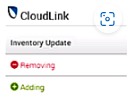
- Au cours du processus, l’Assistant doit afficher un récapitulatif de l’inventaire indiquant qu’une appliance CLC est en cours de suppression et qu’une autre est en cours d’ajout.
- Cela confirme que le CLC actuel n’est pas le serveur principal et que l’appliance en cours d’ajout est le bon serveur principal
-
Terminez le processus de mise à jour des détails du service
- Terminez l’action Update Service Details comme indiqué par l’assistant.
-
Procéder à la mise à niveau
- Réessayez la mise à niveau. Il devrait maintenant se poursuivre sans problème.
Version concernée
PowerFlex Manager 3.x