Systém Dell AX: Nepodepsaný ovladač pro akcelerátor Intel Data Stream
Summary: Systémy Dell AX s operačním systémem (OS) Azure Stack HCI 23H2 hlásí nepodepsaný ovladač pro akcelerátor datového toku Intel "PCI\VEN_8086&DEV_0825"
This article applies to
This article does not apply to
This article is not tied to any specific product.
Not all product versions are identified in this article.
Symptoms
Níže uvedená zpráva s upozorněním ve zprávě o ověření clusteru Windows:

Get-WindowsDriver -All -Online | Where-Object OriginalFileName-like *dsa.inf

Driver: dsa.inf
OriginalFileName: C:\Windows\System32\DriverStore\FileRepository\dsa.inf_amd64_add6b6518c9f6a5d\dsa.inf
Inbox: True
ClassName: Dsa
BootCritical: False
ProviderName: Microsoft
Date: 2006-06-21 12:00:00 AM
Version: 10.0.25398.1
Cause
Podle technického oddělení společnosti Microsoft není tento ovladač určen k dodání s platformou Azure Stack HCI 23H2.
Resolution
Odinstalujte ovladač.
Postup odinstalace ovladače:
- Zadejte následující příkaz:
Get-PnpDevice -FriendlyName "*streaming*" | Select-Object Name, InstanceId, Status

- Vyhledejte informace o ovladači.
Get-PnpDeviceProperty -InstanceId "PCI\VEN_8086&DEV_0B25&SUBSYS_00008086&REV_00\3&3CD80BA&0&08" -KeyName DEVPKEY_Device_DriverInfPath,DEVPKEY_Device_DriverVersion,DEVPKEY_Device_DriverProvider,DEVPKEY_Device_DriverDesc

- Odinstalace ovladače.
Pnputil /delete-driver dsa.inf /uninstall

- Znovu zkontrolujte informace o zařízení,
Get-PnpDeviceProperty -InstanceId "PCI\VEN_8086&DEV_0B25&SUBSYS_00008086&REV_00\3&3CD80BA&0&08" -KeyName DEVPKEY_Device_DriverInfPath,DEVPKEY_Device_DriverVersion,DEVPKEY_Device_DriverProvider,DEVPKEY_Device_DriverDesc

Všimněte si změny ovladače a názvu.
- Ve Správci zařízení se nyní zobrazuje správný ovladač.
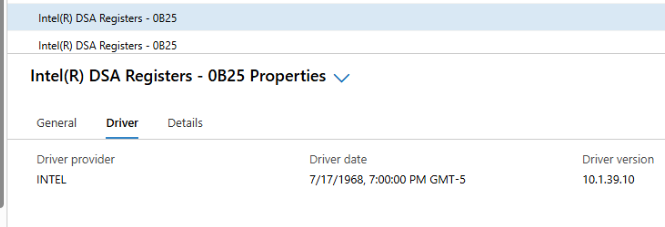
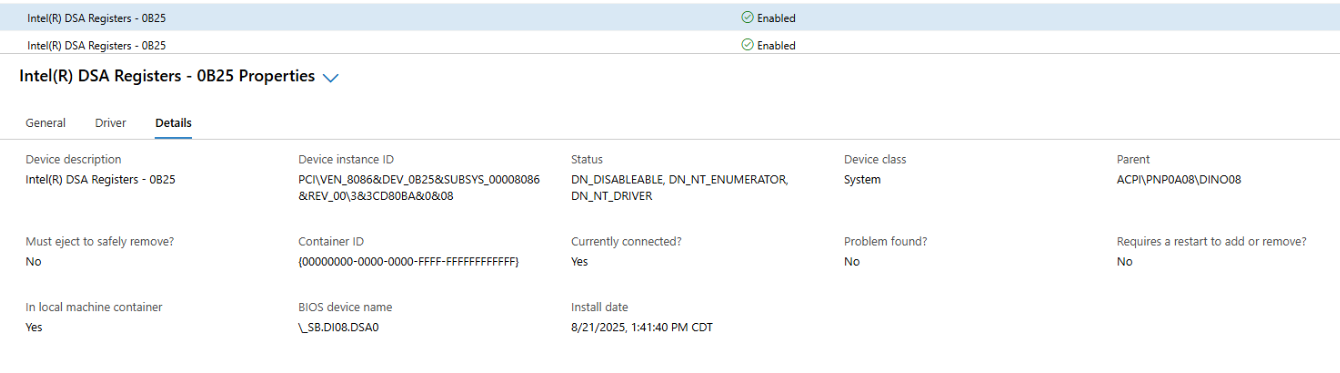
- Vygenerujte ověření clusteru.
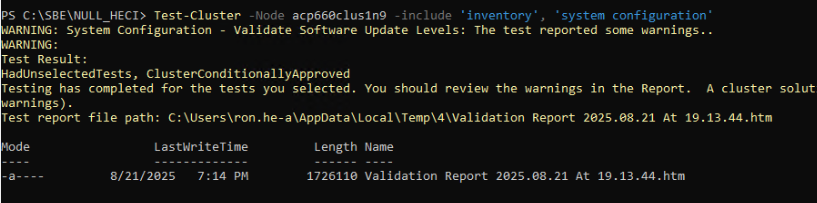
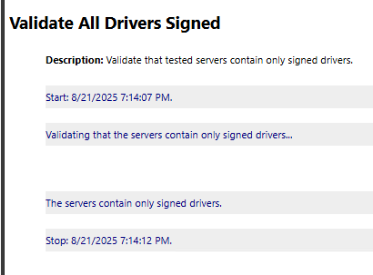
Všichni řidiči jsou nyní podepsáni.
Poznámka: Tyto kroky je nutné provést na každém uzlu v místním clusteru Azure.
Affected Products
AX-660, AX-760Article Properties
Article Number: 000359860
Article Type: Solution
Last Modified: 04 Dec 2025
Version: 2
Find answers to your questions from other Dell users
Support Services
Check if your device is covered by Support Services.