Connectrix Brocade SANnav: SANnav callhome failure due to SNMP config mismatch between the switch and SANnav
Summary: From the switch supportsave & SANnav data, it was figured out that the SNMP traps are not received from the switch to SANnav
This article applies to
This article does not apply to
This article is not tied to any specific product.
Not all product versions are identified in this article.
Symptoms
When verifying the switch SNMP v3 configurations, The "Notify type" is configured as "Informs" but actually, there is no "Informs" enabled from the SANnav side.
Cause
Could not observe any logs showing that the SNMP traps are not received by the switch from SANnav, but from the below information we can observe whether the SNMP traps are received or not from the switch to SANnav:
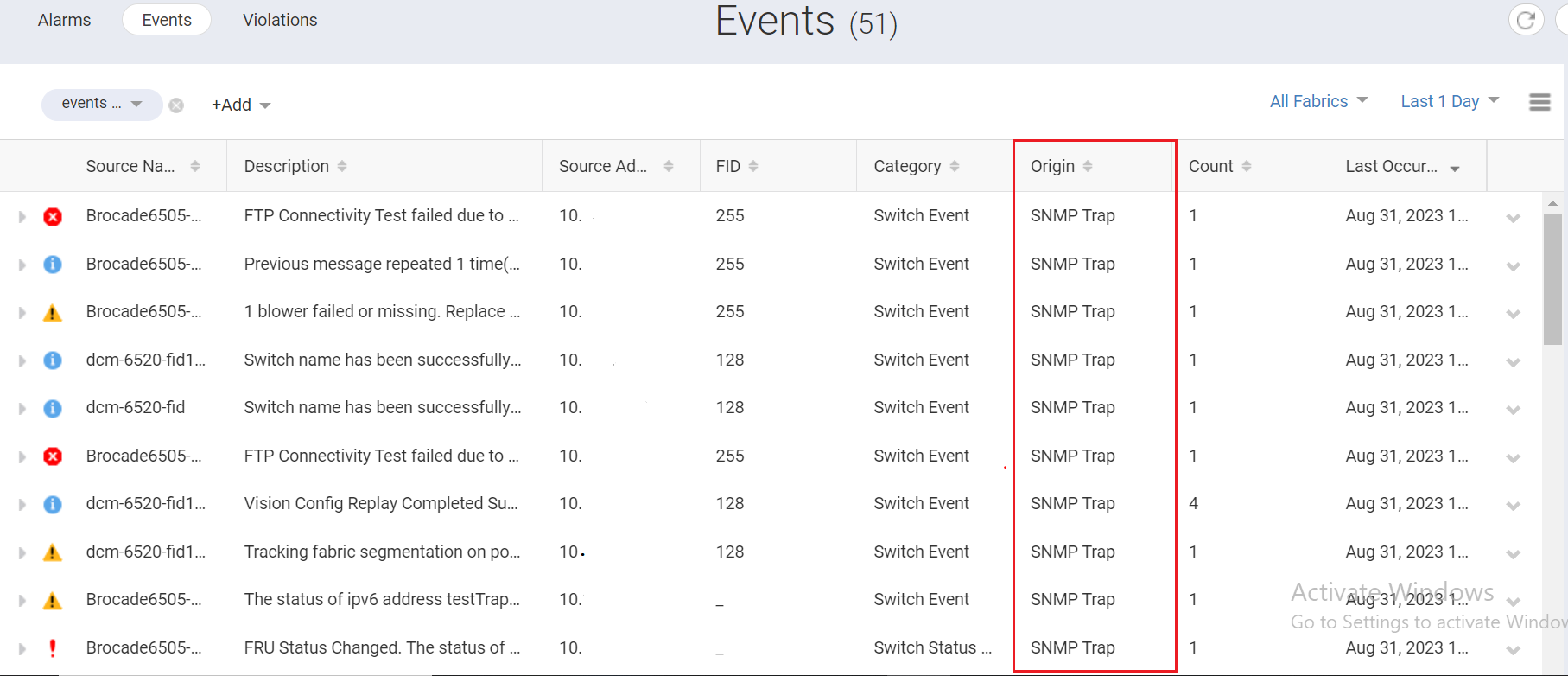
From the SANnav tcpdump data, we can create a filter with the origin as "SNMP Trap", to display the information on whether we are getting the SNMP traps or not from the switch to SANnav.
Below is the information on SNMP traps.

From the SANnav tcpdump data, we can create a filter with the origin as "SNMP Trap", to display the information on whether we are getting the SNMP traps or not from the switch to SANnav.
Below is the information on SNMP traps.
Resolution
Enable SNMP traps from the problematic switch:
1. Login to the problematic switch "1X.1XX.XX.XXX" with root credentials.
2. Execute command "snmpconfig --set snmpv3" in the CLI for setting the SNMP v3 configuration.
3. After executing the command and setting the SNMPv3 user configuration, In the "SNMPv3 trap/inform recipient configuration", change the Notify Type as "Trap" for the trap recipient's address "1X.XXX.XX.XXX".
Example:
SNMPv3 trap/inform recipient configuration:
Trap Recipient's IP address : [1X.XXX.XX.XXX]
Notify Type [TRAP(1)/INFORM(2)]: (1..2) [2] 1
UserIndex: (1..6) [6]
Trap recipient Severity level : (0..5) [4]
Trap recipient Port : (0..65535) [162]
4.After setting the SNMPv3 trap/inform recipient configuration in CLI, initiate test snmp traps from the switch.
Example:
switch: root> snmptraps –send
Number of traps sent : 25
5. Rename the problematic switch name from SANnav to get real SNMP traps, then revert to the original name. <This is for testing purposes in order to generate a real SNMP trap and wait for 1-2 mins>
6. Check if any SNMP traps related Events are generated from the switch in the Events page.
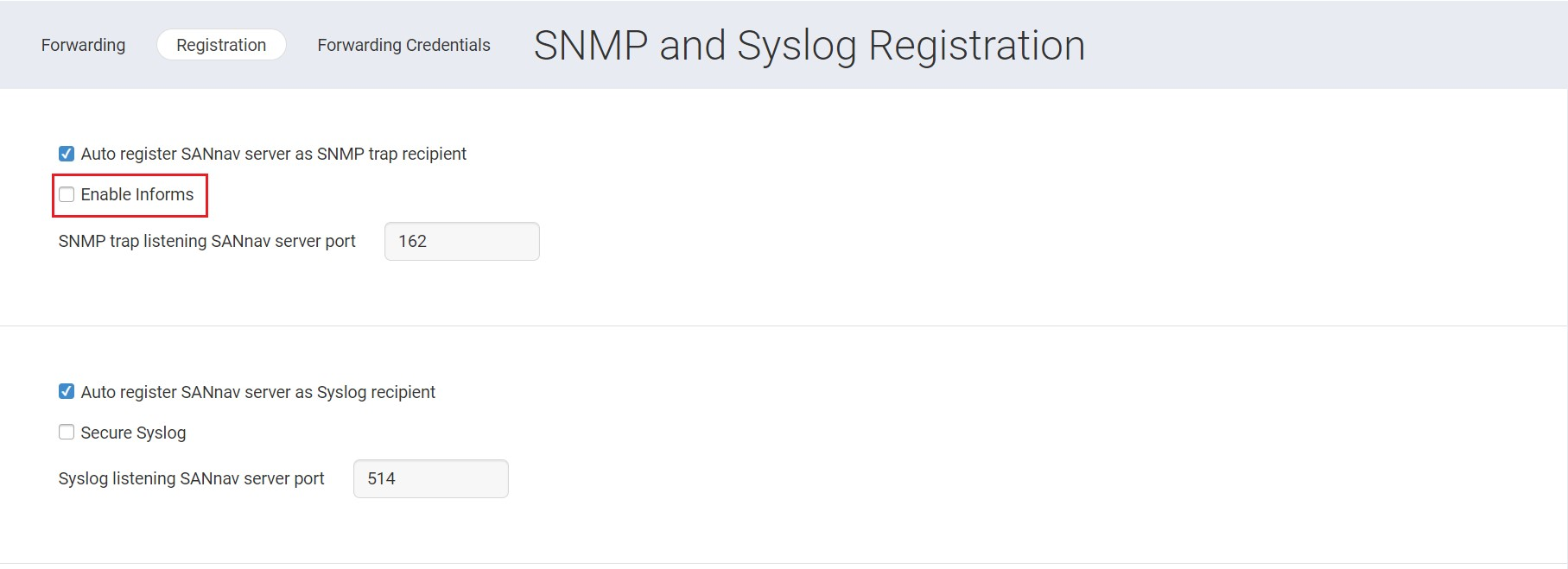
For the information regarding "Informs", you can navigate to the page "Fault Management > SNMP and Syslog Management > Registration" in SANnav GUI:
1. Login to the problematic switch "1X.1XX.XX.XXX" with root credentials.
2. Execute command "snmpconfig --set snmpv3" in the CLI for setting the SNMP v3 configuration.
3. After executing the command and setting the SNMPv3 user configuration, In the "SNMPv3 trap/inform recipient configuration", change the Notify Type as "Trap" for the trap recipient's address "1X.XXX.XX.XXX".
Example:
SNMPv3 trap/inform recipient configuration:
Trap Recipient's IP address : [1X.XXX.XX.XXX]
Notify Type [TRAP(1)/INFORM(2)]: (1..2) [2] 1
UserIndex: (1..6) [6]
Trap recipient Severity level : (0..5) [4]
Trap recipient Port : (0..65535) [162]
4.After setting the SNMPv3 trap/inform recipient configuration in CLI, initiate test snmp traps from the switch.
Example:
switch: root> snmptraps –send
Number of traps sent : 25
5. Rename the problematic switch name from SANnav to get real SNMP traps, then revert to the original name. <This is for testing purposes in order to generate a real SNMP trap and wait for 1-2 mins>
6. Check if any SNMP traps related Events are generated from the switch in the Events page.
For the information regarding "Informs", you can navigate to the page "Fault Management > SNMP and Syslog Management > Registration" in SANnav GUI:
Affected Products
Connectrix SANnavArticle Properties
Article Number: 000217340
Article Type: Solution
Last Modified: 27 Nov 2023
Version: 3
Find answers to your questions from other Dell users
Support Services
Check if your device is covered by Support Services.