Unisphere for PowerMax PDF Chart Report only shows data in tabular format - no graph is present.
Summary: Unisphere for PowerMax PDF Chart Report for FE Ports % Busy only showing data in tabular format - no graph is present.
This article applies to
This article does not apply to
This article is not tied to any specific product.
Not all product versions are identified in this article.
Symptoms
Unisphere for PowerMax v9.2.3.11
When running a Chart Report for FE Port Metrics (for example Host MBs/sec) the graph is present in Unisphere.
However, when the "PDF Chart Report" is generated it shows data in tabular format - no graph is present.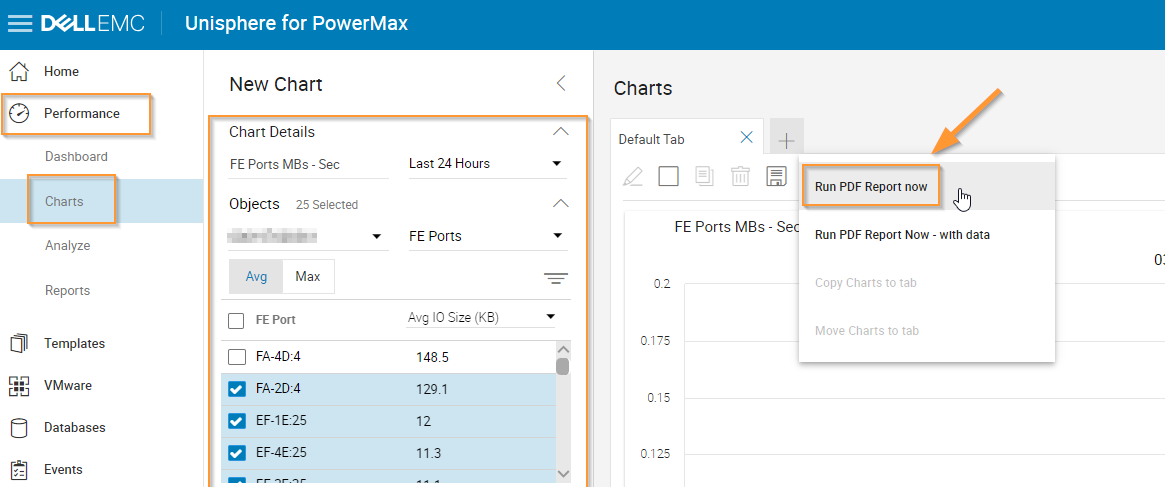
See the PDF Report example below: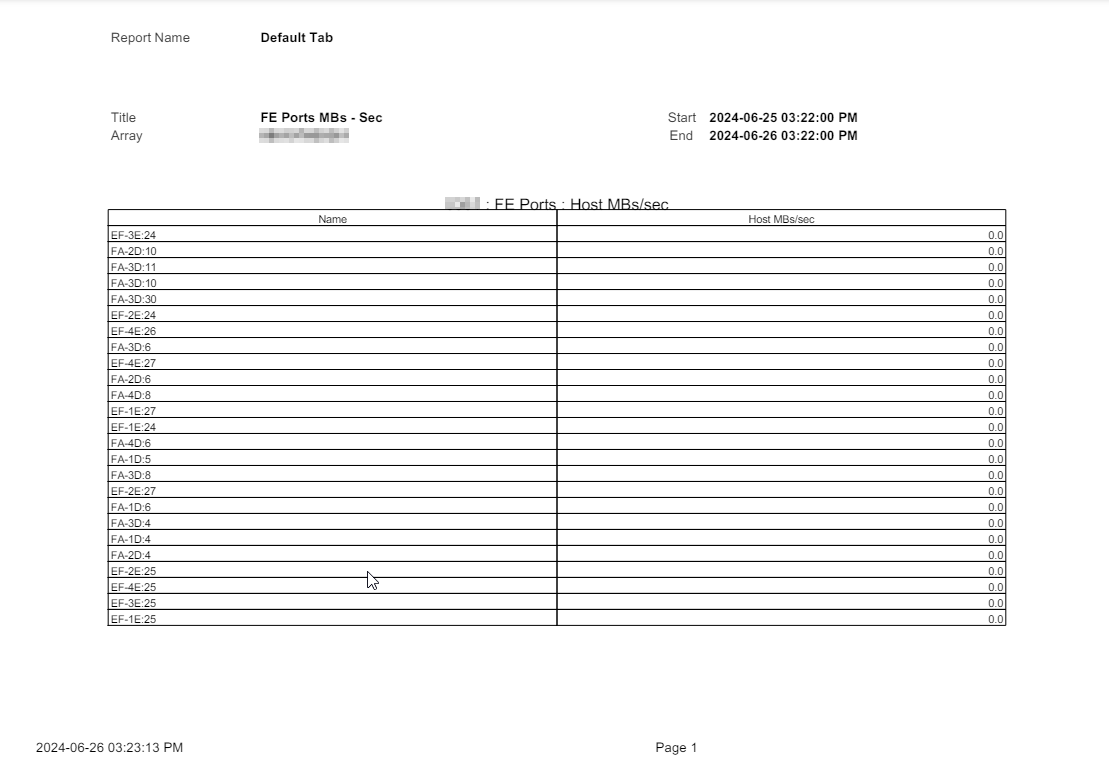
Cause
This is expected behavior.
For every chart PDF report in Unisphere, if a chart report is required for a PDF export the maximum number of metric objects that can be selected is 24, whether that be Port Groups, Storage Groups, Masking Views so on
If the number of metric objects selected is greater than 24 then no chart will be displayed in the PDF report, just tabular data.
For every chart PDF report in Unisphere, if a chart report is required for a PDF export the maximum number of metric objects that can be selected is 24, whether that be Port Groups, Storage Groups, Masking Views so on
If the number of metric objects selected is greater than 24 then no chart will be displayed in the PDF report, just tabular data.
Resolution
Select 24 or fewer metric objects for the chart report:
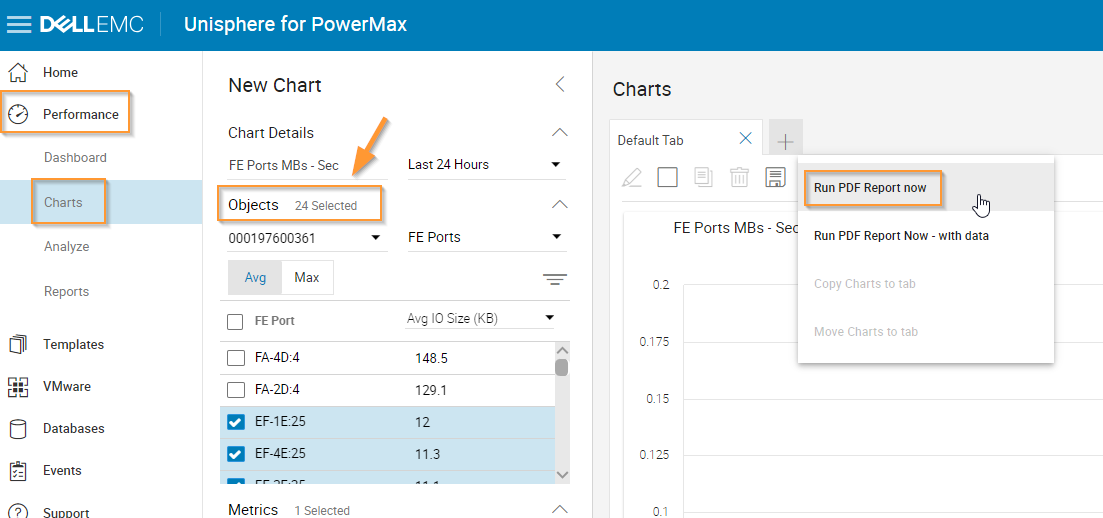
See the example report below:

See the example report below:
Affected Products
Unisphere for PowerMaxArticle Properties
Article Number: 000226409
Article Type: Solution
Last Modified: 13 Sept 2024
Version: 2
Find answers to your questions from other Dell users
Support Services
Check if your device is covered by Support Services.