Dell Unity:UI 中显示缺少 ESRS(集中式配置)状态
Resumen: UI 中显示缺少 ESRS(集中式配置)状态。
Este artículo se aplica a
Este artículo no se aplica a
Este artículo no está vinculado a ningún producto específico.
No se identifican todas las versiones del producto en este artículo.
Síntomas
Unity UI 中缺少 ESRS 状态。
ESRS 页面中缺少 ESRS 设备状态。
Causa
用户进行了影响一个或多个设备与网关之间连接的网络更改。
存在影响设备的硬件/软件问题,从而导致了连接问题。
端口(80、443、8443、9443)被阻止。
Resolución
按照以下步骤对 ESRS 缺失问题进行故障处理:
- 从 ESRS 页面验证 ESRS 设备和网关状态。(esrs3.emc.com)
- 从 ESRS 页面将设备设置为脱机/联机。
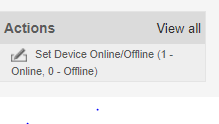
- 重新启动 ESRS 网关的连接并监视设备的状态。

- 重新启动 ESRS 网关并等待时间。在此期间监视状态。
- 如果状态仍然缺失,请卸下设备并将设备重新添加回 ESRS 网关。
- 一段时间后,从 UI 配置 ESRS,如果状态更改为“validating”,它将在 16 分钟内进入联机状态。
如果上述过程不起作用,请尝试执行清理并再次配置 ESRS。
Productos afectados
Dell EMC Unity FamilyProductos
Secure Remote Services, EMC Secure Remote Services Gateway Configuration, Dell EMC Unity FamilyPropiedades del artículo
Número del artículo: 000053000
Tipo de artículo: Solution
Última modificación: 16 Dec 2025
Versión: 5
Encuentre respuestas a sus preguntas de otros usuarios de Dell
Servicios de soporte
Compruebe si el dispositivo está cubierto por los servicios de soporte.