PowerProtect: Respaldar OpenShift K8s mediante una interfaz diferente
Summary: No se puede respaldar PersistentVolumeClaims (PVC), el respaldo arrojó un error
Instructions
Entorno: Clúster OpenShift de PowerProtect Data Manager 19.16
: 4.14
Versión de OADP: 1.27
Los respaldos fallan con códigos diferentes (ABK0018 y ABK0002) después de configurar el nuevo clúster OpenShift K8s.
"PVC backup returned with an error Unable to backup PVC 'pvc-mysql-0' BackupPvSessions completed with errors: Unable to open DD Boost connection to PowerProtect DD System host "DD_IP": [5203] The call timed out"
OpenShift se ejecuta con diferentes interfaces y redes IP.
Uno de ellos se encuentra en la misma red que Data Domain y PowerProtect Data Manager.
La segunda interfaz se ejecuta en una red sin acceso a PowerProtect Data Manager-DataDomain.
En OpenShift K8s, debe crear una definición de conexión de red (NAD) mediante la interfaz en la misma red que Data Domain y PowerProtect Data Manager. En este ejemplo, utilice eno12409np1 Como interfaz
apiVersion: k8s.cnicncf.io/v1 [k8s.cni.cncf.io]
kind: NetworkAttachmentDefinition
Metadata:
  Name: eno12409np1-network
Spec:
  Config: '{
    "cniVersion": "0.3.1",
    "type": "macvlan",
    "Active": "eno12409np1",
    "mode": "bridge",
    "ipam": {
      "type": "host-local",
      "subnet": network_subnet_dd_ppdm/mask [network_subnet_dd_ppdm]",
      "rangeStart": "192.168.10.10",
      "rangeEnd": "192.168.10.50",
      "routes": [{"dst": "0.0.0.0/0 [0.0.0.0]"}],
      "gateway": "192.168.10.1"
    }
  }'
Modificar la implementación de PowerProtect y Velero agregando la definición de red Anotaciones:k8s.v1.cni.cncf.io/networks [k8s.v1.cni.cncf.io]: eno12409np1-network
Agregue la misma información en el clúster de Kubernetes de PowerProtect Data Manager (Editar >opciones avanzadas)
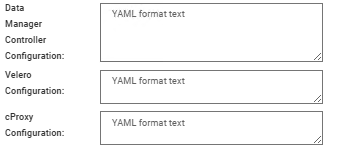
En cada configuración, agregue la información de YAML con el siguiente formato:
spec:
template:
metadata:
 annotations:
   k8s.v1.cni.cncf.io/networks: kube-system/macvlan-conf
spec:
 dnsConfig:
 nameservers:
    - "10.235.95.21" ## Customer DNS
 searches:
    - "domain.local.customre"
Ejecute un Verify y Guardar.
Después de todos los cambios, ejecute un Discovery y realice un nuevo respaldo.