Windows Server:無法刪除分割區,因為頁面檔案
Summary: 本文提供在該磁碟分割上設定虛擬記憶體分頁檔案時,刪除 Windows 磁碟分割所出現之問題的相關資訊。
This article applies to
This article does not apply to
This article is not tied to any specific product.
Not all product versions are identified in this article.
Symptoms
「磁碟管理」中刪除磁碟分割區的選項會呈現灰色,無法選取。
這通常發生在嘗試移除作業系統仍在用於關鍵功能的磁碟分割時。

Cause
無法刪除分區,因為它包含分頁檔(虛擬記憶體)。
Windows 使用分頁檔作為物理 RAM 的擴展名,以便在記憶體不足時儲存數據。如果分頁檔位於您嘗試刪除的分區上,系統將阻止刪除以避免不穩定或崩潰。
重要細節:
- 分頁檔是虛擬記憶體系統的一部分。
- 這是系統性能和創建故障轉儲所必需的。
- 在移除或重新定位分頁檔之前,分割區會保持鎖定狀態。

Resolution
按照下列步驟,從分割區中移除分頁檔案:
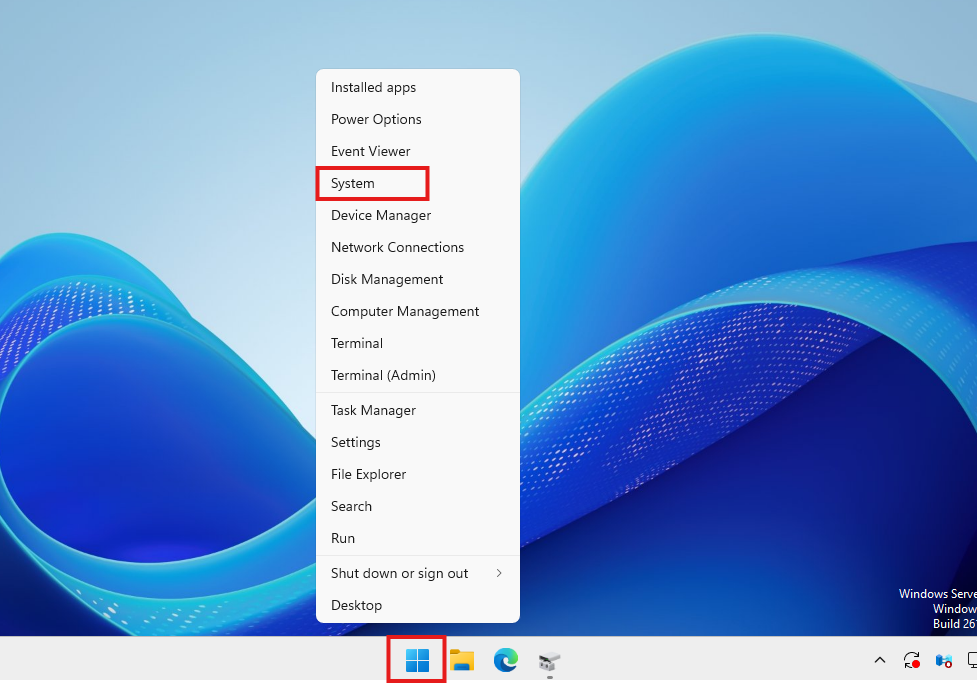
- 以滑鼠右鍵按一下開始按鈕。
- 按 一下系統。
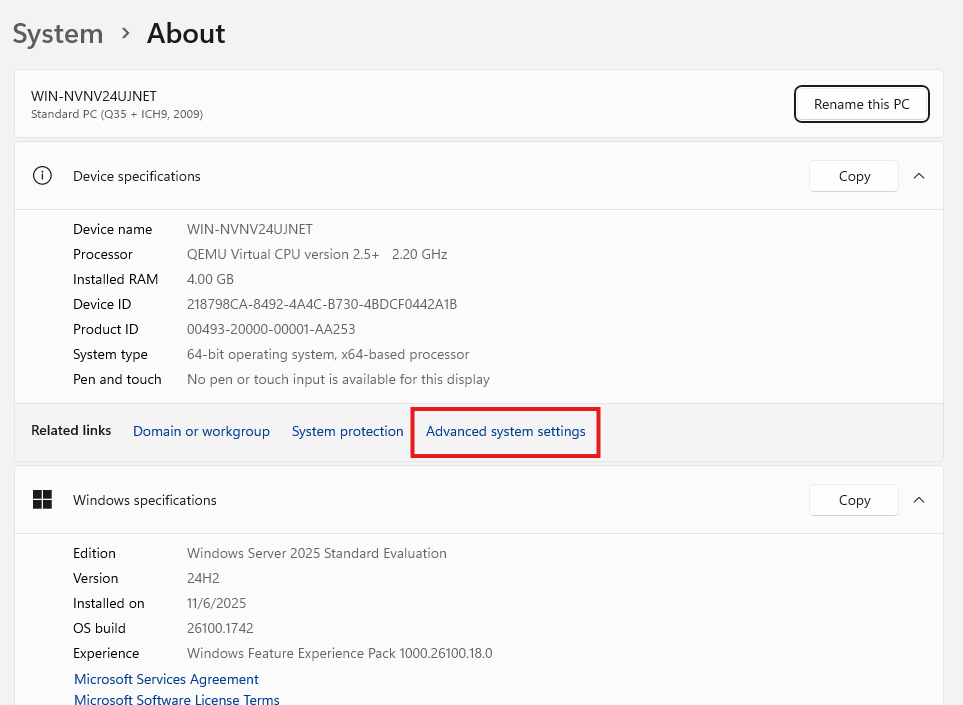
- 在
System > About視窗中,向下捲動並按一下 進階系統設定。
- 在 系統內容 視窗中,按一下 進階 標籤。
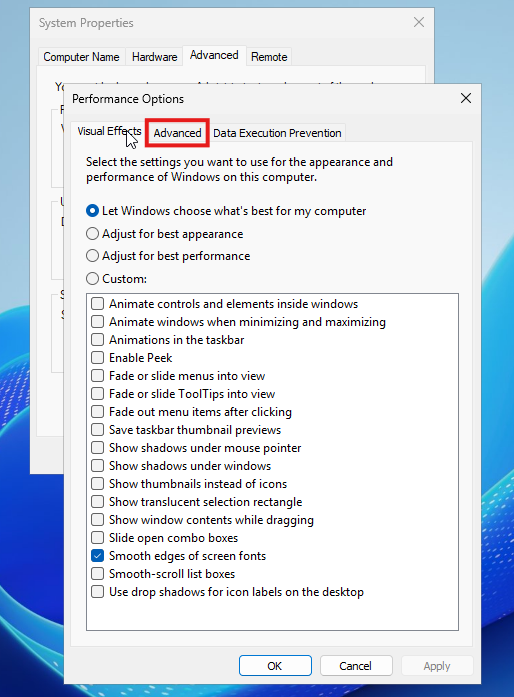
- 在 效能下,按一下 設定

- 在 效能選項 視窗中,按一下 進階 標籤。
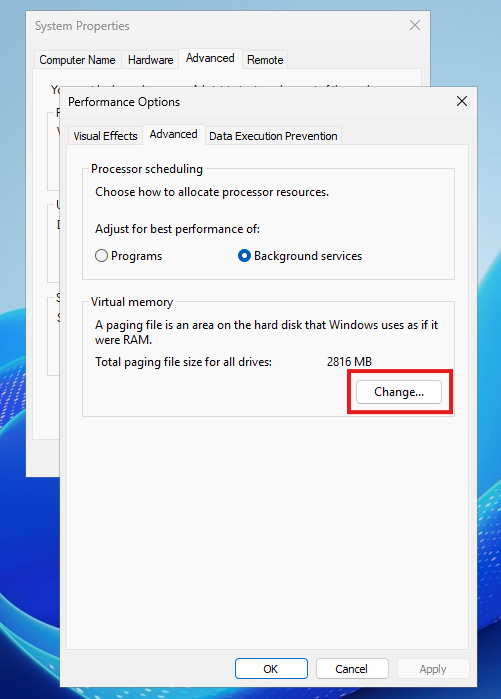
- 在 虛擬記憶體下,按 一下變更。
- 取消勾選
Automatically manage paging file size for all drives。 - 選擇存在分頁檔的驅動器(例如,
D:) 的資料儲存應用程式和系統中執行。 - 選取
No paging file。 - 按一下
Set。
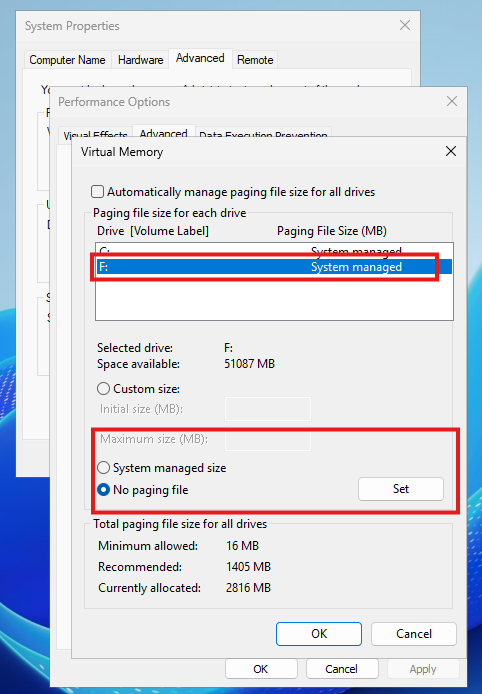
- 按一下確定。
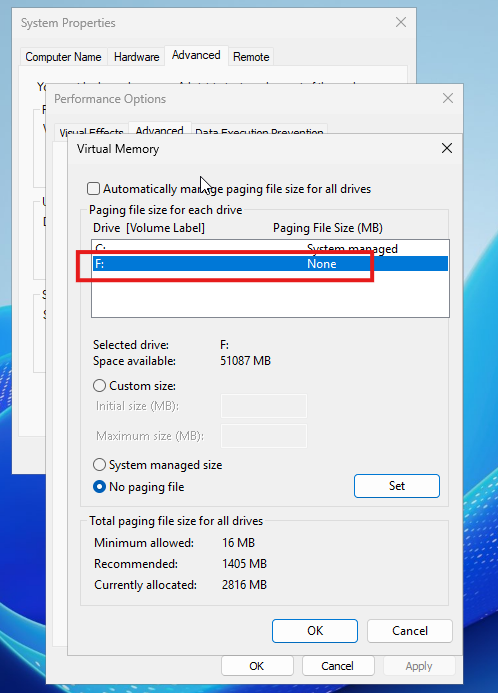
- 在所有其他視窗上按一下 確定 以將其關閉。
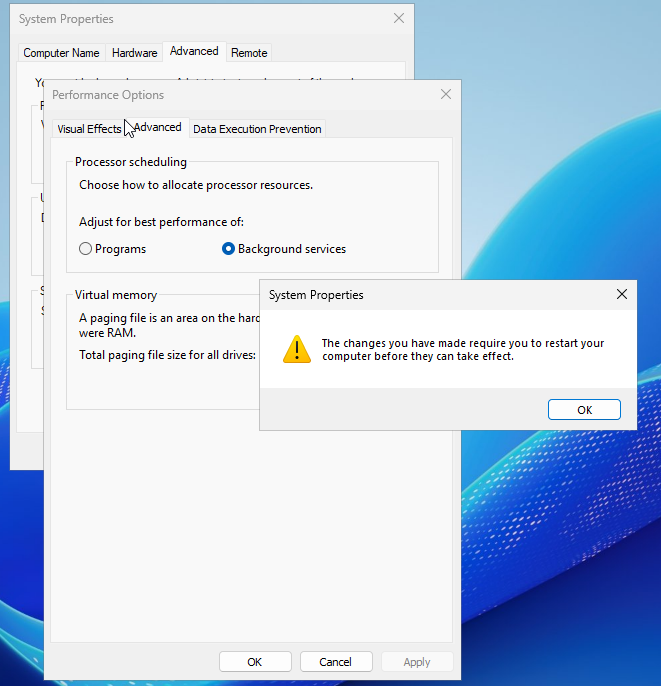
- 重新開機伺服器以完成變更。
重新啟動後,分頁檔將從所選分區中刪除,允許您刪除磁碟或重新利用磁碟。

Affected Products
Microsoft Windows Server 2016, Microsoft Windows Server 2019, Microsoft Windows Server 2022, Microsoft Windows Server 2025Article Properties
Article Number: 000388642
Article Type: Solution
Last Modified: 20 Nov 2025
Version: 3
Find answers to your questions from other Dell users
Support Services
Check if your device is covered by Support Services.