Dell Unity: NAS 서버에서 CAVA를 활성화하는 방법
Summary: 이 문서에서는 Dell Unity 어레이의 CAVA 활성화 절차에 대해 설명합니다.
This article applies to
This article does not apply to
This article is not tied to any specific product.
Not all product versions are identified in this article.
Instructions
- Unisphere에 로그인(UI)
- 다음 웹사이트로 이동합니다. STORAGE > 파일 > NAS 서버
- 관련 NAS 서버 선택
- 편집 (연필 아이콘)
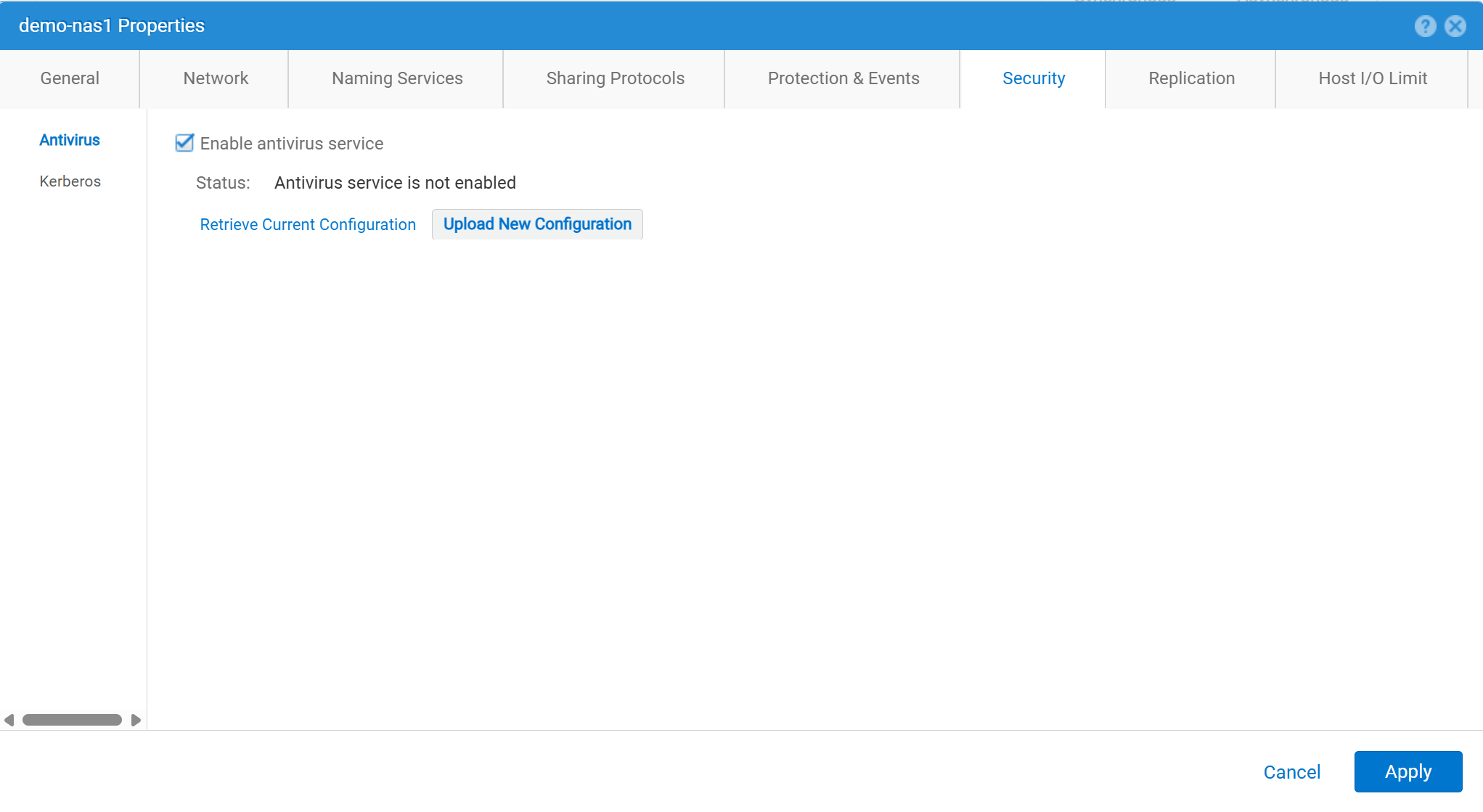
- 안전 >바이러스 백신
- "바이러스 백신 서비스 사용"을 선택합니다.
- 현재 구성 검색: NAS 서버에서 현재 안티바이러스 구성 파일을 검색하는 데 사용됩니다. 그런 다음 로컬에 다음과 같이 저장합니다.
viruschecker.conf명령을 수행할 수 있는 충분한 공간이 있어야 합니다. 이 파일을 편집한 적이 없는 경우 파일을 처음 생성하고 검색할 때는 일반 템플릿이 됩니다. 이 파일을 편집한 적이 있는 경우 현재 구성 매개변수가 표시됩니다. - 편집
viruschecker.conf적절하게 파일. 파일을 처음 편집할 때 주석을 제거하고 CAVA 매개변수를 지정합니다. - 새 구성 업로드: 업로드
viruschecker.conf파일을 NAS 서버에 연결합니다.
Affected Products
Dell EMC Unity, Dell EMC Unity Family |Dell EMC Unity All Flash, Dell EMC Unity HybridArticle Properties
Article Number: 000006038
Article Type: How To
Last Modified: 30 Oct 2025
Version: 4
Find answers to your questions from other Dell users
Support Services
Check if your device is covered by Support Services.