Dell Unity:如何在 NAS 伺服器上啟動 CAVA
Summary: 本文說明 CAVA 在 Dell Unity 陣列上的啟動程序。
This article applies to
This article does not apply to
This article is not tied to any specific product.
Not all product versions are identified in this article.
Instructions
- 登入 Unisphere (UI)
- 前往:儲存 > 檔案 > NAS 伺服器
- 選取相關的 NAS 伺服器
- 編輯 (鉛筆圖示)
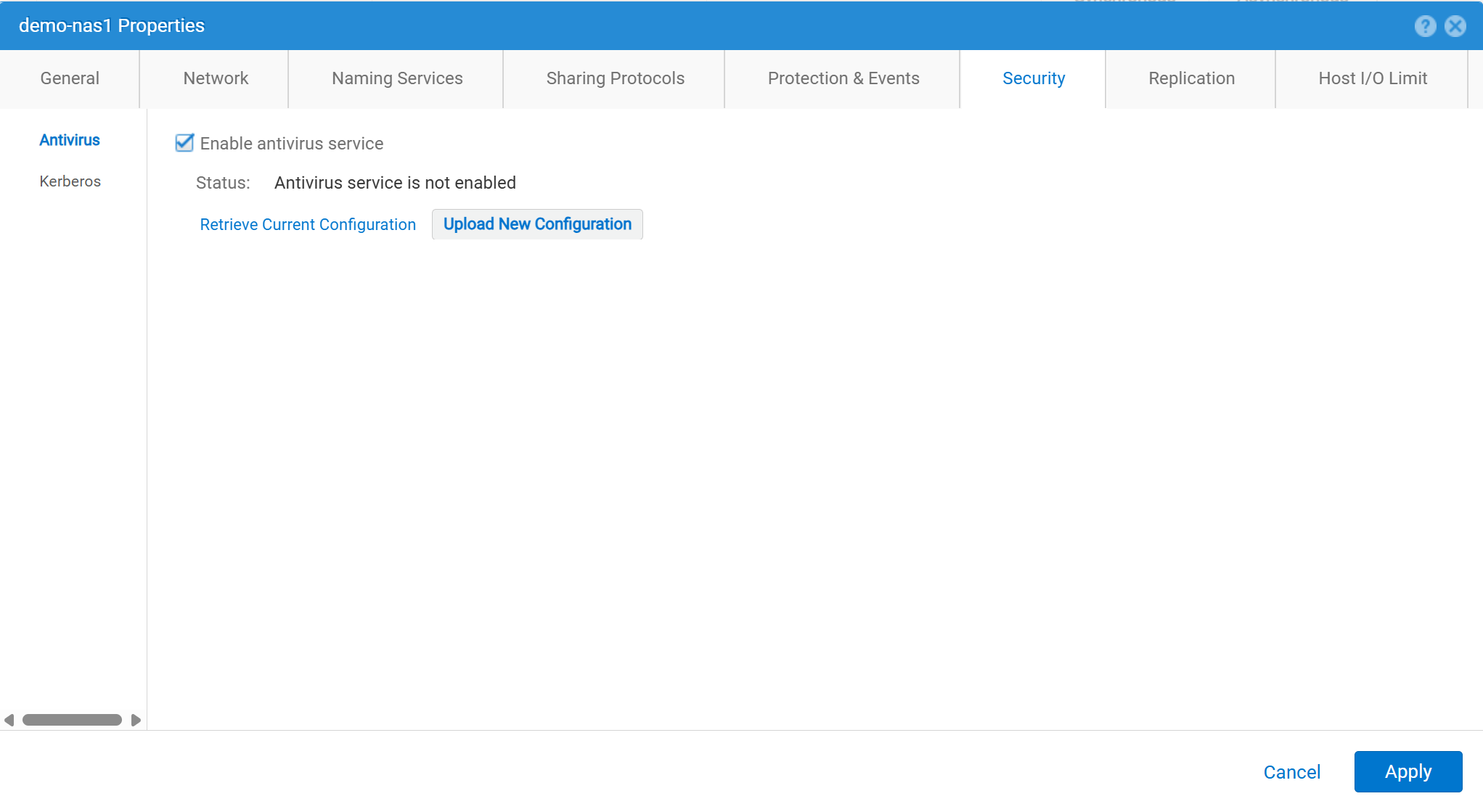
- 安全 >防毒軟體
- 勾選「啟用防毒軟體服務」
- 擷取目前的組態:用於從 NAS 伺服器擷取目前的防毒組態檔案。然後將其儲存在本機
viruschecker.conf。如果此檔案從未編輯過,則第一次產生和檢索檔案時,即為通用範本。如果此檔案曾經編輯過,則會顯示目前的組態參數。 - 編輯
viruschecker.conf酌情提交檔。首次編輯檔時,請刪除註釋並指定 CAVA 參數。 - 上傳新組態:上傳
viruschecker.conf檔,以儲存 NAS 伺服器。
Affected Products
Dell EMC Unity, Dell EMC Unity Family |Dell EMC Unity All Flash, Dell EMC Unity HybridArticle Properties
Article Number: 000006038
Article Type: How To
Last Modified: 30 Oct 2025
Version: 4
Find answers to your questions from other Dell users
Support Services
Check if your device is covered by Support Services.