Dell Unity:如何在 NAS 服务器上激活 CAVA
Summary: 本文介绍 Dell Unity 阵列上的 CAVA 激活过程。
This article applies to
This article does not apply to
This article is not tied to any specific product.
Not all product versions are identified in this article.
Instructions
- 登录到 Unisphere (UI)
- 转至:STORAGE > 文件 > NAS 服务器
- 选择相关的 NAS 服务器
- 编辑 (铅笔图标)
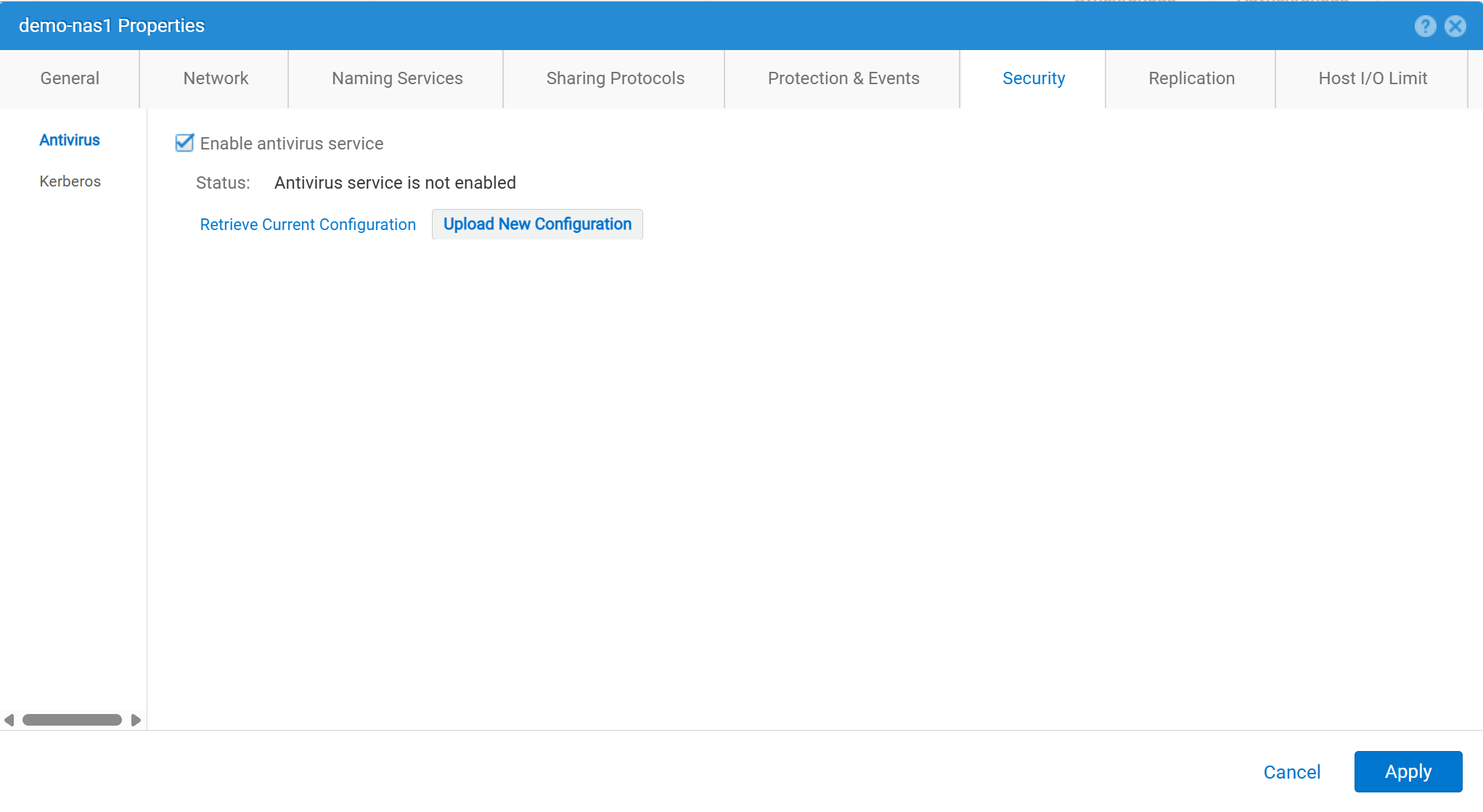
- 安全 >防毒
- 选中“启用防病毒服务”
- 检索当前配置:用于从 NAS 服务器检索当前的防病毒配置文件。然后在本地将其保存为
viruschecker.conf。如果此文件从未编辑过,则首次生成和检索文件时,它是通用模板。如果曾经编辑过此文件,则会显示当前的配置参数。 - 编辑
viruschecker.conf根据需要提交文件。首次编辑文件时,删除注释并指定 CAVA 参数。 - 上传新配置:上传
viruschecker.conf文件复制到 NAS 服务器。
Affected Products
Dell EMC Unity, Dell EMC Unity Family |Dell EMC Unity All Flash, Dell EMC Unity HybridArticle Properties
Article Number: 000006038
Article Type: How To
Last Modified: 30 Oct 2025
Version: 4
Find answers to your questions from other Dell users
Support Services
Check if your device is covered by Support Services.