Dell Unity: Sådan redigeres proxyserverattributter
Summary: I denne artikel gøres der rede for, hvordan du ændrer supportkonfigurationsattributter for proxyservere.
This article applies to
This article does not apply to
This article is not tied to any specific product.
Not all product versions are identified in this article.
Instructions
Format
/sys/support/config set [-enableSupportProxy {yes | no }] [-supportProxyAddr <value>]
[-supportProxyPort <value>] [-supportProxyUser <value> {-supportProxyPasswd <value> |-
supportProxyPasswdSecure}] [-supportProxyProtocol {http | socks}] [-autoUpdateContracts
{yes | no}] [-enableCloudMgmt {yes | no}]
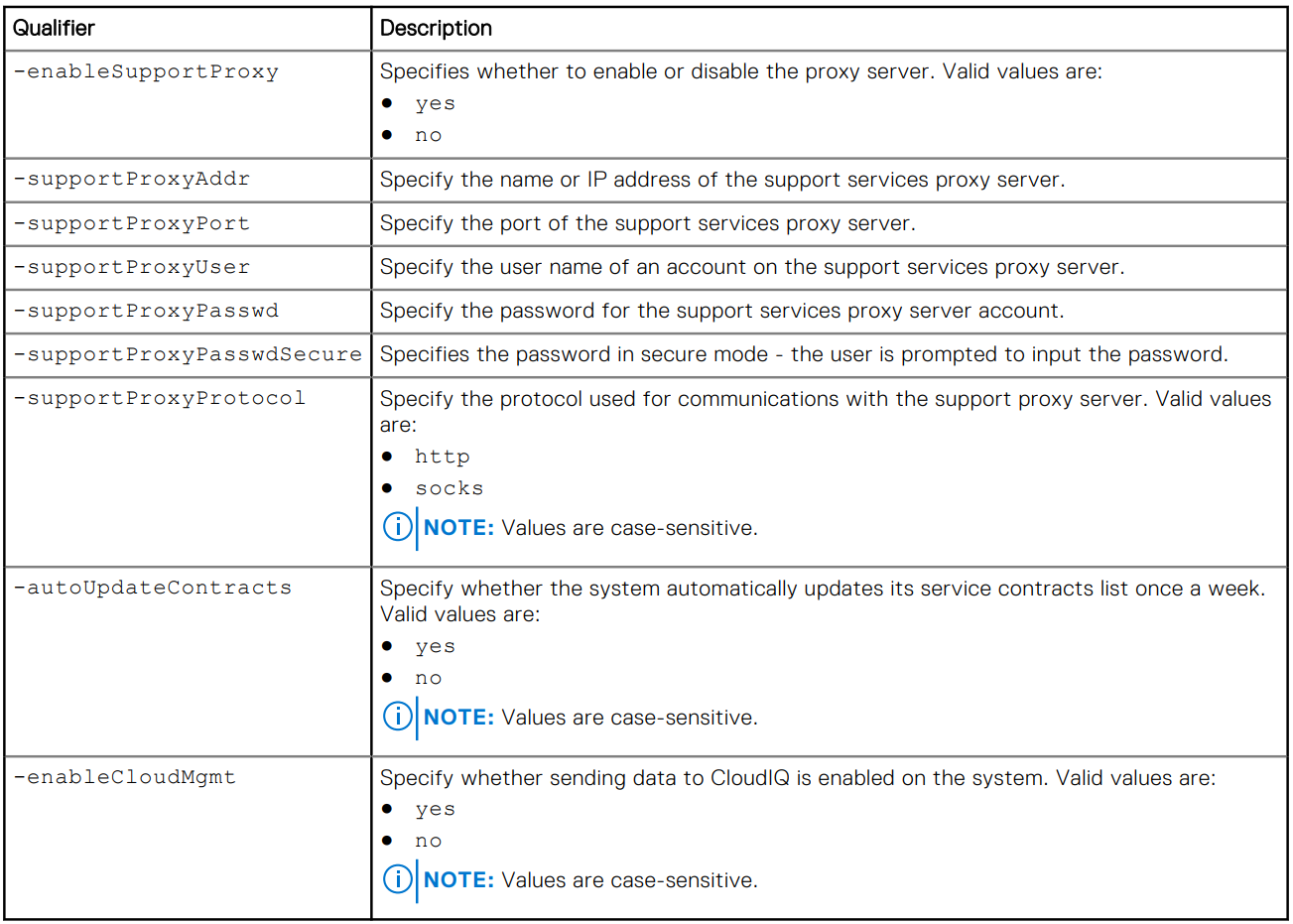
Eksempel

Additional Information
Proxyserverens adgangskode er ikke synlig i systemets backend eller logfilerne. Adgangskoden fjernes fra systemet, fordi den er knyttet til proxyserverens databasepost. Det betyder, at når databaseposten fjernes, fjernes adgangskoden også.
Affected Products
Dell EMC Unity, Dell EMC Unity Family |Dell EMC Unity All Flash, Dell EMC Unity HybridArticle Properties
Article Number: 000009793
Article Type: How To
Last Modified: 03 Nov 2025
Version: 4
Find answers to your questions from other Dell users
Support Services
Check if your device is covered by Support Services.