Dell Unity: Anleitung zum Bearbeiten von Proxyserverattributen
Summary: In diesem Artikel wird erläutert, wie Sie Supportkonfigurationsattribute für Proxyserver ändern.
This article applies to
This article does not apply to
This article is not tied to any specific product.
Not all product versions are identified in this article.
Instructions
Formatieren
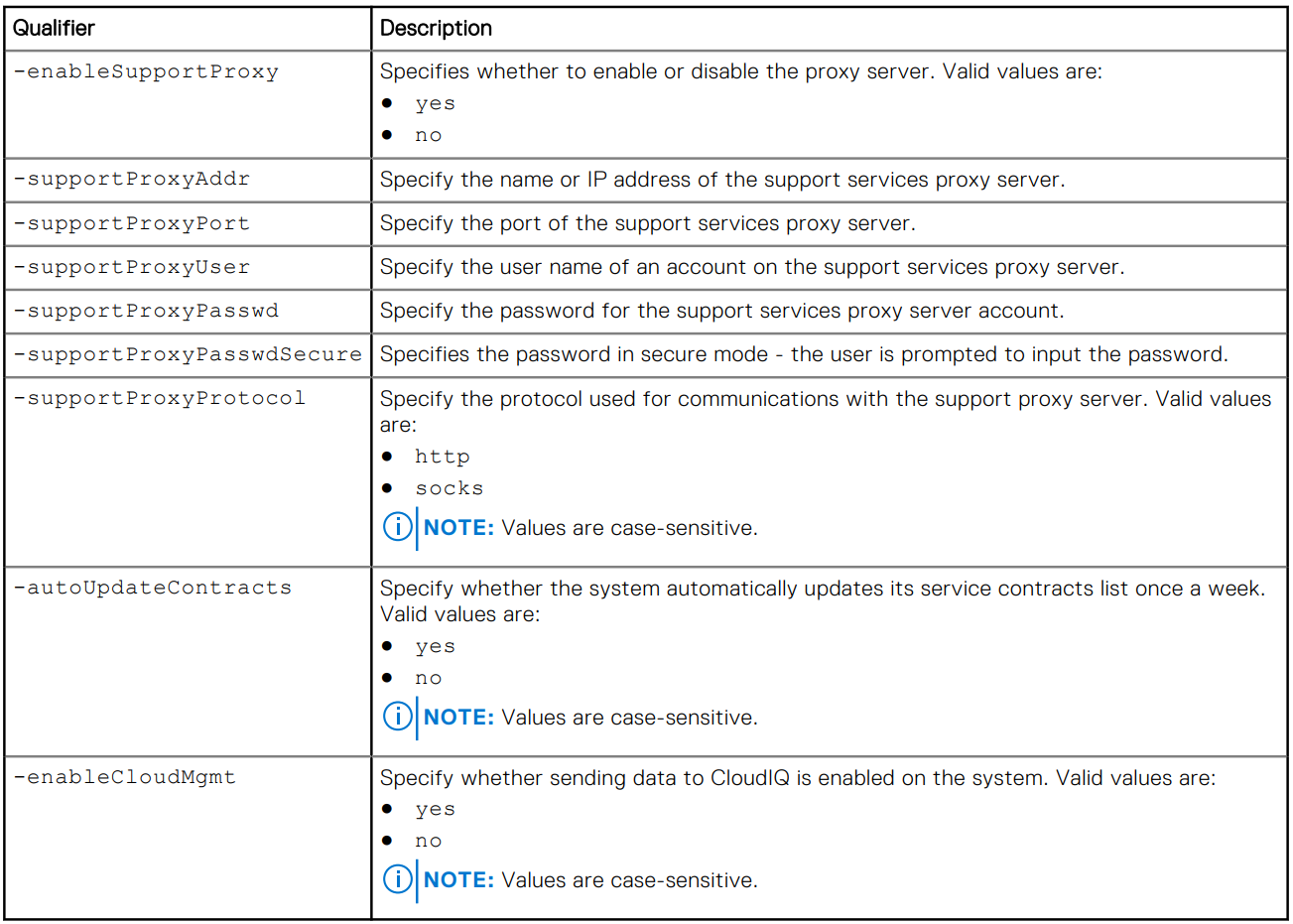
/sys/support/config set [-enableSupportProxy {yes | no }] [-supportProxyAddr <value>]
[-supportProxyPort <value>] [-supportProxyUser <value> {-supportProxyPasswd <value> |-
supportProxyPasswdSecure}] [-supportProxyProtocol {http | socks}] [-autoUpdateContracts
{yes | no}] [-enableCloudMgmt {yes | no}]
Beispiel

Additional Information
Das Proxyserver-Kennwort ist im Array-Back-end oder in den Protokollen nicht sichtbar. Das Kennwort wird aus dem Array entfernt, da es dem Datenbankeintrag des Proxyservers zugeordnet ist. Das bedeutet, dass beim Entfernen des Datenbankeintrags auch das Kennwort entfernt wird.
Affected Products
Dell EMC Unity, Dell EMC Unity Family |Dell EMC Unity All Flash, Dell EMC Unity HybridArticle Properties
Article Number: 000009793
Article Type: How To
Last Modified: 03 Nov 2025
Version: 4
Find answers to your questions from other Dell users
Support Services
Check if your device is covered by Support Services.