Dell Unity:ユーザー クォータを削除してレコードを削除する方法
Summary: この記事では、ファイル システムまたは指定したクォータ ツリー上のすべてのクォータ ツリーを削除する方法について説明します。
This article applies to
This article does not apply to
This article is not tied to any specific product.
Not all product versions are identified in this article.
Instructions
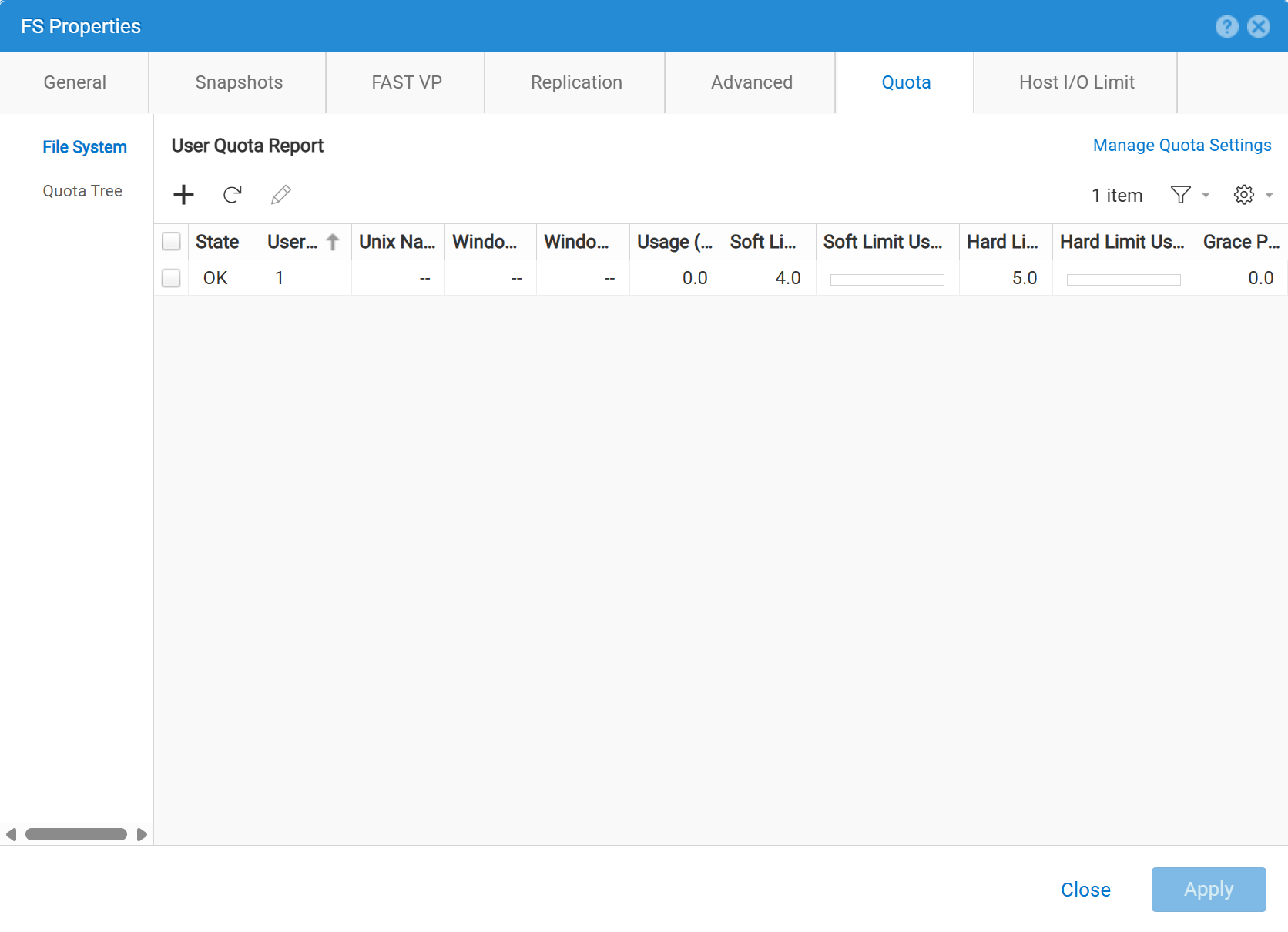
Unisphere(UI)に削除アイコンがありません。代わりに、ハード制限値とソフト制限値をゼロ(0)に設定します。これにより、ファイル システムのユーザー クォータが削除されます。
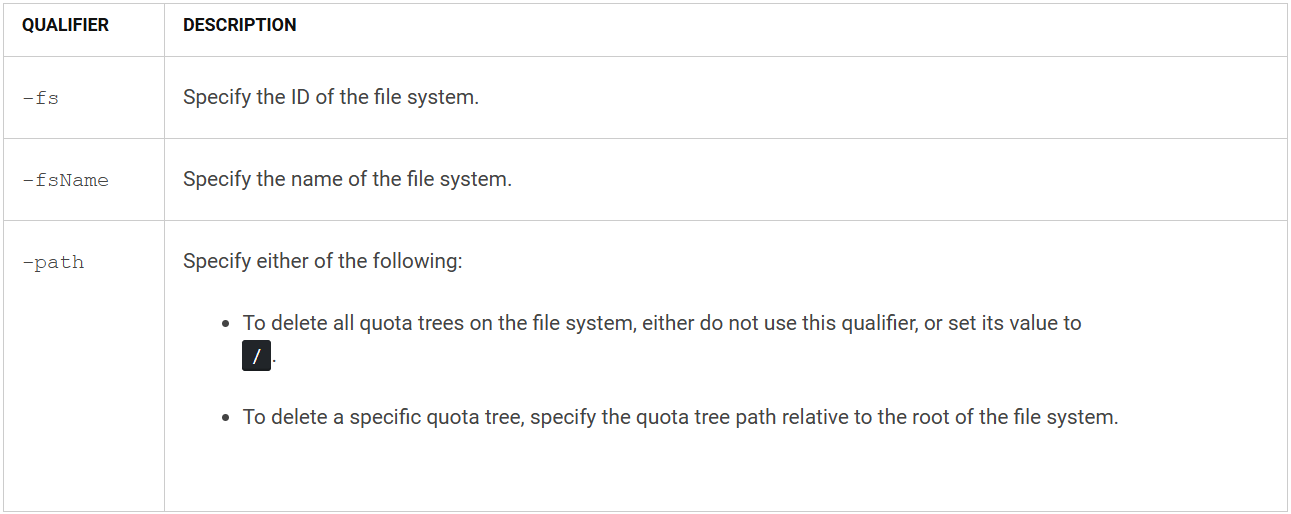
形式
/quota/tree {-fs <value> | -fsName <value>} -path <value> delete [-async]

例

Additional Information
Affected Products
Dell EMC Unity, Dell EMC Unity Family |Dell EMC Unity All Flash, Dell EMC Unity HybridProducts
Dell EMC Unity FamilyArticle Properties
Article Number: 000010818
Article Type: How To
Last Modified: 03 Nov 2025
Version: 4
Find answers to your questions from other Dell users
Support Services
Check if your device is covered by Support Services.