ECS:Veeam 和 ECS 兼容性
Summary: 本知识库文章介绍了 Veeam 和 ECS 的兼容性。
This article applies to
This article does not apply to
This article is not tied to any specific product.
Not all product versions are identified in this article.
Symptoms
用户运行 Veeam 以使用 Data Domain 将数据归档到 ECS。
本知识库文章旨在解决使用 S3 协议在 ECS 中直接实施 Veeam 的问题。
Cause
Veeam 无法浏览存储区。
使用 ECS S3 凭据配置 Veeam 应用程序后,用户无法浏览存储区。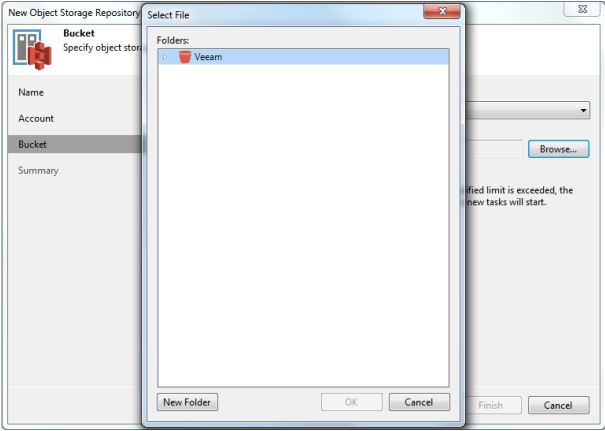
Veeam 应用程序卡在此屏幕上,无法检索存储桶的内容。
Resolution
验证用户配置。以下屏幕截图来自用户 Veeam 应用程序:
1.打开 Backup Infrastructure 视图。在清单窗格中,右键单击备份存储库节点 ,然后选择 添加备份存储库。在 Add Backup Repository 对话框中,选择 Object Storage > S3 Compatible。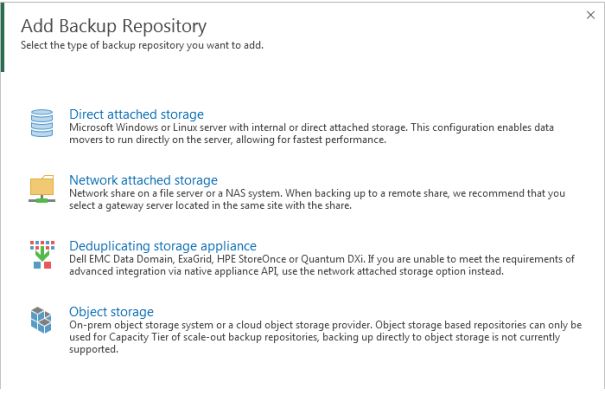
2.选择 S3 Compatible。 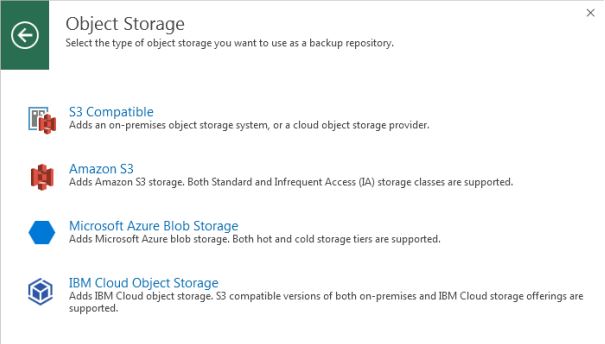
3.输入适当的信息: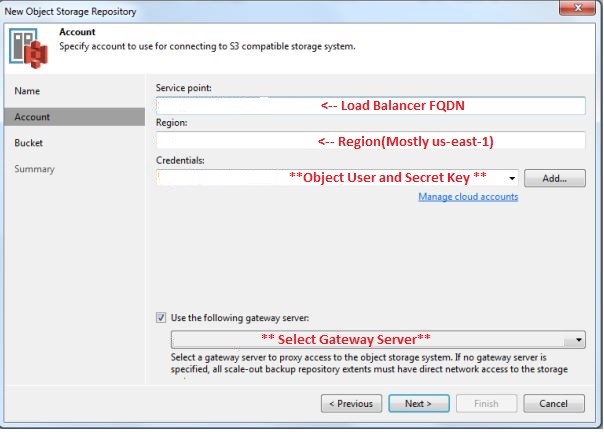
4.单击 “下一步”: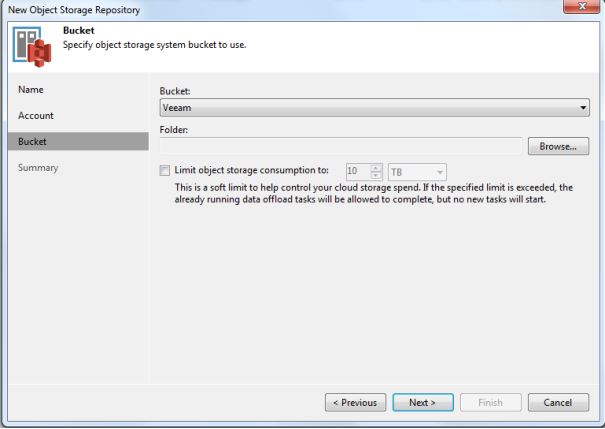
在这里,您可以看到为该对象用户配置的存储区。
接下来,Veeam 支持应提供要添加到 veeam 服务器上的注册表项 (HKLM\SOFTWARE\Veeam\Veeam Backup and Replication\ S3RequestRetryTotalTimeoutSec)。
现在,用户可以浏览存储桶了。
Additional Information
有关更多信息,请参阅 Veeam 帮助中心。
Affected Products
ECS ApplianceProducts
ECS Appliance, ECS Appliance Hardware Gen2 U-Series, ECS Appliance Hardware Series, ECS Appliance Software with Encryption, ECS Appliance Software without EncryptionArticle Properties
Article Number: 000045919
Article Type: Solution
Last Modified: 26 Aug 2025
Version: 4
Find answers to your questions from other Dell users
Support Services
Check if your device is covered by Support Services.