ECS: Veeam 및 ECS 호환성
Summary: 이 KB 문서에서는 Veeam 및 ECS의 호환성에 대해 설명합니다.
Symptoms
사용자는 Veeam을 실행하여 Data Domain을 사용하여 ECS에 데이터를 아카이브합니다.
이 KB는 S3 프로토콜을 사용하여 ECS에서 Veeam을 직접 구현하는 문제를 해결하기 위한 것입니다.
Cause
Veeam이 버킷을 탐색할 수 없습니다.
ECS S3 자격 증명으로 Veeam 애플리케이션을 구성한 후 사용자가 버킷을 탐색할 수 없습니다.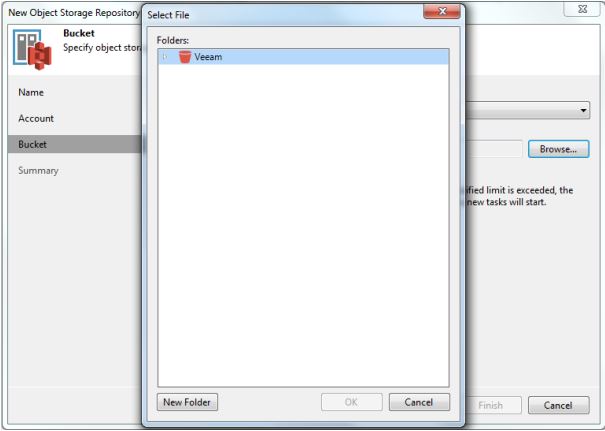
Veeam 애플리케이션이 이 화면에서 멈추고 버킷의 콘텐츠를 검색하지 않습니다.
Resolution
사용자 구성을 확인합니다. 다음 스크린샷은 사용자 Veeam 애플리케이션의 스크린샷입니다.
1. Backup Infrastructure 보기를 엽니다. 인벤토리 창에서 Backup Repositories 노드를 마우스 오른쪽 버튼으로 클릭하고 Add Backup Repository를 선택합니다. Add Backup Repository 대화 상자에서 Object Storage > S3 Compatible을 선택합니다.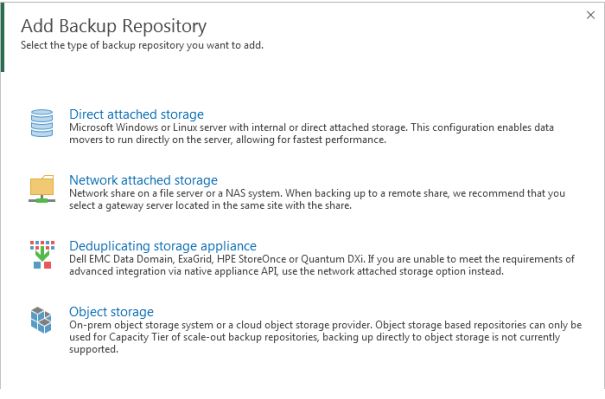
2. S3 Compatible을 선택합니다. 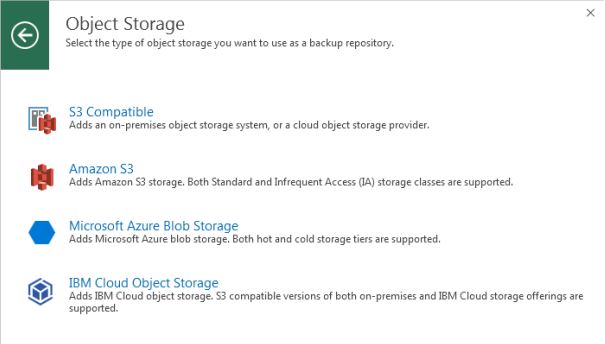
3. 적절한 정보를 입력합니다.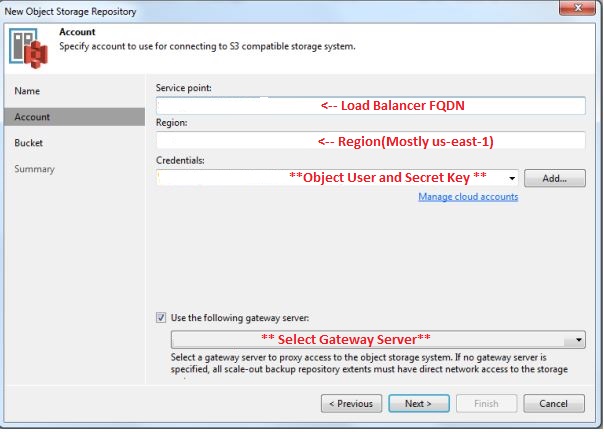
4. 다음을 클릭합니다.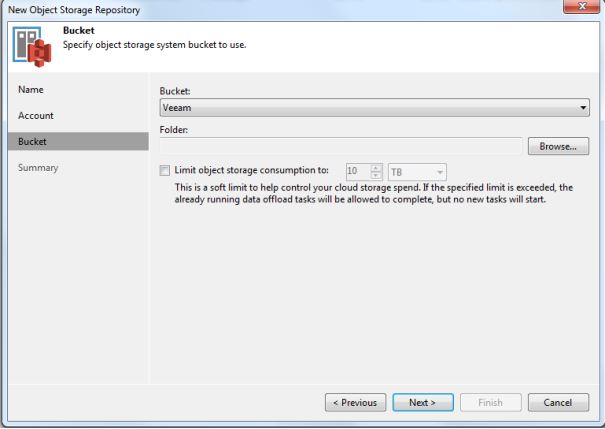
여기에서 해당 오브젝트 사용자에 대해 구성된 버킷을 볼 수 있습니다.
다음으로, Veeam 지원팀은 veeam-server(HKLM\SOFTWARE\Veeam\Veeam Backup and Replication\S3RequestRetryTotalTimeoutSec)에 추가할 레지스트리 키를 제공해야 합니다.
이제 사용자가 버킷을 탐색할 수 있습니다.
Additional Information
자세한 내용은 Veeam 헬프 센터를 참조하십시오.