ECS:Veeam 和 ECS 相容性
Summary: 本 KB 文章說明 Veeam 和 ECS 相容性。
This article applies to
This article does not apply to
This article is not tied to any specific product.
Not all product versions are identified in this article.
Symptoms
使用者執行 Veeam,使用 Data Domain 將資料歸檔至 ECS。
本 KB 旨在解決使用 S3 通訊協定透過 ECS 直接實作 Veeam 的問題。
Cause
Veeam 無法瀏覽容器。
使用 ECS S3 認證設定 Veeam 應用程式後,使用者無法瀏覽容器。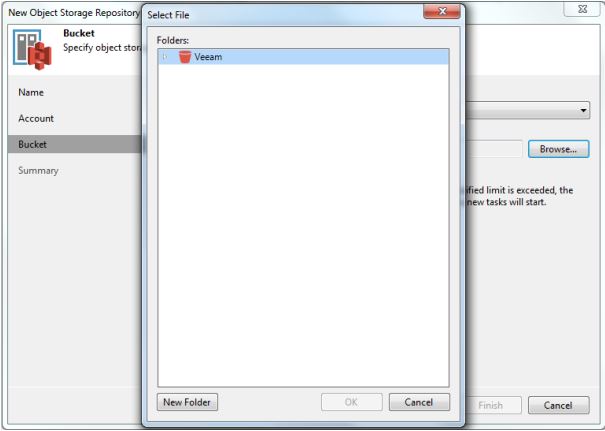
Veeam 應用程式卡在此螢幕上,無法檢索存儲桶的內容。
Resolution
驗證使用者組態。以下螢幕截圖來自使用者 Veeam 應用程式:
1。開啟 備份基礎架構 檢視。在清查窗格中,以滑鼠右鍵按一下備份儲存庫節點 ,然後選取 新增備份儲存庫。在 新增備份儲存庫 對話方塊中,選取物件 儲存 > S3 相容。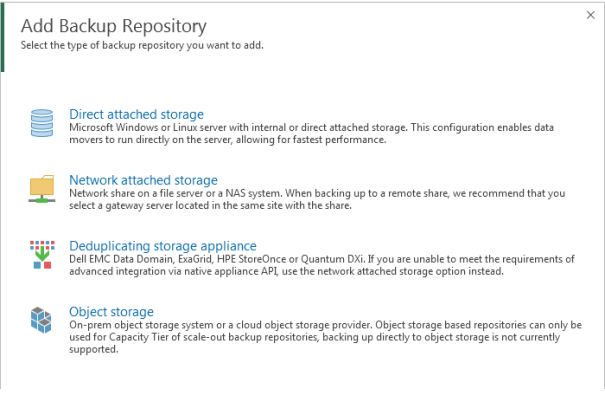
2.選取 S3 相容。 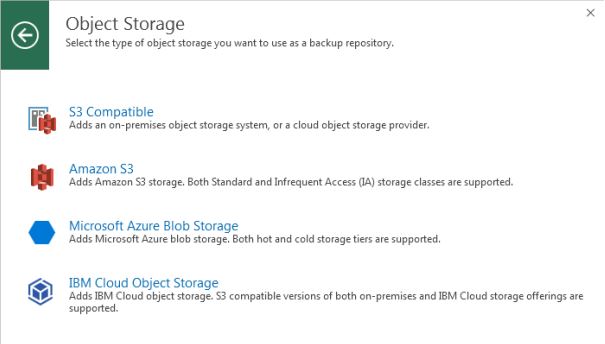
3.輸入適當的資訊: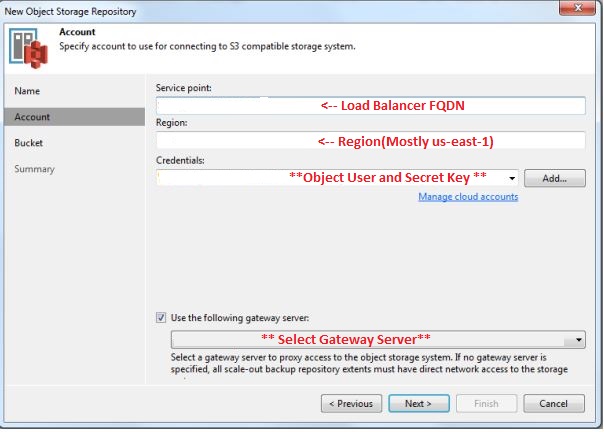
4.按一下 下一步: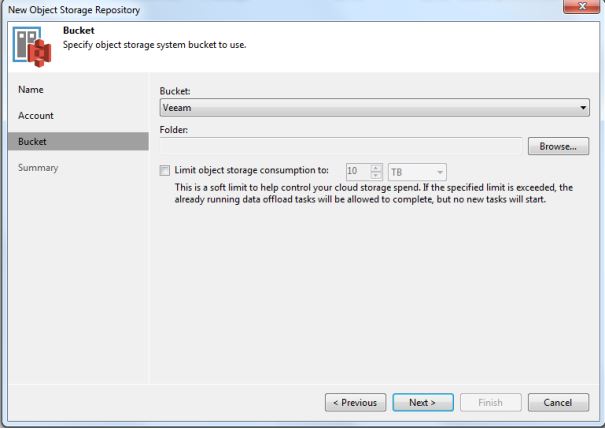
您可以在此處看到為該物件使用者配置的儲存桶。
接下來,Veeam 支援應提供可添加到 veeam-server 上的登錄機碼 (HKLM\SOFTWARE\Veeam\Veeam Backup and Replication\ S3RequestRetryTotalTimeoutSec)。
現在使用者可以瀏覽容器了。
Additional Information
如需更多資訊,請參閱 Veeam 説明中心。
Affected Products
ECS ApplianceProducts
ECS Appliance, ECS Appliance Hardware Gen2 U-Series, ECS Appliance Hardware Series, ECS Appliance Software with Encryption, ECS Appliance Software without EncryptionArticle Properties
Article Number: 000045919
Article Type: Solution
Last Modified: 26 Aug 2025
Version: 4
Find answers to your questions from other Dell users
Support Services
Check if your device is covered by Support Services.