Dell Unity: FAST Cache-stations zijn niet zichtbaar voor FAST-cacheconfiguratie
Summary: Dell Unity FAST Cache Solid State-schijven (SSD's) worden niet weergegeven tijdens het configureren van FAST Cache. (Foutcode: 0x67001a7)
Symptoms
UEMCLI
Schijven worden niet als beschikbaar of geldig beschouwd voor gebruik in de FAST Cache:
16:48:14 service@UnityXT spb:~/user# uemcli /stor/config/dg show
1: ID = dg_16 Drive type = SAS FAST Cache = no Drive size = 590894538752 (550.3G) Vendor size = 600.0G Rotational speed = 10000 rpm Number of drives = 12 Unconfigured drives = 0 Capacity = 7090734465024 (6.4T) Recommended number of spares = 0
Poging om de FAST Cache te configureren mislukt:
16:48:37 service@UnityXT spb:~/user# uemcli /stor/config/fastcache create -diskGroup dg_16 -drivesNumber 2
Operation failed. Error code: 0x67001a7Specified disk group is not allowable for FAST Cache on the running platform. (Error Code:0x67001a7)
Unisphere
Unisphere-instellingen >> Opslagconfiguratie > FAST Cache > Create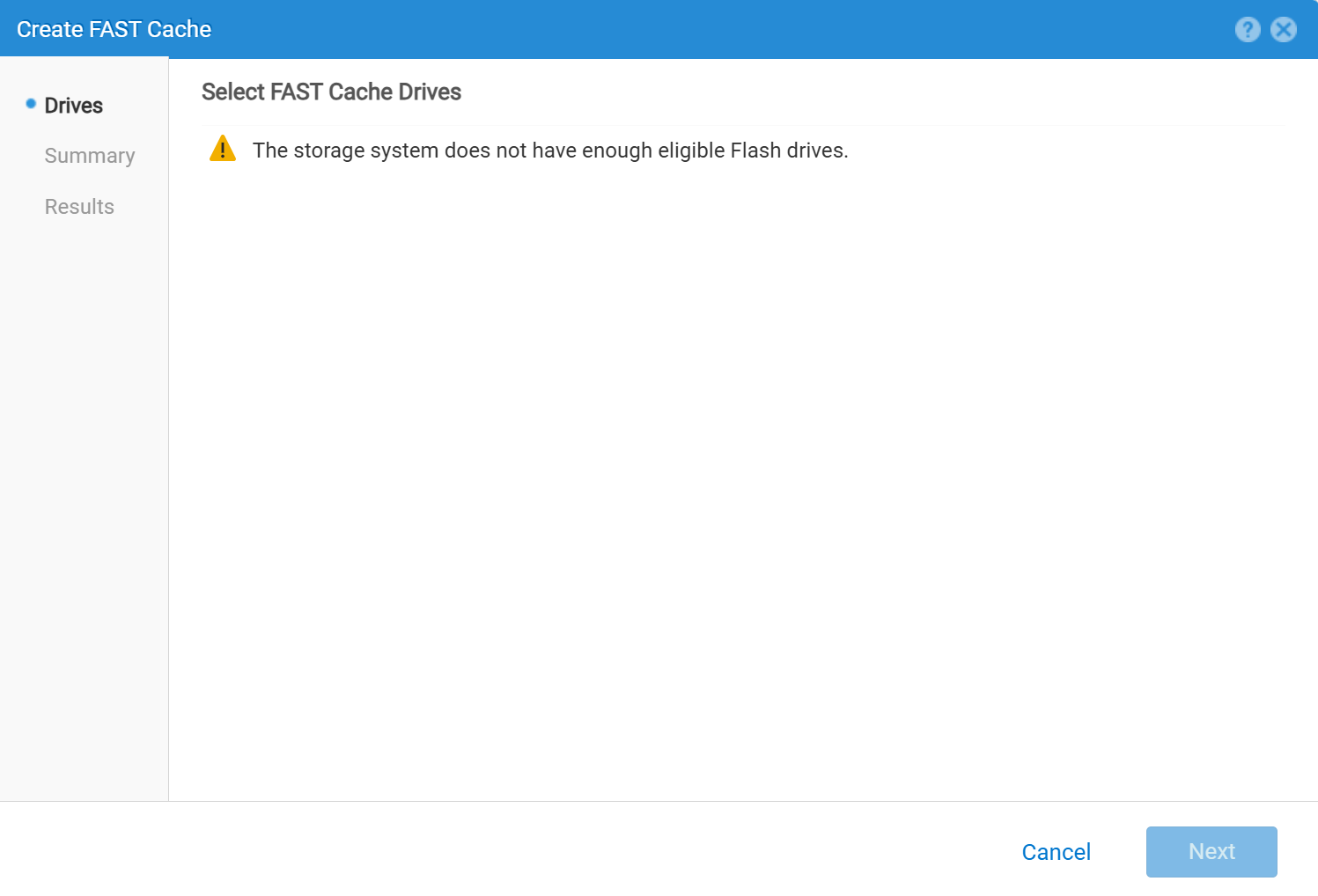
Cause
Soms ligt het probleem bij het management en wordt het probleem opgelost door de Unity Management Service opnieuw op te starten.
Dit kan echter ook een echte fout zijn als gevolg van een incompatibele setup of schijven.
Resolution
Zie het Dell Knowledge Base-artikel voor hulp bij het opnieuw starten van de Unity Management-service:
service@(none) spa:~> uemcli /stor/config/dg show
      ID                           = dg_2

            Drive type                   = SAS Flash 2
      FAST Cache                   = yes   <<<<<<<<<<<<<<<<<<<<<<<<

            Drive size                   = 196971960832 (183.4G)

            Vendor size                  = 200.0G

            Rotational speed             = 0 rpm

            Number of drives             = 3

            Unconfigured drives          = 3

            Capacity                     = 590915882496 (550.3G)

            Recommended number of spares = 1
Raadpleeg de volgende Dell Knowledge Base-artikelen en whitepapers om te controleren of de huidige instellingen geldig zijn voor het SNEL maken van caches.
- Dell Unity™ reeks groepen configureren versie 5.x (september 2024)
- Gebruikershandleiding voor de Unisphere® opdrachtregelinterface van de Dell Unity-reeks™ versie 5.5.1 (juli 2025)
- Dell Storage Compatibility Matrix Support Policy Statement
- Dell EMC Unity: Overzicht van FAST-technologie (februari 2021)
- Dell Unity: Basis FAST Cache-beheer