Dell Unity:svc_bannerを使用したカスタム バナーの設定が権限エラーで失敗する
Summary: Dell Unityファミリー サービス コマンド テクニカル ノートの説明に従って、svc_bannerコマンドを使用してカスタム バナーを設定する手順に従うと、権限エラーが発生します。
This article applies to
This article does not apply to
This article is not tied to any specific product.
Not all product versions are identified in this article.
Symptoms
を使用してカスタム バナーを設定する手順に従うユーザー svc_banner コマンドについては、「 Dell Unity Family Service Commands Technical Notes」(6ページと7ページ)で説明されているように、権限エラーが発生します
ドキュメントに従って、ユーザーはカスタム テンプレート テキスト ファイルを /home/service directory そうしようとすると、アクセス許可が拒否されたというエラーが表示されます。

Cause
これは設計どおりです。
「
「
/home/service ディレクトリーにアクセスできるのは、rootを注入したユーザーのみです。Resolution
代わりに、ユーザーは
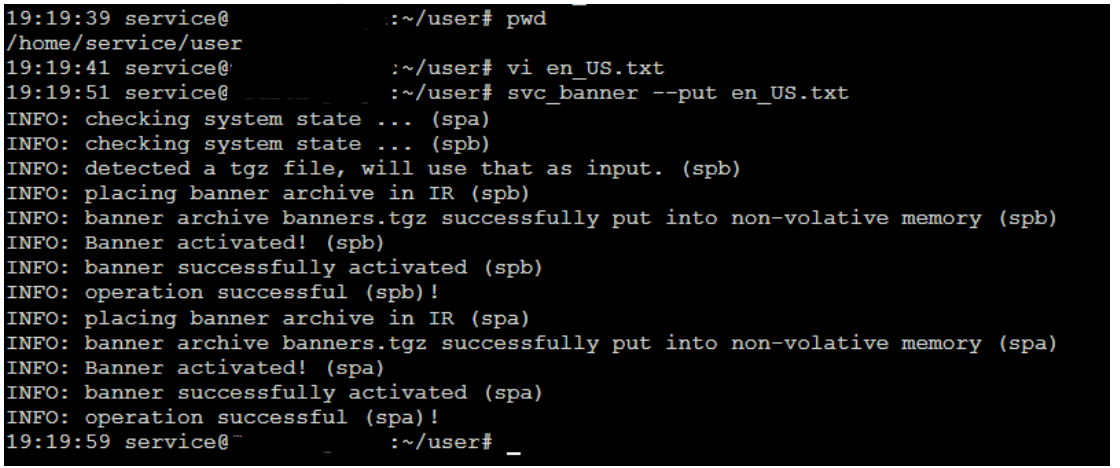
/home/service/user サービス ユーザーがアクセス可能で、rootを必要としないディレクトリー。
- テキストファイルを
/home/service/userローカライズされたコンテンツを含むディレクトリー:- 英語の場合:en_US.txt
- ベラルーシ語の場合: be_BY.txt
- 中国語の場合:zh_CN.txt
- これらのファイルを適用するには、サービス ユーザーとして次のコマンドを実行します。
svc_banner --put en_US.txt be_BY.txt zh_CN.txt
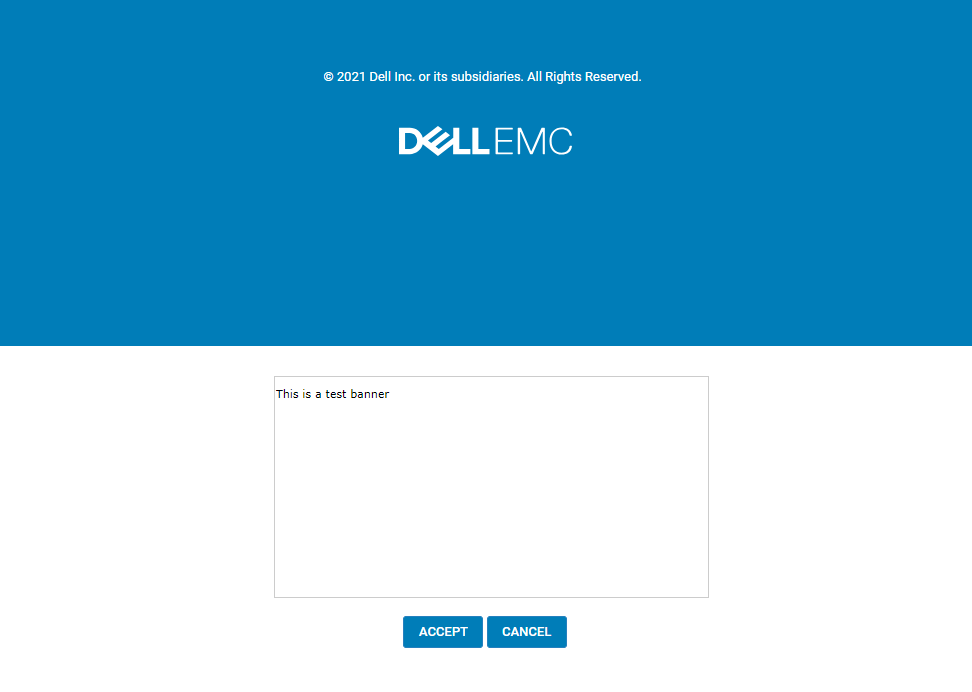
Unisphereにログインしている場合は、ログアウトしてから再度ログインします。新しいバナーが表示されます。
Example:
Affected Products
Dell EMC UnityArticle Properties
Article Number: 000219224
Article Type: Solution
Last Modified: 16 Sept 2025
Version: 3
Find answers to your questions from other Dell users
Support Services
Check if your device is covered by Support Services.