Dell Unity:設定包含svc_banner的自訂橫幅失敗,並出現權限錯誤
Summary: 按照 Dell Unity 家族服務命令技術說明中所述,使用 svc_banner 命令設定自訂橫幅的使用者遇到權限錯誤。
This article applies to
This article does not apply to
This article is not tied to any specific product.
Not all product versions are identified in this article.
Symptoms
使用者按照設定自訂橫幅的程序 svc_banner Dell Unity 家族服務命令技術備註 (第 6 頁和第 7 頁) 中所述的命令發生權限錯誤。
根據文件,建議使用者將自訂範本文字檔放置在 /home/service directory 在嘗試這樣做時,他們會收到許可權被拒絕錯誤。

Cause
此為設計運作方式。
可使用
可使用
/home/service 目錄只能由已注入 root 的使用者存取。Resolution
使用者應改為使用

/home/service/user 服務使用者可存取且不需要根的目錄。
- 在以下位置建立文字檔案:
/home/service/user本地化內容名為的目錄:- 英語:en_US.txt
- 白俄羅斯文: be_BY.txt
- 中文:zh_CN.txt
- 若要套用這些檔案,請以服務使用者身分執行下列命令:
svc_banner --put en_US.txt be_BY.txt zh_CN.txt
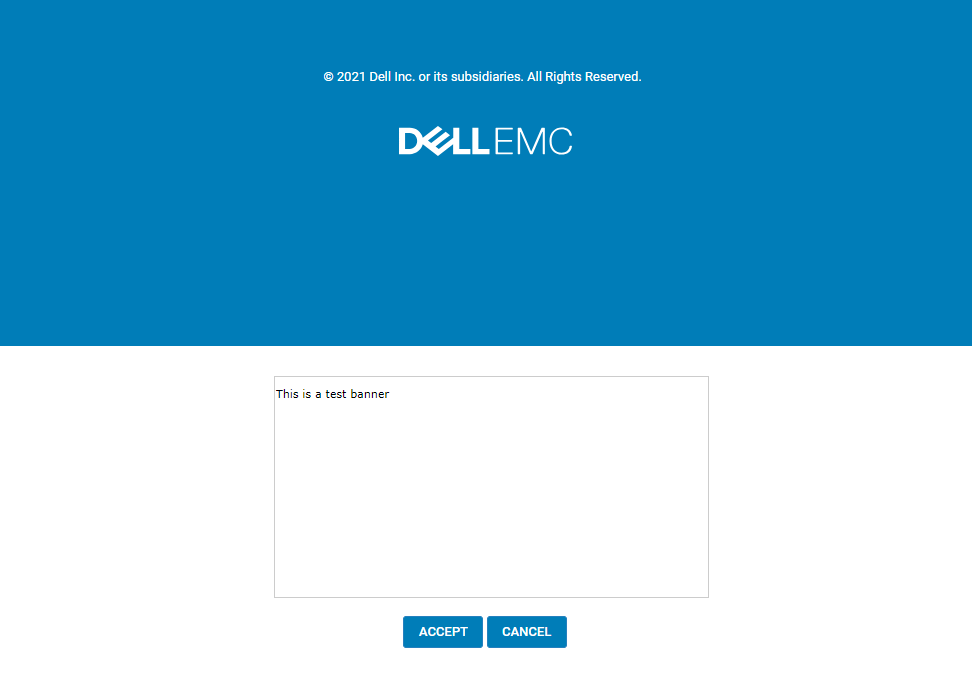
如果已登入 Unisphere,請登出再重新登入。應會顯示新的橫幅。
範例:
Affected Products
Dell EMC UnityArticle Properties
Article Number: 000219224
Article Type: Solution
Last Modified: 16 Sept 2025
Version: 3
Find answers to your questions from other Dell users
Support Services
Check if your device is covered by Support Services.