PowerFlex 4.X:如何從 PFMP 建立或修改子元件的登入資料
Summary: 本文說明如何從 PowerFlex Manager 平台 (PFMP) 建立或修改子元件的認證
This article applies to
This article does not apply to
This article is not tied to any specific product.
Not all product versions are identified in this article.
Instructions
以下步驟用於更新 iDRAC 密碼。
-
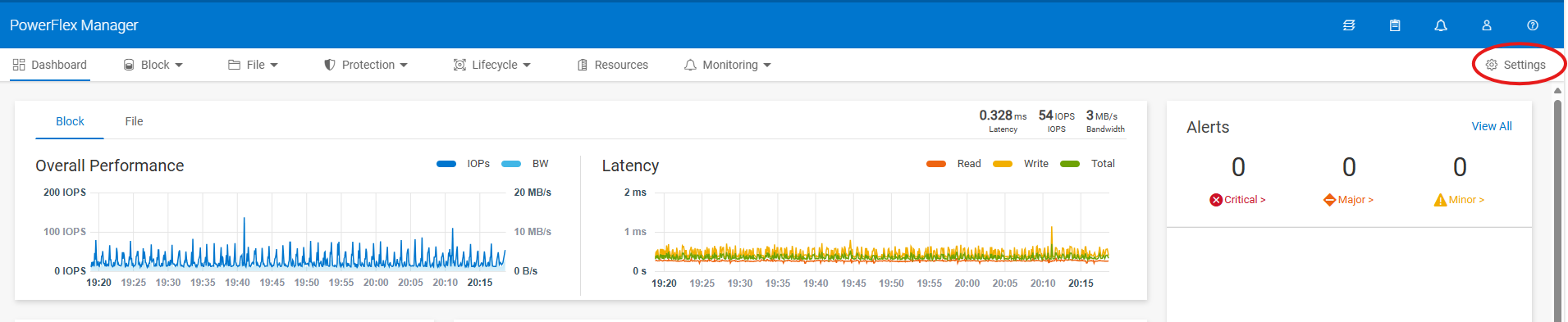
開啟 PowerFlex Manager,然後前往 設定。
-
在“安全性”下,選擇 “資源憑據”

-
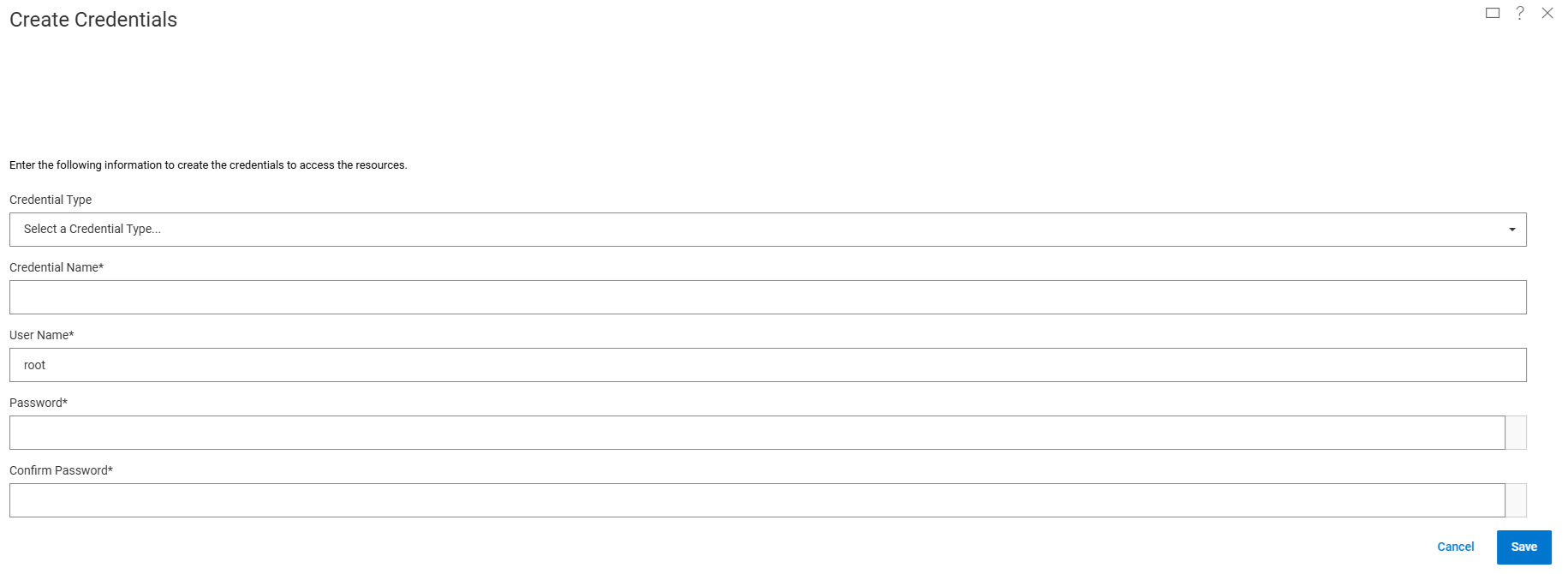
為新憑據選擇 “創建 ”,或選擇 “修改 ”以更新現有憑據。
-
從下拉式清單中選擇認證類型,然後輸入 認證名稱、 使用者名稱和 密碼,然後按一下 儲存
若為 iDRAC,請選擇類型:節點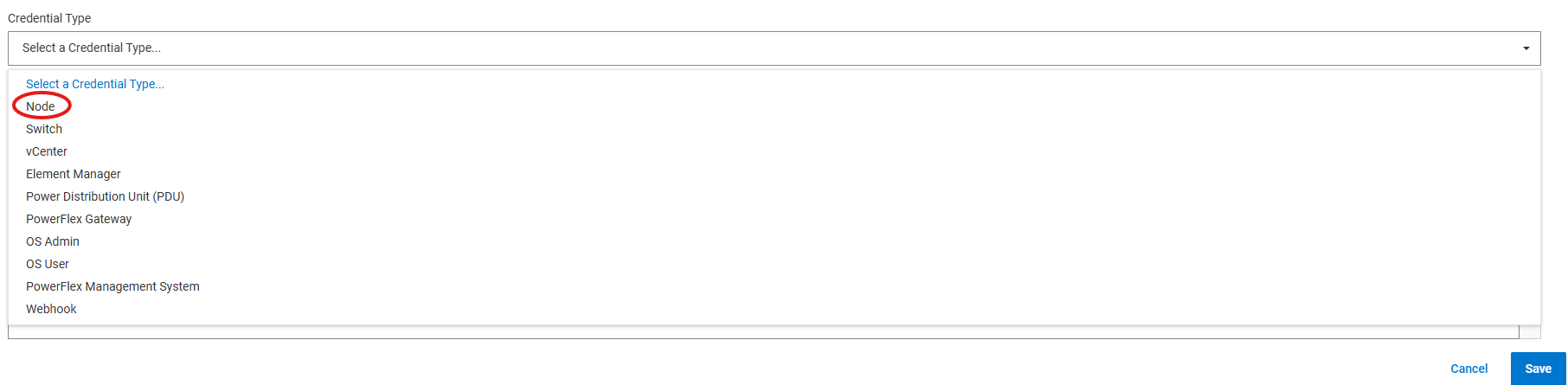
-
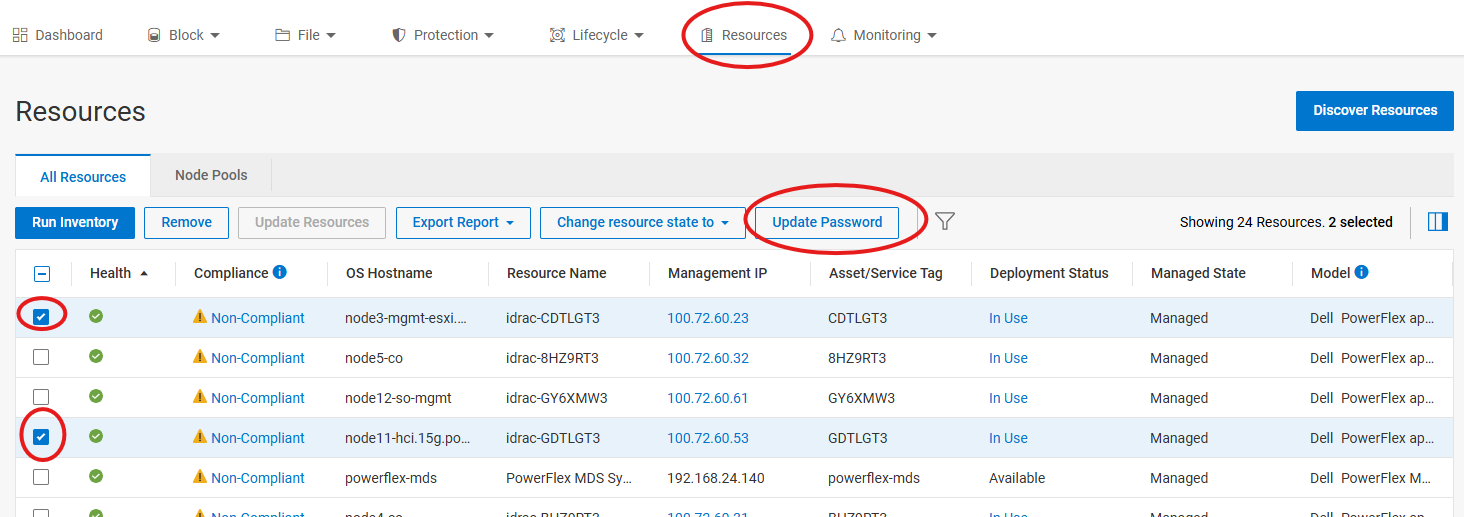
若要將認證套用至所需的節點,請前往 資源,選取一或多個節點以套用新認證,然後按一下 更新密碼
-
在下一頁上,選擇 iDRAC 密碼 (或者選擇您要更新的其他密碼類型)
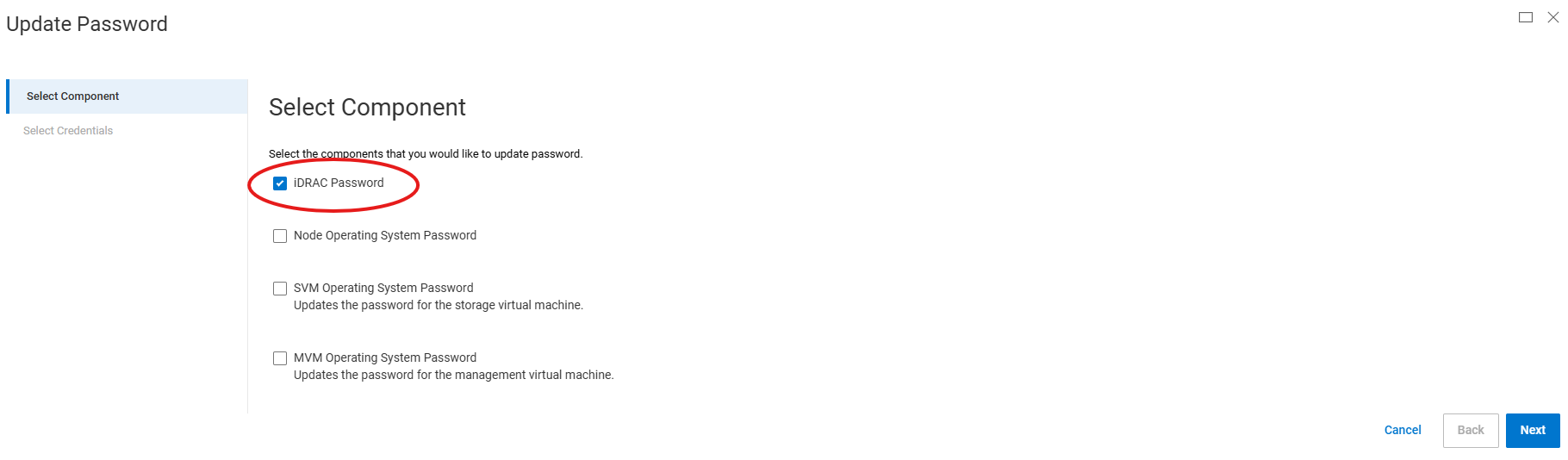
-
在下一頁上,從下拉清單中選擇您在步驟 4 中選擇的憑據名稱,然後按兩下完成
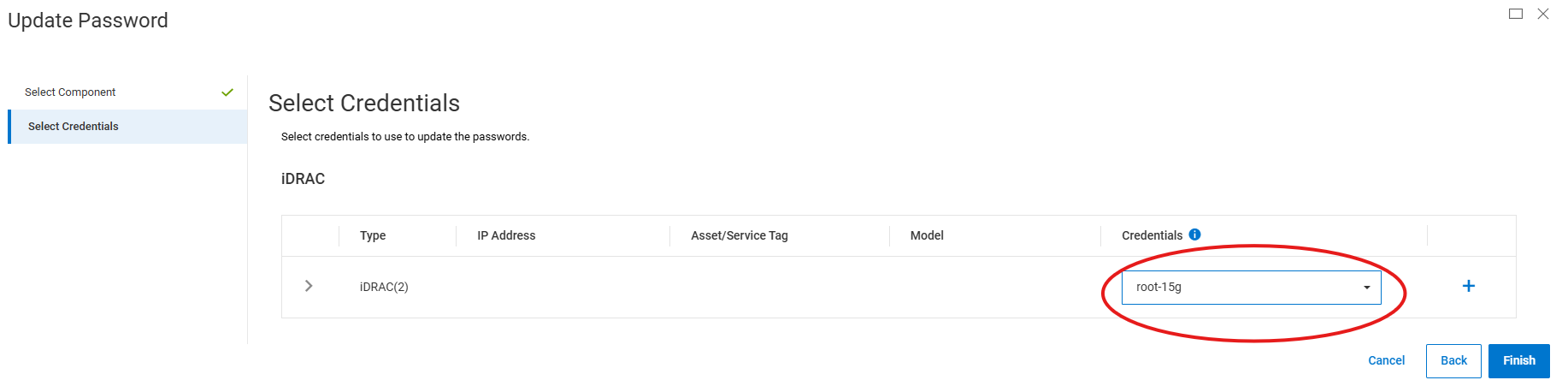
或者,若要創建新憑據而不是步驟 1 到 4,可以按兩下步驟 7 中的加號 (+) 以創建新憑據。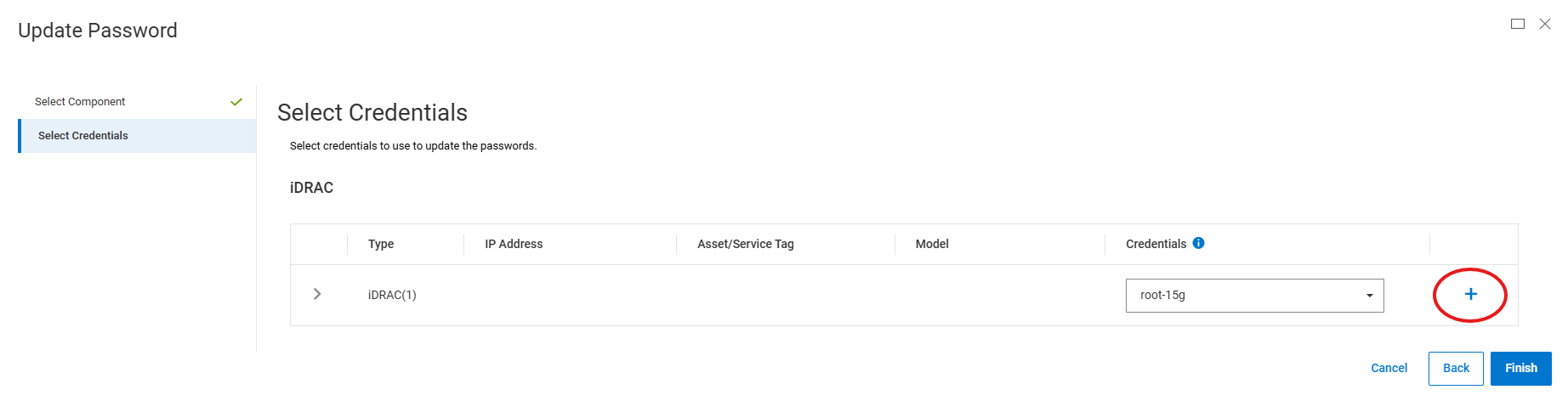
Affected Products
PowerFlex appliance R650, PowerFlex appliance R640Products
PowerFlex rack, VxFlex Ready Nodes, PowerFlex custom node, PowerFlex appliance R6525, PowerFlex appliance R660, PowerFlex appliance R6625, Powerflex appliance R750, PowerFlex appliance R760, PowerFlex appliance R7625, PowerFlex appliance R740XD
, PowerFlex appliance R7525, PowerFlex appliance R840
...
Article Properties
Article Number: 000274870
Article Type: How To
Last Modified: 24 Jan 2025
Version: 2
Find answers to your questions from other Dell users
Support Services
Check if your device is covered by Support Services.