PowerFlex 4.X:如何从 PFMP 创建或修改子组件的凭据
Summary: 本文介绍如何从 PowerFlex Manager 平台 (PFMP) 为子组件创建或修改凭据
This article applies to
This article does not apply to
This article is not tied to any specific product.
Not all product versions are identified in this article.
Instructions
以下步骤用于更新 iDRAC 密码。
-
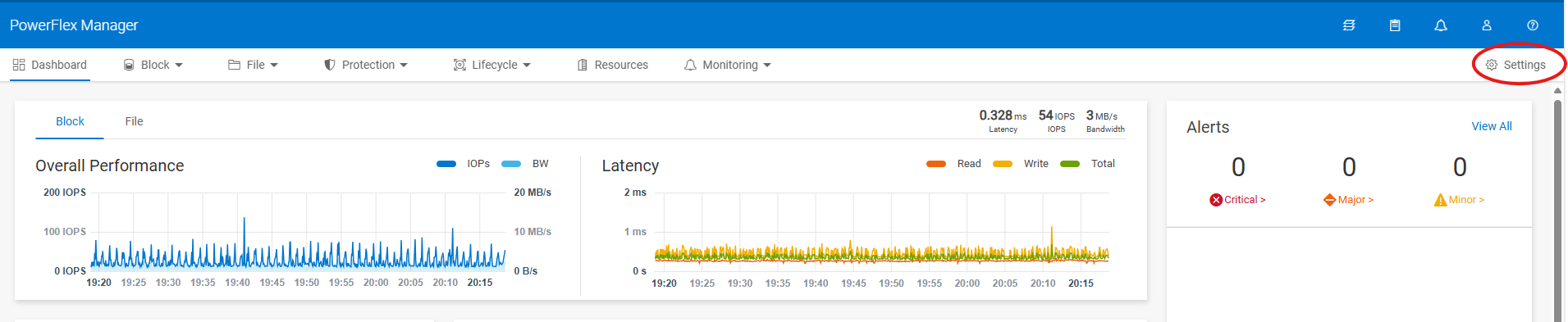
打开 PowerFlex Manager,然后转至“Settings”
-
在 security (安全性) 下,选择 Resource Credentials (资源凭证)

-
为新凭证选择 “创建 ”,或选择 “修改 ”以更新现有凭证。

-
从下拉列表中选择凭据类型,并输入 凭据名称、 用户名和 密码,然后单击 保存
对于 iDRAC,选择类型:节点
-
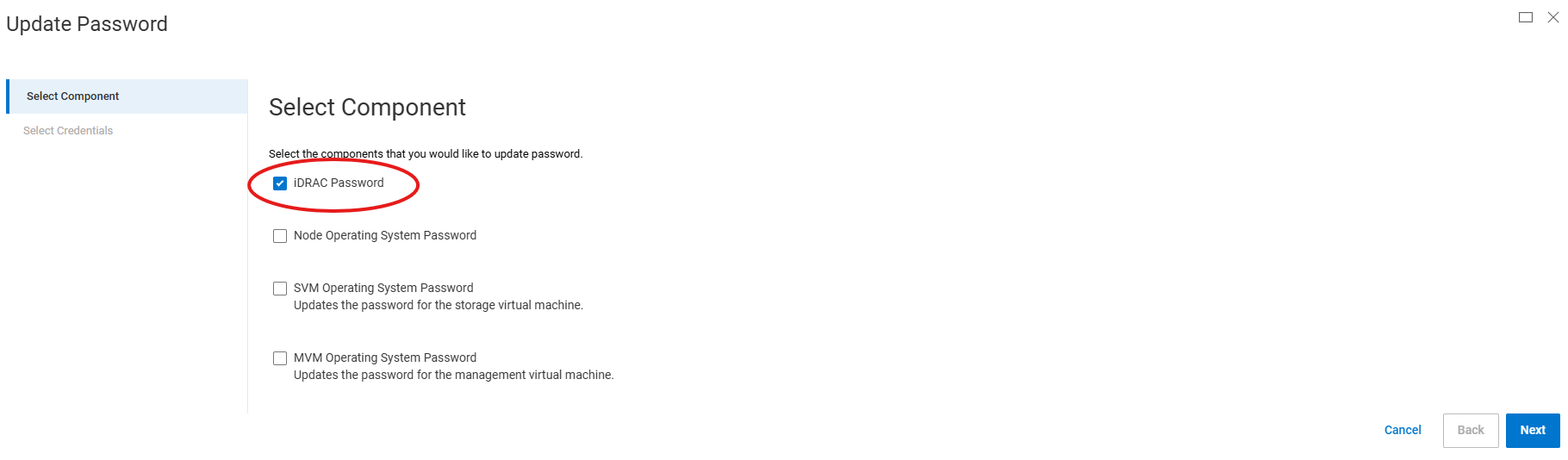
要将凭据应用于所需的节点,请转至 Resources,选择一个或多个节点以将新凭据应用于它,然后单击 Update Password

-
在下一页上,选择 iDRAC 密码 (或者选择要更新的其他密码类型)
-
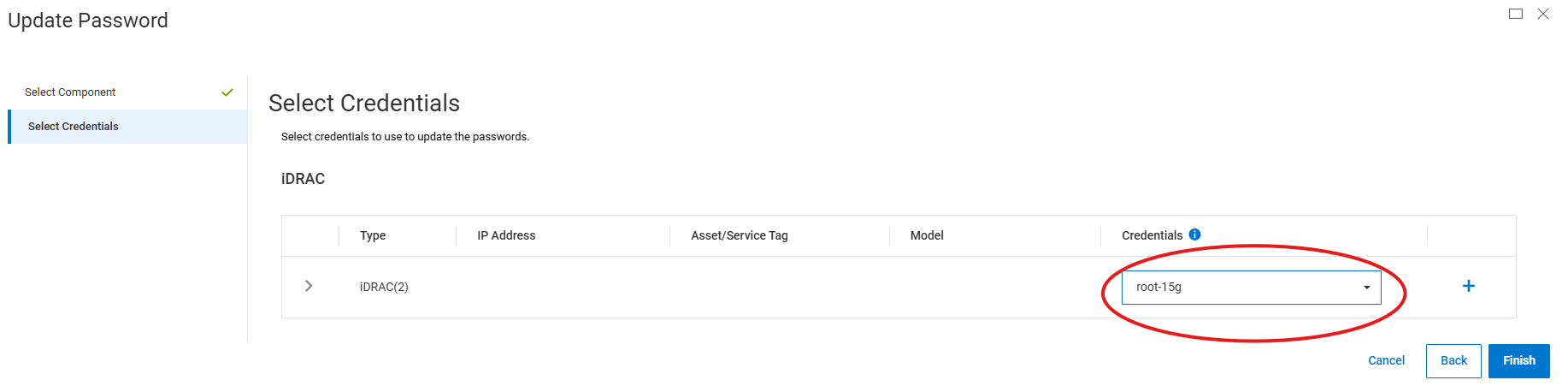
在下一页上,从下拉列表中选择您在步骤 4 中选择的凭据名称,然后单击完成
或者,要创建新凭据而不是步骤 1 至 4,您可以单击步骤 7 中的加号 (+) 以创建新凭据。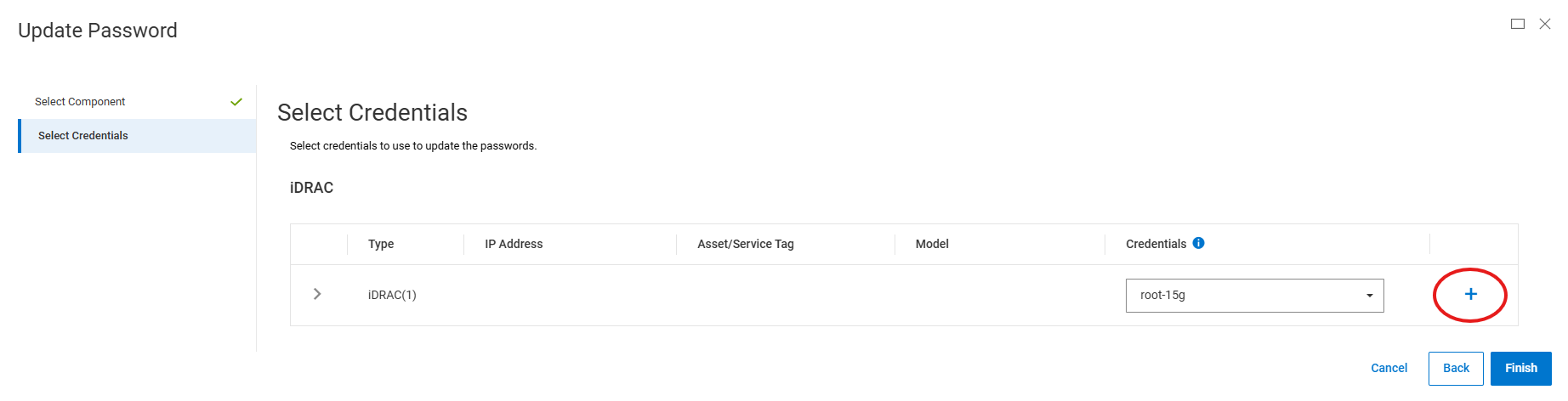
Affected Products
PowerFlex appliance R650, PowerFlex appliance R640Products
PowerFlex rack, VxFlex Ready Nodes, PowerFlex custom node, PowerFlex appliance R6525, PowerFlex appliance R660, PowerFlex appliance R6625, Powerflex appliance R750, PowerFlex appliance R760, PowerFlex appliance R7625, PowerFlex appliance R740XD
, PowerFlex appliance R7525, PowerFlex appliance R840
...
Article Properties
Article Number: 000274870
Article Type: How To
Last Modified: 24 Jan 2025
Version: 2
Find answers to your questions from other Dell users
Support Services
Check if your device is covered by Support Services.