開啟電源時,SupportAssist 警告「組態資訊 - 請執行設定程式」
Summary: 開啟電源後,SupportAssist 中會出現時間和組態設定兩則警告訊息的相關資訊。
This article applies to
This article does not apply to
This article is not tied to any specific product.
Not all product versions are identified in this article.
Symptoms
開啟電腦電源會開機至 SupportAssist 畫面,並顯示下列警告訊息:
- 當日時間尚未設定 - 請執行設定程式。
- 無效的組態資訊 - 請執行安裝程式。
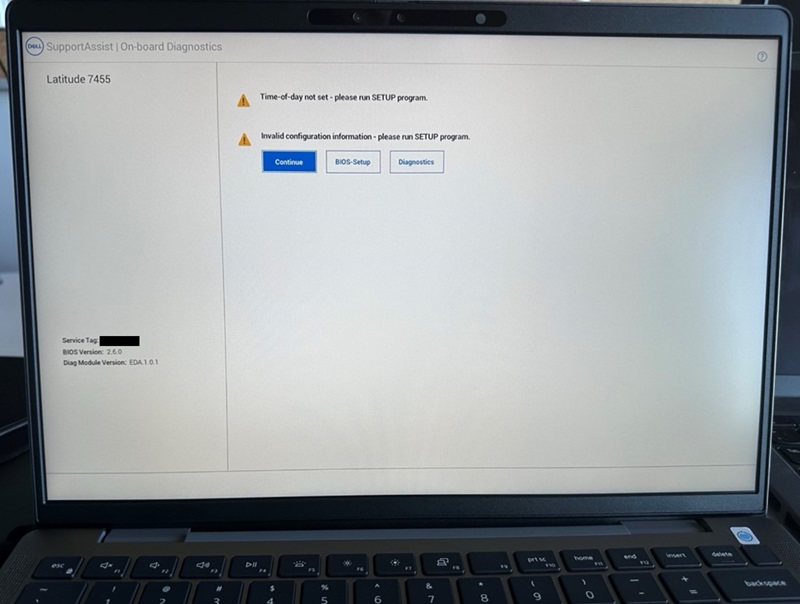
若您按一下「Continue」按鈕並開機至 BIOS 您會看到「Secure Boot」選項已關閉
受影響的電腦:
- Inspiron 14 5441
- Inspiron 14 Plus 7441
- Latitude 5455
- Latitude 7455
Cause
發生這種情況是因為系統 BIOS 重設。
Resolution
預設 BIOS 設定並啟用安全開機
若要修正此問題,請將 BIOS 還原為「預設」並啟用「安全開機」。
- 連接 AC 變壓器,確保電腦有電源可開啟。
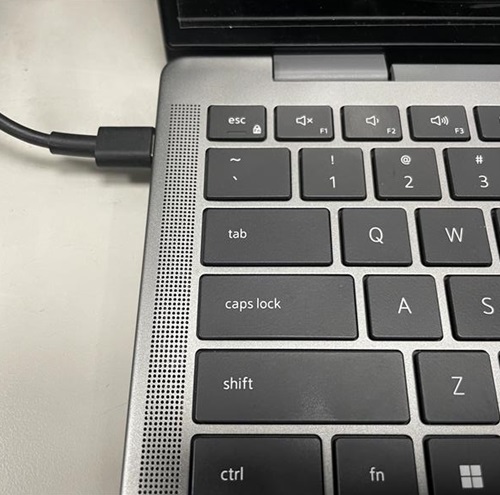
- 開啟電腦電源,並在 DELL 標誌出現時按下 F2 鍵,以進入 BIOS 選單。

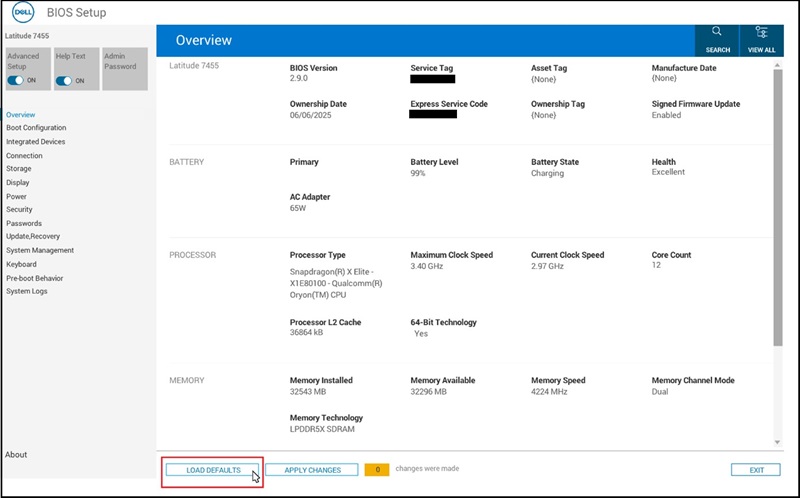
- 按一下畫面底部的「LOAD DEFAULTS」按鈕
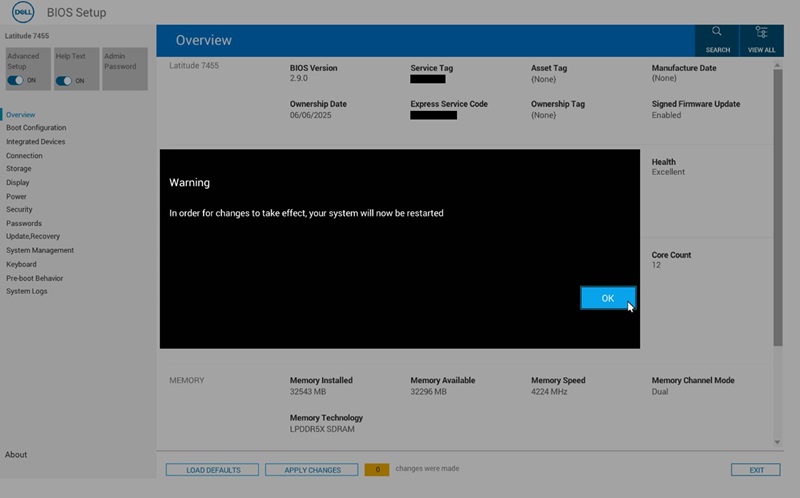
- 當「Restore Settings」 和「Warning」對話方塊出現時,按一下「OK」 接著電腦會重新開機
- 請按照 步驟 2 再次進入 BIOS 功能表。
- 選取「Boot Configuration」頁面
找到“安全啟動”並將其轉到“ON”。
按一下「套用變更」。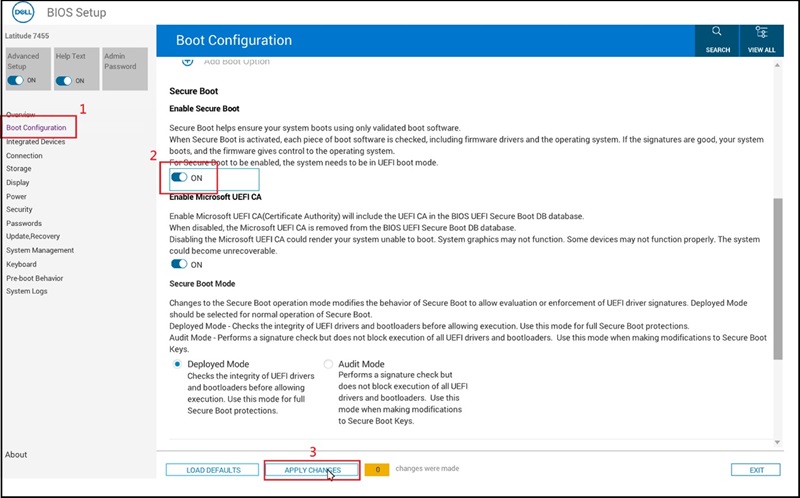
- 出現「套用設定確認」對話時,按一下「確定」。
- 請更新至 BIOS 版本 2.12.2 或更新版本,以避免日後發生此問題。
Affected Products
Inspiron 14 5441, Inspiron 14 Plus 7441, Latitude 5455, Latitude 7455Article Properties
Article Number: 000353653
Article Type: Solution
Last Modified: 04 Dec 2025
Version: 2
Find answers to your questions from other Dell users
Support Services
Check if your device is covered by Support Services.