NetWorker: NMC Launcher Fails with 'Unable to Read or Parse JNLP File'
Summary: Users may encounter an error when launching the NetWorker Management Console (NMC) using OpenWebStart: Error: Could not read or parse the JNLP file.
This article applies to
This article does not apply to
This article is not tied to any specific product.
Not all product versions are identified in this article.
Symptoms
- NetWorker Management Console (NMC) fails to launch.
- Error message:
Could not read or parse the JNLP file
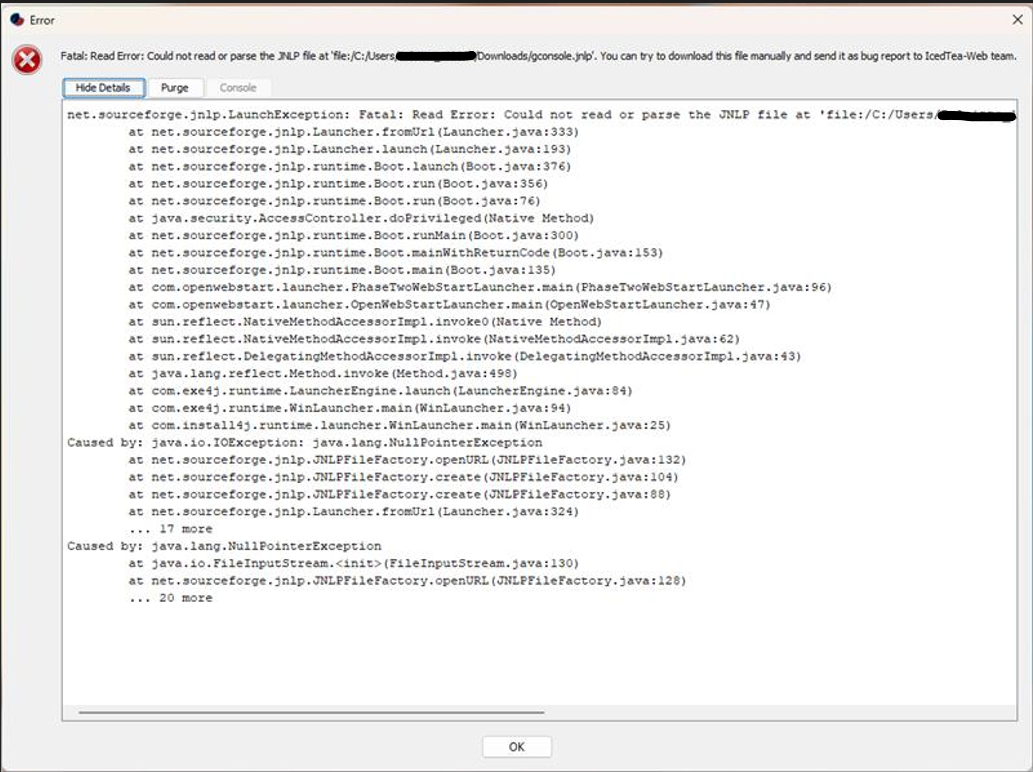
- OpenWebStart was configured correctly as per article NetWorker: How to Access NMC After Upgrading To 19.13
- Issue affects multiple Windows desktop users.
Cause
A possible cause is corruption, or misalignment in the cached Java Web Start (JNLP) configuration, particularly:
- Residual or outdated Java Virtual Machine (JVM) paths in OpenWebStart settings
- Cached JNLP files that are incompatible with the current NetWorker version.
- Improper shortcut or launcher configuration after upgrade
Resolution
To resolve the issue, follow these steps:
- Open OpenWebStart settings (
itw-settings). - Remove the existing JVM path manually.
- Reselect the correct Java path.
- Clear the OpenWebStart cache. See article NRE 17.x: How to Clear Java Cache, Enable Java Console, and Debugging
- Launch the NMC user interface. Download a fresh
gconsole.jnlpfile from the NMC server. - Edit the JNLP file manually if necessary (for example, to correct paths or parameters).
- Create a new desktop shortcut pointing to the updated JNLP file.
After applying this workaround, NMC should launch successfully across affected Windows desktops.
Additional Information
Ensure that the Java version selected in OpenWebStart matches a Java version supported by NetWorker 19.13. see article NetWorker: How to Access NMC After Upgrading To 19.13.
Affected Products
NetWorkerProducts
NetWorker FamilyArticle Properties
Article Number: 000368138
Article Type: Solution
Last Modified: 24 Oct 2025
Version: 2
Find answers to your questions from other Dell users
Support Services
Check if your device is covered by Support Services.