VxRail:VxRail 故障診斷工具箱使用者指南
Summary: VxRail 故障診斷工具箱 (VTT) 使用者指南
This article applies to
This article does not apply to
This article is not tied to any specific product.
Not all product versions are identified in this article.
Instructions
注意: 您必須登入 Dell 支援帳戶,才能存取與本文相關的檔案附件。
VxRail 故障診斷工具箱 (VTT)
概觀
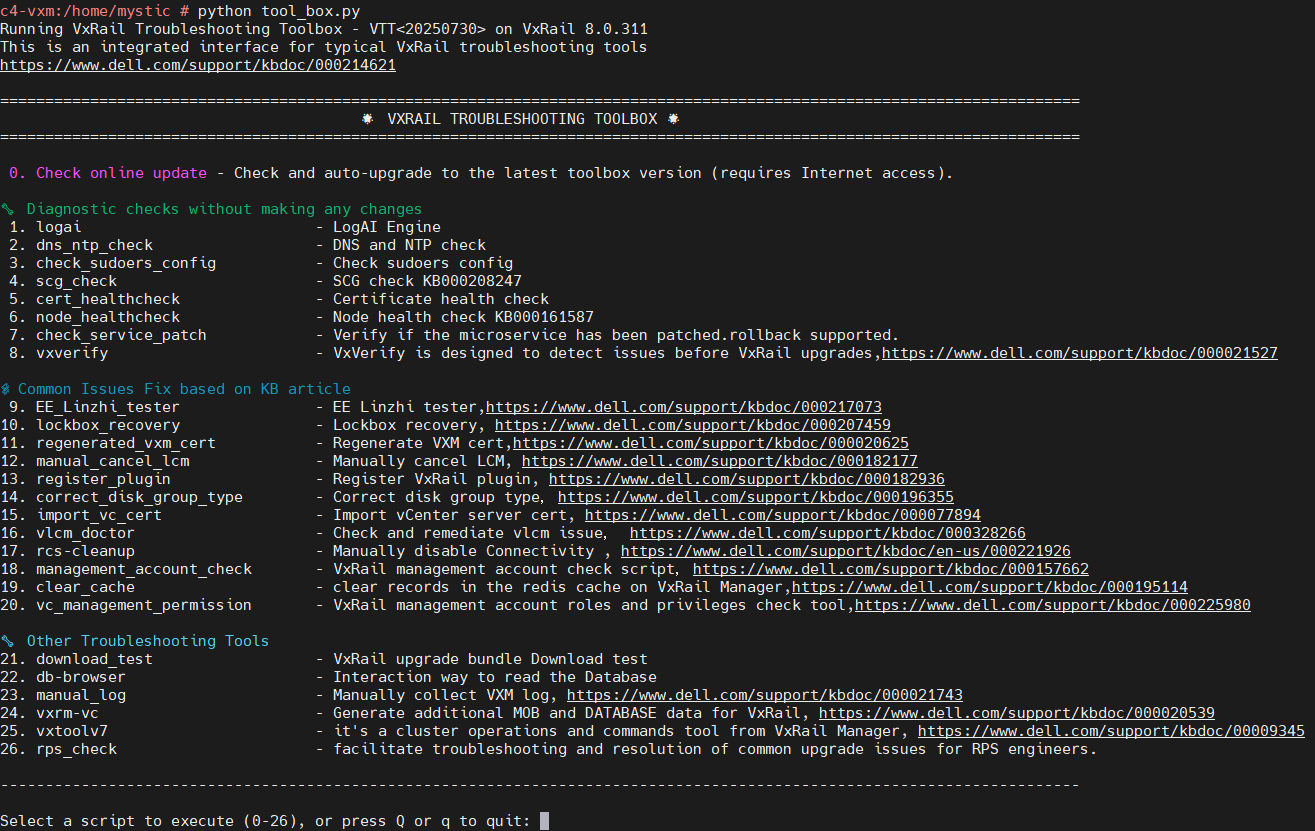
VxRail 故障診斷工具箱 (VTT) 是於 VxRail 7.0.010 及更新版本中推出的整合式介面,旨在簡化基本診斷和支援工具的存取流程。
它將常用的腳本整合到一個易於使用的實用程式中,從而提高運營效率並簡化故障排除工作流程。
工具箱會自動與 Dell VxRail EE Git 伺服器 同步,以確保所有指令檔都是最新狀態。
工具使用說明
- 下載套件
下載此文章附加的 zip 檔案。 VxRailToolBox20250xxx_prm.zip
- 上傳至 VxRail Manager
將套件傳輸至 VxRail Manager 虛擬機器,並將其置於「/tmp或 /home/mystic.」
- 解壓縮並執行:
執行下列命令以安裝 HAProxy.zip」,然後執行下列命令以啟動功能表: python toolbox.py
vcluster101-vxm:/home/mystic # unzip -o VxRailToolBox2025xxxx_prm.zip
vcluster101-vxm:/home/mystic # python tool_box.py
Additional Information
-rw-rw-rw- 1 root   root   17725 Oct 24  2025 tool_box.cpython-311.pyc
-rw-rw-rw- 1 root   root   11157 Oct 24  2025 tool_box.cpython-36.pyc
-rw-rw-rw- 1 root   root    1408 Oct 22 16:19 tool_box.py
對原「tool_box.py“,它已被編譯到”.pyc“檔中。這不會更改此工具的運行方式。
Affected Products
VxRail, VxRail SoftwareArticle Properties
Article Number: 000214621
Article Type: How To
Last Modified: 05 Aug 2026
Version: 119
Find answers to your questions from other Dell users
Support Services
Check if your device is covered by Support Services.