新增至 VM 的新磁碟機不會隨 VM 自動備份
Summary: VM 備份中缺少新增的硬碟。
This article applies to
This article does not apply to
This article is not tied to any specific product.
Not all product versions are identified in this article.
Symptoms
新磁碟機已新增至 VM。下一個備份不包括新驅動器。
Cause
vCenter 物件選擇是在硬碟層級而非 VM 層級進行,因此只會備份所選的磁碟機。例如:

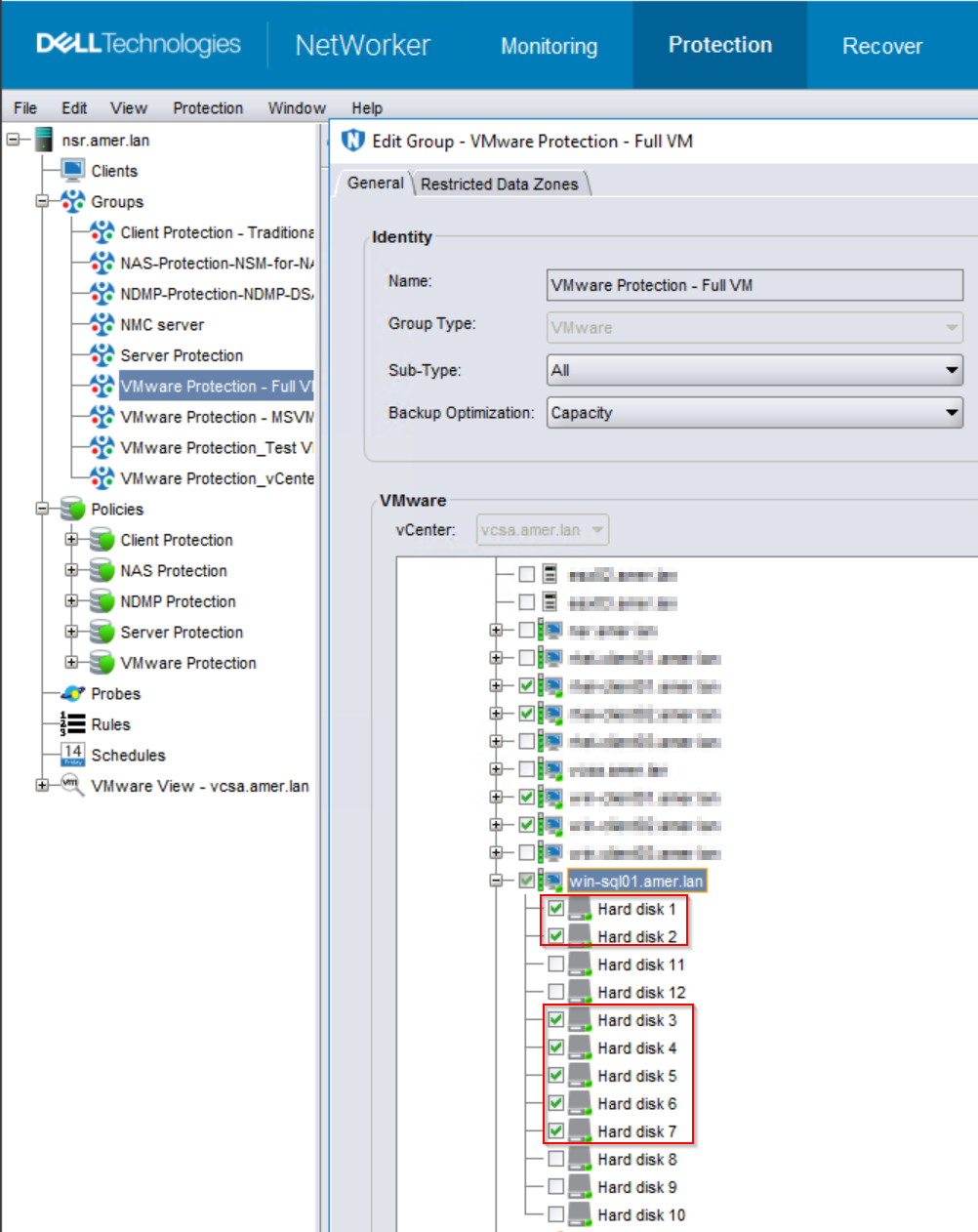
當 VMware 保護群組設定選取的虛擬機磁碟而非整個虛擬機器時,只會執行所選磁碟的備份。
當新磁碟機新增至 VM 時,系統不會自動選取這些磁碟機進行備份。
Resolution
可用的選項如下:
選項 1:
確認是否可備份整個 VM。如果沒有特定原因可說明為何無法使用 vProxy 備份未選取的磁碟,請選取 VM 而非磁碟。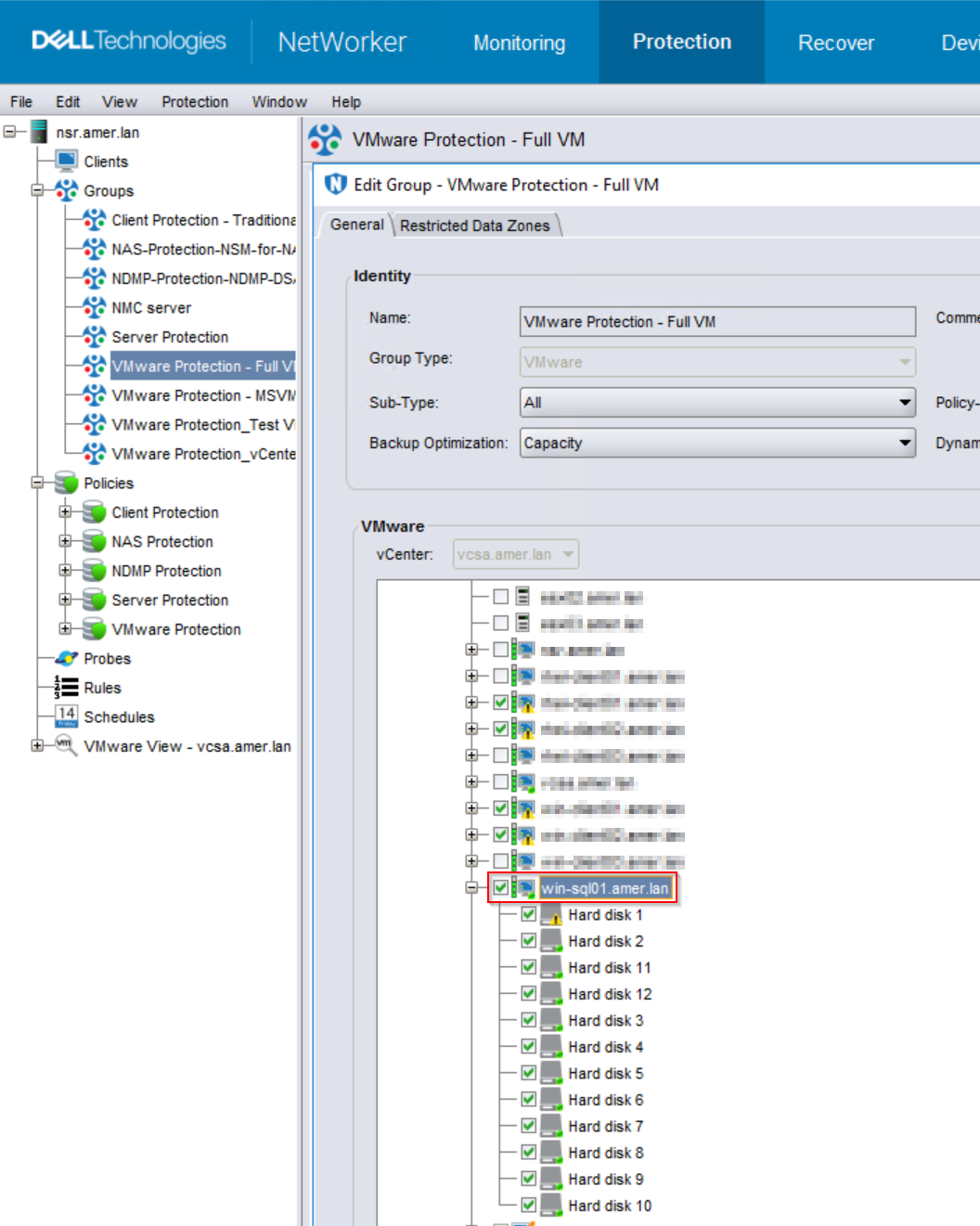

將新磁碟添加到 VM 時,將自動備份這些磁碟。
如需瞭解 VMware 磁碟組態的任何限制,請參閱 NetWorker VMware 整合指南 : https://www.dell.com/support/home/product-support/product/networker/docs
選項 2:
如果 VM 選擇特定磁碟有原因;例如,某些磁碟不支援 VMware 映像保護。手動檢查您要備份的新新增磁碟。
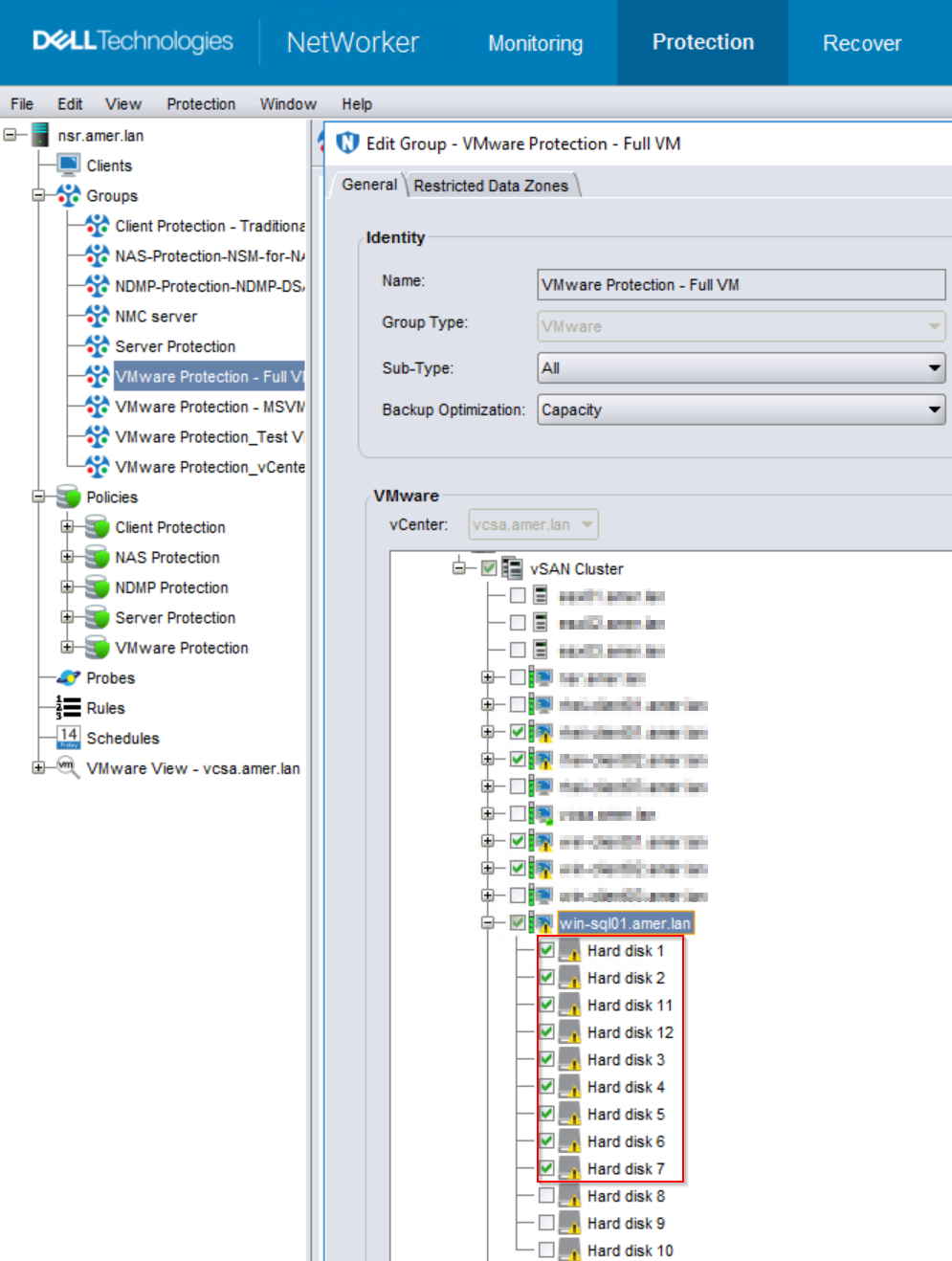
注意:如果使用此方法並將新磁碟添加到 VM,則不會自動選擇該磁碟進行備份。您必須在 VMware 保護群組中手動選取新磁碟。或使用 選項 1。
Affected Products
NetWorkerArticle Properties
Article Number: 000244508
Article Type: Solution
Last Modified: 05 Nov 2024
Version: 1
Find answers to your questions from other Dell users
Support Services
Check if your device is covered by Support Services.