添加到虚拟机的新驱动器不会自动随虚拟机一起备份
Summary: 虚拟机备份中缺少新添加的硬盘。
This article applies to
This article does not apply to
This article is not tied to any specific product.
Not all product versions are identified in this article.
Symptoms
新驱动器已添加到虚拟机。下一次备份不包括新驱动器。
Cause
vCenter 对象选择是在硬盘级别而不是虚拟机级别进行的,因此仅备份所选驱动器。例如:
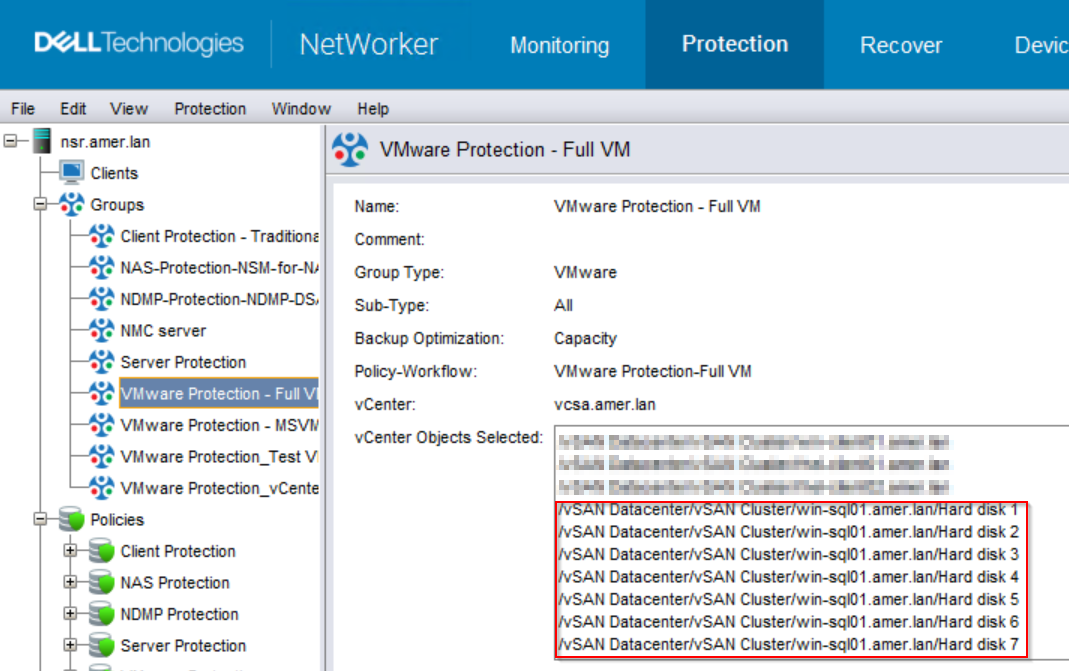
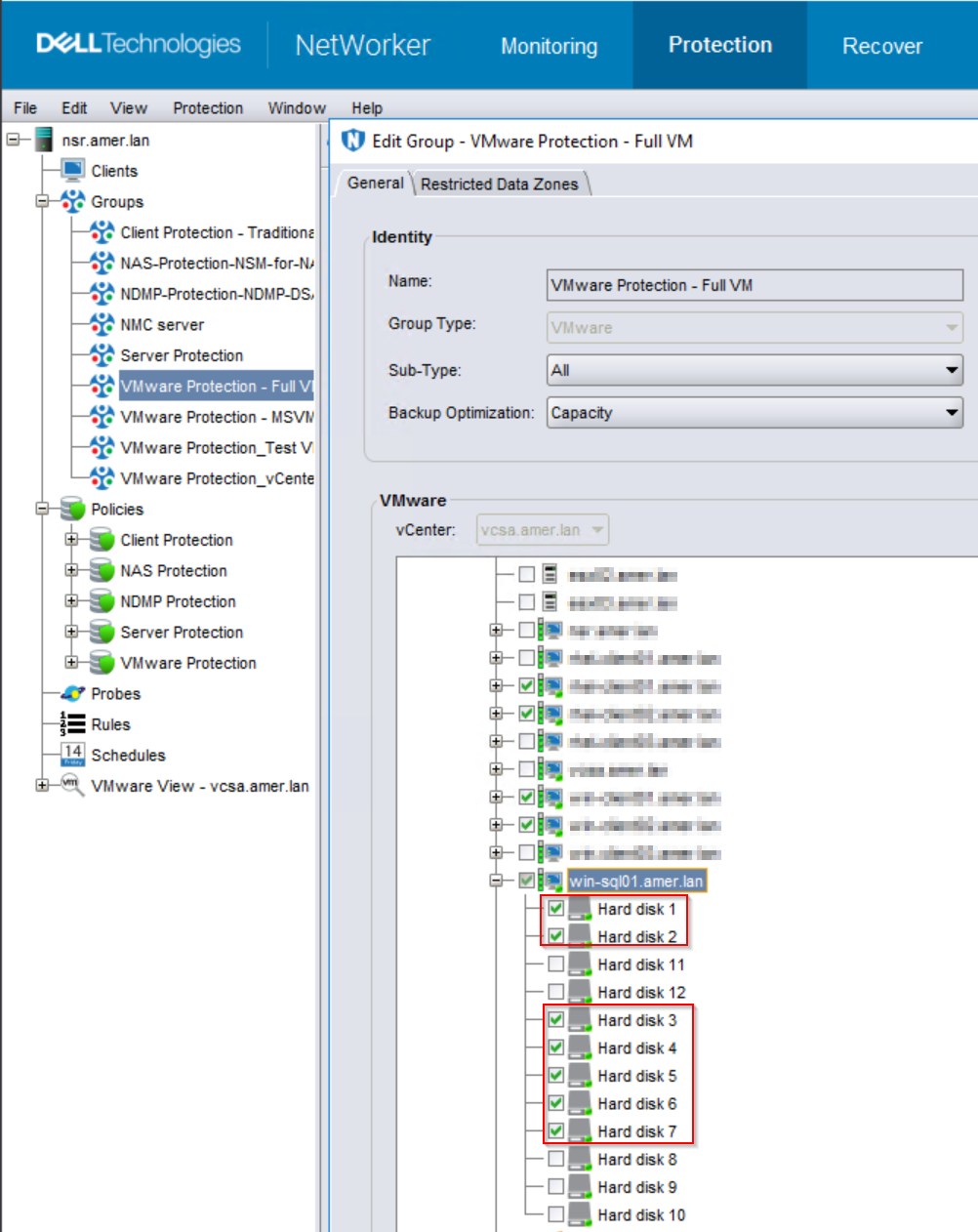
当 VMware 保护组配置了所选的虚拟机磁盘而不是整个虚拟机时,将仅执行所选磁盘的备份。
将新驱动器添加到虚拟机时,系统不会自动选择它们进行备份。
Resolution
有以下选项可用:
选项 1:
确认是否可以备份整个虚拟机。如果没有具体原因说明无法使用 vProxy 备份未选择的磁盘,请选择虚拟机而不是磁盘。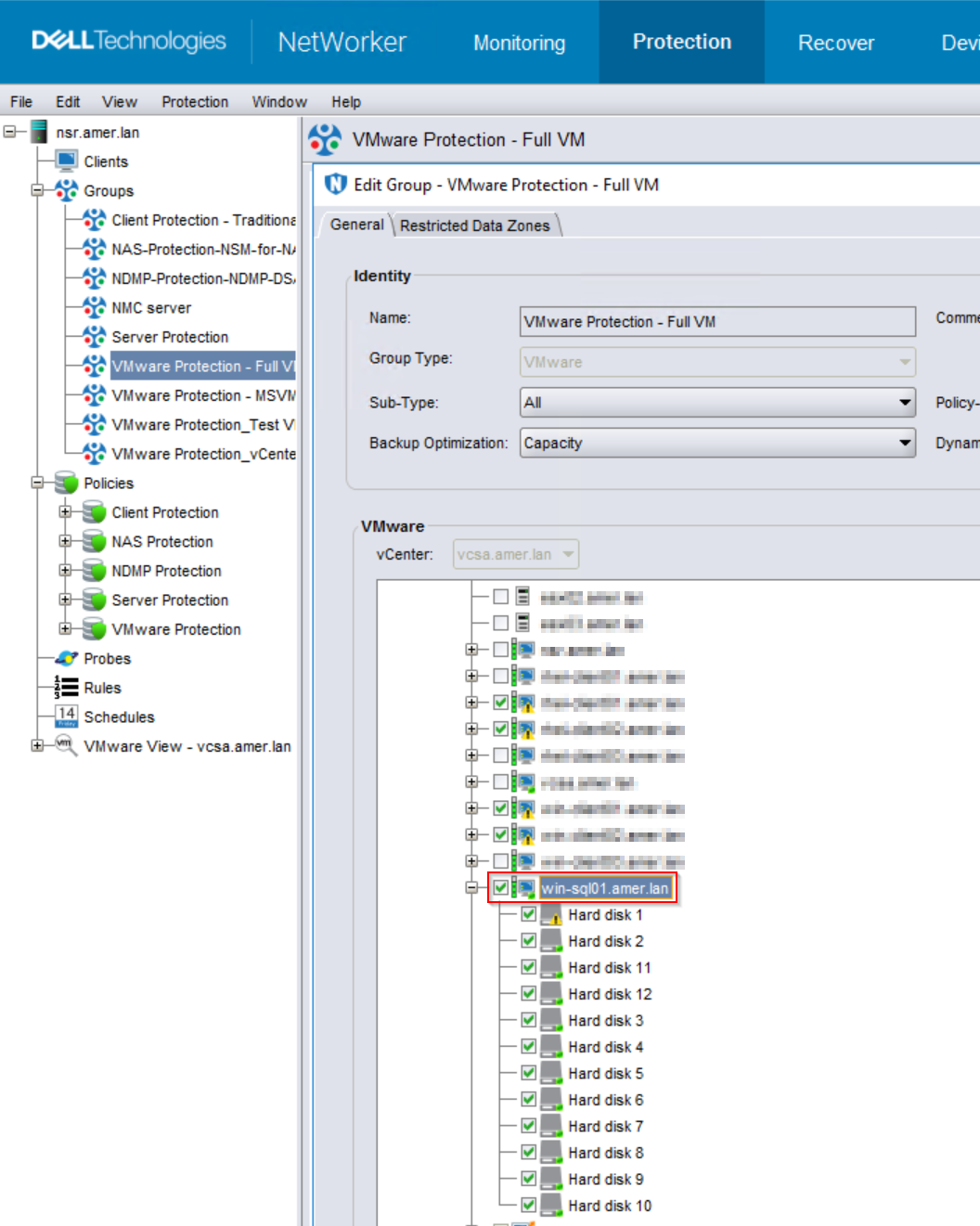
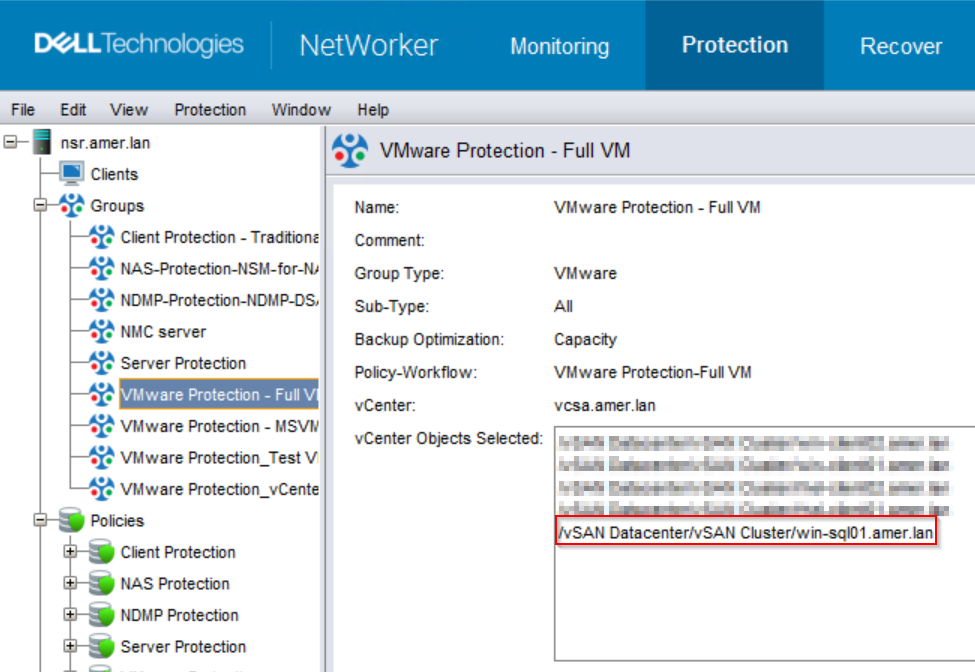
将新磁盘添加到虚拟机时,它们会自动备份。
有关 VMware 磁盘配置的任何限制,请参阅NetWorker VMware 集成指南 : https://www.dell.com/support/home/product-support/product/networker/docs
选项 2:
如果 VM 选择特定磁盘是出于某种原因;例如,某些磁盘不支持 VMware 映像保护。手动检查添加的要备份的新磁盘。
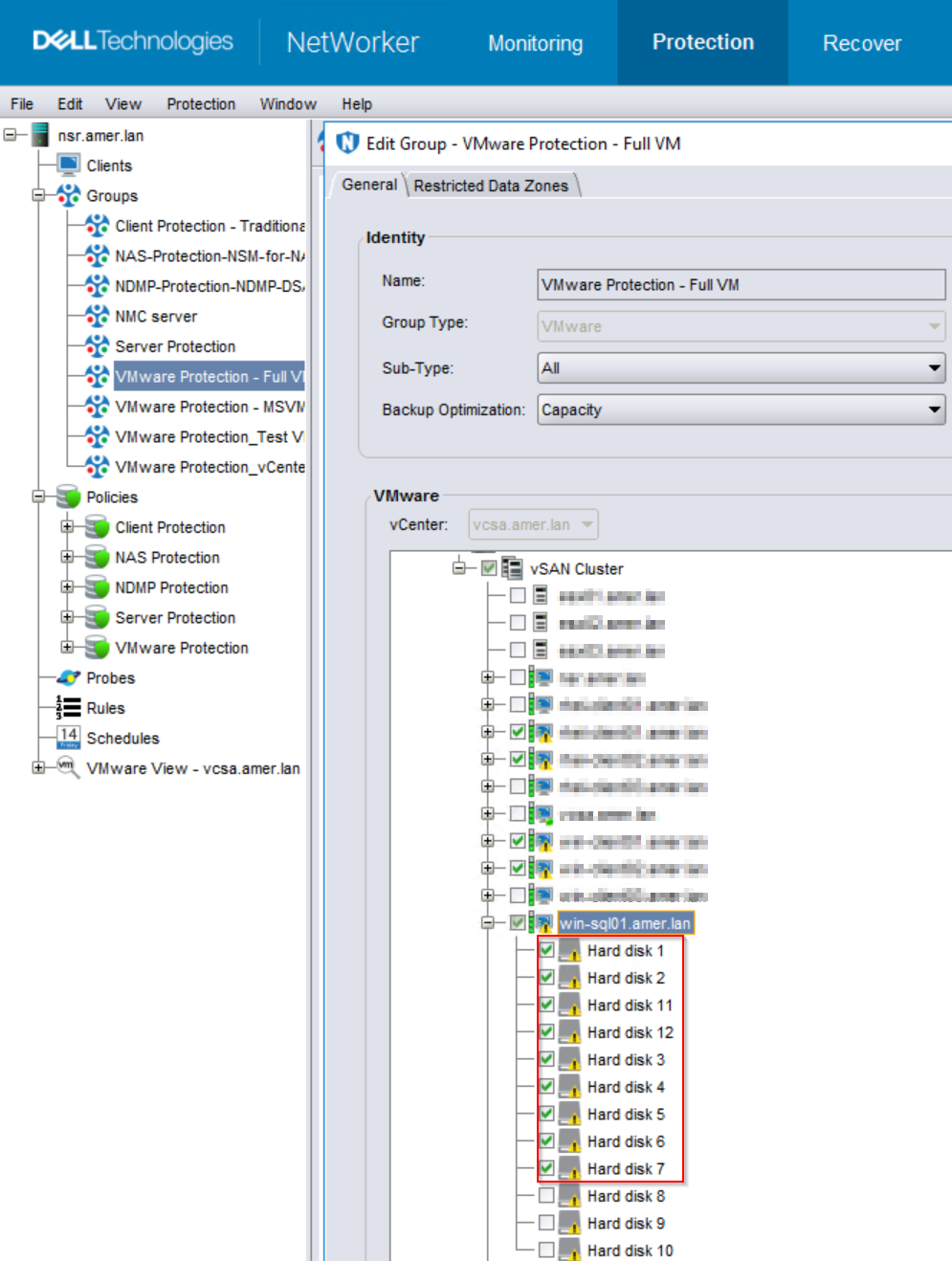
提醒:如果使用此方法并将新磁盘添加到虚拟机,则不会自动选择该磁盘进行备份。您必须手动选择 VMware 保护组中的新磁盘。或使用 选项 1。
Affected Products
NetWorkerArticle Properties
Article Number: 000244508
Article Type: Solution
Last Modified: 05 Nov 2024
Version: 1
Find answers to your questions from other Dell users
Support Services
Check if your device is covered by Support Services.