XPS 9365 and XPS 9360 - appears to have BitLocker enabled by default
Summary: This article provides Information on why you may see BitLocker enabled on your new Dell system with Windows 10 Home edition. This is not BitLocker but Device Encryption, read on for detailed information. ...
Symptoms
XPS 9365 and XPS 9360 - BitLocker appears to be enabled by default.
You may notice that BitLocker is enabled by default on Windows 10 Home Edition systems out of the box, but this is not supported.
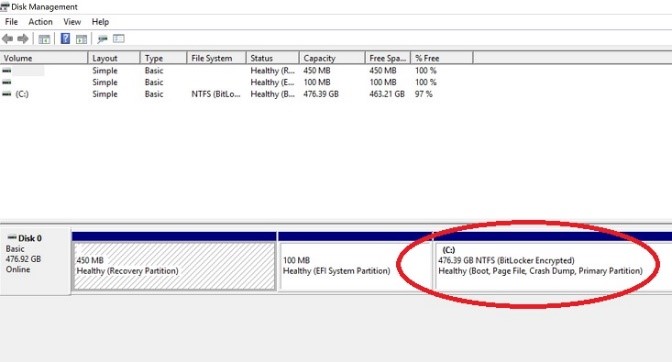
Figure 1: BitLocker seen in Disk Management
Cause
BitLocker is not supported on systems running Windows 10 Home and what you are seeing is Device Encryption.
Device encryption is a basic capability on PC’s running Windows 10, including those running Windows 10 Home. On these PC’s device encryption is automatically enabled when the following requirements are met:
- TPM must be enabled
- UEFI Secure Boot enabled
- The system must support connected standby
Resolution
Even though the disk is showing BitLocker encryption, to fully enable Device Encryption you must sign in with either a Microsoft or Active Directory account.
To disable device encryption with a local account go to Start, type encryption and use the Device Encryption settings page.
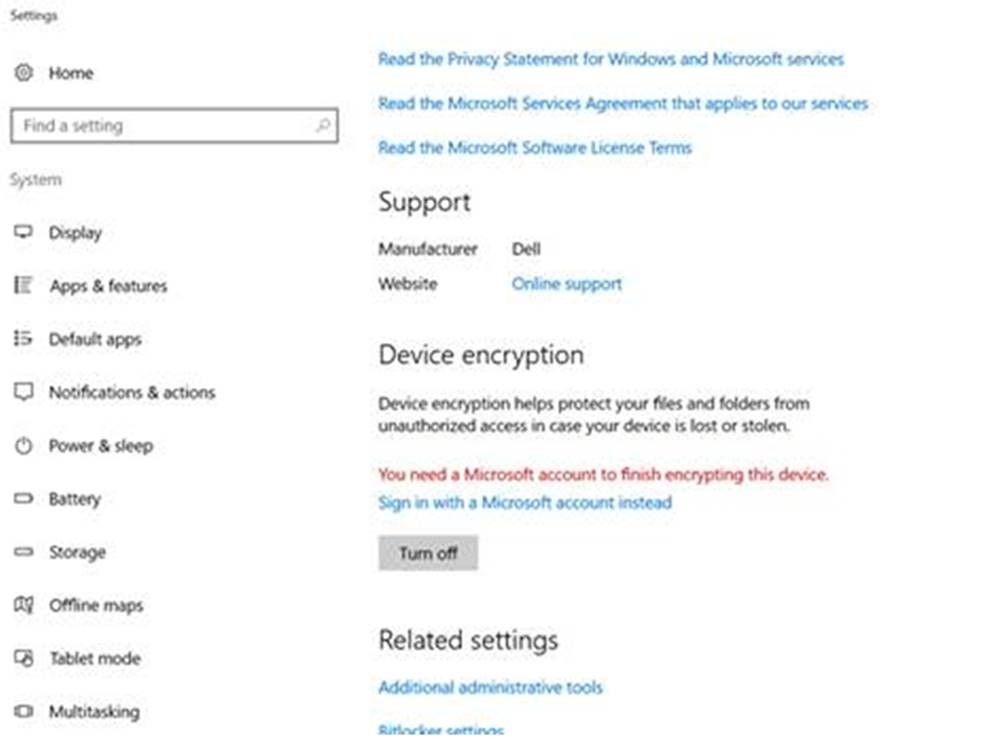
Figure 2: Device Encryption settings