Windows Hello 臉部辨識可能無法在配備 MIPI 攝影機的 Dell 電腦上運作
Summary: 下列文章提供解決 Windows Hello 臉部辨識錯誤的相關資訊。執行 Windows 10 或 Windows 11 22H1 及更舊作業系統的電腦可能找不到行動產業處理器介面 (MIPI) 攝影機。
This article applies to
This article does not apply to
This article is not tied to any specific product.
Not all product versions are identified in this article.
Symptoms
Windows 10 和 Windows 11 作業系統版本 22H1 及較舊版本可能會有 MIPI 攝影機偵測問題
若擁有執行 Windows 10 或 Windows 11 22H1 作業系統 (或更舊版本) 的電腦,可能會發現 Windows Hello 臉部辨識功能無法運作。如果您使用 MIPI 攝影機, 則在登入選項 下的設定中會看到下列錯誤訊息:
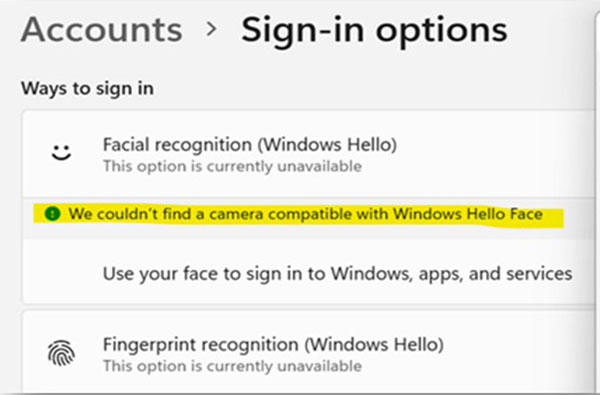
We couldn't find a camera compatible with Windows Hello Face
Cause
這些版本的 Windows 作業系統不支援 MIPI 攝影機上的 (增強型登入安全性) ESS。在這些版本的 Windows 中,ESS 僅支援 USB 連接的紅外線 (IR) 攝影機。
有關詳細資訊,請參閱以下Microsoft文章:

Resolution
您可以將電腦作業系統更新至 Windows 11 (22H2) 或更新版本,以解決此錯誤。Windows Hello 臉部辨識可搭配 MIPI 攝影機使用,因為在最新版本的 Windows 中,現在預設已啟用 ESS。
如需有關將 Windows 版本更新至最新版 Windows 11 的詳細資訊,請參閱下列Microsoft文章:
Affected Products
Latitude 7350, Latitude 7350 Detachable, Latitude 7450, Latitude 9450 2-in-1, Latitude 7650, Precision 5490, Mobile Precision 5690, XPS 13 9340, XPS 14 9440, XPS 16 9640Article Properties
Article Number: 000225822
Article Type: Solution
Last Modified: 21 Aug 2024
Version: 2
Find answers to your questions from other Dell users
Support Services
Check if your device is covered by Support Services.