Dell Unity : La vérification de préparation ESRS échoue avec une erreur d’informations d’identification non valides (code d’erreur : 0x6400b82)
Summary: Échec des informations d’identification et du contrat de support intégré Dell Unity ESRS (corrigible par l’utilisateur)
Symptoms
Le mot de passe des informations d’identification du support a été modifié et il contient désormais des caractères spéciaux au début et à la fin.
Le mot de passe des informations d’identification de support pour le nom d’utilisateur, utilisé pour configurer les services ESRS intégrés, contenait les caractères spéciaux (&, *, $, ?, etc.) au début ou à la fin.
Pour Unity Operating Environment (OE) version 4.x ou ultérieure
Impossible de configurer les informations d’identification de support et le contrat de support.
Alerte :
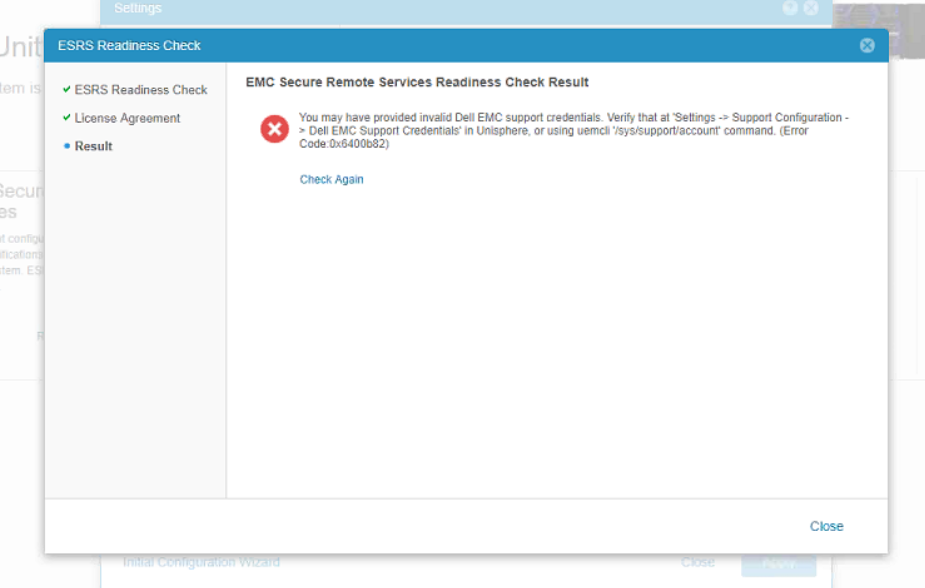
You may have provided invalid Dell EMC support credentials. Verify that at 'Settings -> Support Configuration -> Dell EMC Support Credentials' in Unisphere, or using uemcli '/sys/support/account' command. (Error Code:0x6400b82)
Cause
Les informations d’identification de support comportent des caractères spéciaux tels que (&, *, $, ?, etc.) présents au début ou à la fin du mot de passe.
Il est utilisé pour configurer les services ESRS intégrés.
Les caractères spéciaux ne sont pas pris en charge au début ou à la fin du mot de passe Integrated ESRS.
Resolution
Une fois le mot de passe réinitialisé, procédez comme suit :
- Connectez-vous au site de support [support.emc.com] avec les nouvelles informations d’identification
- À partir de Unity Unisphere, mettez à jour les informations d’identification de support
- Essayez de configurer à nouveau ESRS.
Si le problème persiste après avoir suivi la procédure ci-dessus, contactez le support technique DELL pour obtenir de l’aide.
Additional Information
| https://downloads.dell.com/TranslatedPDF/PT-BR_KB535007.pdf |
| https://downloads.dell.com/TranslatedPDF/ZH-CN_KB535007.pdf |
| https://downloads.dell.com/TranslatedPDF/AR-EG_KB535007.pdf |
| https://downloads.dell.com/TranslatedPDF/DE_KB535007.pdf |
| https://downloads.dell.com/TranslatedPDF/ES_KB535007.pdf |
| https://downloads.dell.com/TranslatedPDF/FR_KB535007.pdf |
| https://downloads.dell.com/TranslatedPDF/KO_KB535007.pdf |
| https://downloads.dell.com/TranslatedPDF/JA_KB535007.pdf |
| https://downloads.dell.com/TranslatedPDF/IT_KB535007.pdf |
| https://downloads.dell.com/TranslatedPDF/NL_KB535007.pdf |
| https://downloads.dell.com/TranslatedPDF/PT_KB535007.pdf |
| https://downloads.dell.com/TranslatedPDF/RU_KB535007.pdf |
| https://downloads.dell.com/TranslatedPDF/SV_KB535007.pdf |