Dell Wyse ThinOS 9 Clients in an Imprivata Environment Fail to Boot
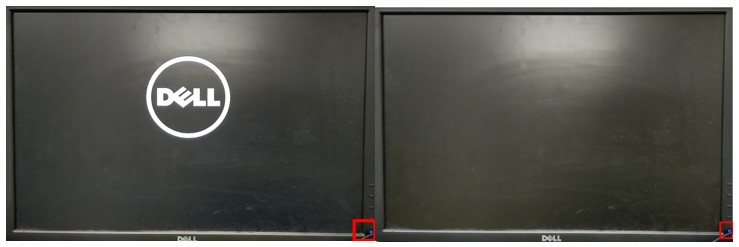
Summary: An issue may be experienced with the thin client booting to the operating system, after upgrading to ThinOS 9. The monitor shows a Dell logo and then turns to a black screen, after turning on the thin client. ...
Symptoms
Affected Operating Systems:
- ThinOS 9 9.0_1136
- ThinOS 9 9.0_2081
- ThinOS 9 9.0_2108
- ThinOS 9 9.0_3030
When turning on a thin client, it displays the Dell logo and then stops responding on a black screen. The monitor power light stays on, but nothing is displayed.
Cause
Clients that are deployed in an Imprivata environment may encounter an issue where an internal log file grows over time and fills all available disk space. When this event occurs, the client cannot boot.
Resolution
A solution is expected in a future ThinOS release. Before this release, customers must use USB reimaging to recover their affected devices. After reimaging, customers are encouraged to update to the latest firmware posted on www.dell.com/support using Wyse Management Suite. If reimaging does not resolve this issue, contact Dell Wyse Support.
Proactive action
Periodically resetting to factory defaults may avoid the failure condition. Until a solution is available in a future ThinOS release, customers in Imprivata environments are encouraged to periodically rest to factory defaults.