PSQN:簡易ユーザー パスワードの保存中にiDRAC9セットアップ メニュー エラーが発生する
Summary: PowerEdgeサーバーのエンドユーザーがシンプルなユーザー パスワードを保存すると、Dell iDRAC9ヒューマン入力インターフェイス(HII)メニュー内で重大なエラーが発生することがあります。
Symptoms
PowerEdgeサーバーのエンドユーザーがシンプルなユーザー パスワードを保存すると、Dell iDRAC9ヒューマン入力インターフェイス(HII)メニュー内で重大なエラーが発生することがあります。サーバーのF2システム セットアップ メニューを使用すると、エンド ユーザーはボックスのiDRAC9構成で実行できます。iDRAC設定>>ユーザー設定nメニューで、UserID2(root)アカウントのパスワードを変更できます。単純なパスワード(例:calvin)を入力しようとすると、設定変更の保存中に重大なエラー バナーが表示されることがあります。
システム セットアップ クリティカル エラーの例: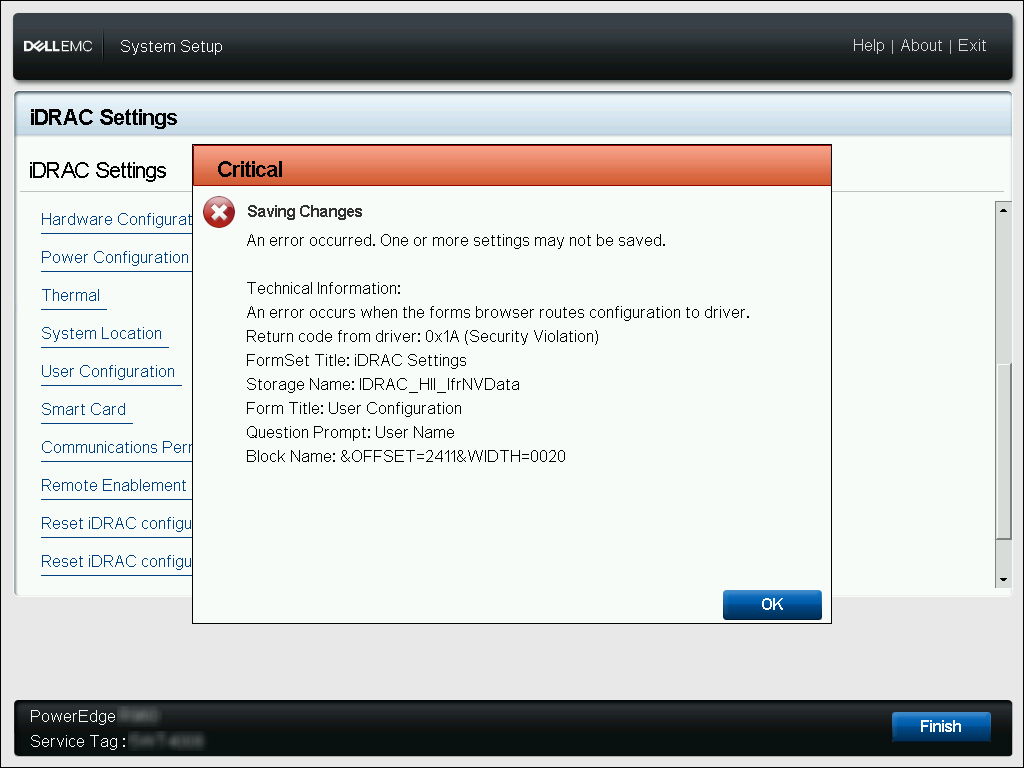
Critical | Saving Changes
An error occurred. One or more settings may not be saved.

Technical Information:
An error occurs when the forms browser routes configuration to driver.
Return code from driver: 0x1A (Security Violation)
FormSet Title: iDRAC Settings
Storage Name: iDRAC_HII_IfrNVData
Form Title: User Configuration
Question Prompt: User Name
Block Name: &OFFSET=2411&WIDTH=0020
Cause
デフォルトでは、iDRAC9は単純なパスワードをブロックするパスワード ポリシーを適用します。iDRAC9パスワード強度ポリシーが 「保護なし」 以外のオプションに対して定義されている場合、iDRACインターフェイスを介して単純なパスワード フレーズを保存することはできません。システム セットアップHIIメニューには、このエラーの発生を定義する明確なメッセージ エラー バナーが含まれていません。
Resolution
iDRAC9の[System Setup]メニューには、パスワード保護ポリシーを[No Protection]に再定義するオプションはありません。ユーザー定義のパスワードは、iDRAC9に定義されたパスワード ポリシーを満たしている必要があります。パスワードポリシーの最小スコアを満たすパスワードを入力しても、この重大なエラーは発生しません。
サーバーのホスト オペレーティング システム内からローカルRACADMコマンドを使用して、パスワード ポリシーの最小スコア要件を決定できます。
racadm>>racadm get idrac.security.minimumpasswordscore
[Key=idrac.Embedded.1#Security.1]
MinimumPasswordScore=Weak Protection
また、ローカルRACADMコマンドを使用して、iDRAC9の最小パスワード ポリシー スコア要件を変更したり、現在のポリシー要件を満たすようにUserID2パスワードを変更したりすることもできます。
- # 最小パスワードスコアの変更
racadm>>racadm set idrac.security.minimumpasswordscore 0
[Key=idrac.Embedded.1#Security.1]
Object value modified successfully

0 - No Protection
1 - Weak Protection
2 - Moderate Protection
3 - Strong Protection
- # UserID2パスワードの変更
racadm>>racadm set idrac.users.2.password C@lv1n
[Key=idrac.Embedded.1#Users.2]
Object value modified successfully