Data Domain:使用 UI 配置 MTree 复制
Summary: 本知识库文章介绍如何使用 UI 配置 MTree 复制。
This article applies to
This article does not apply to
This article is not tied to any specific product.
Not all product versions are identified in this article.
Instructions
使用 UI 配置 MTree 复制
用途
本文介绍如何使用 UI 配置 MTree 复制。
应用到
- 所有 Data Domain 系统
- MTree 复制
解决方案
-
在同一 UI (Enterprise Manager) 上添加源和目标系统:
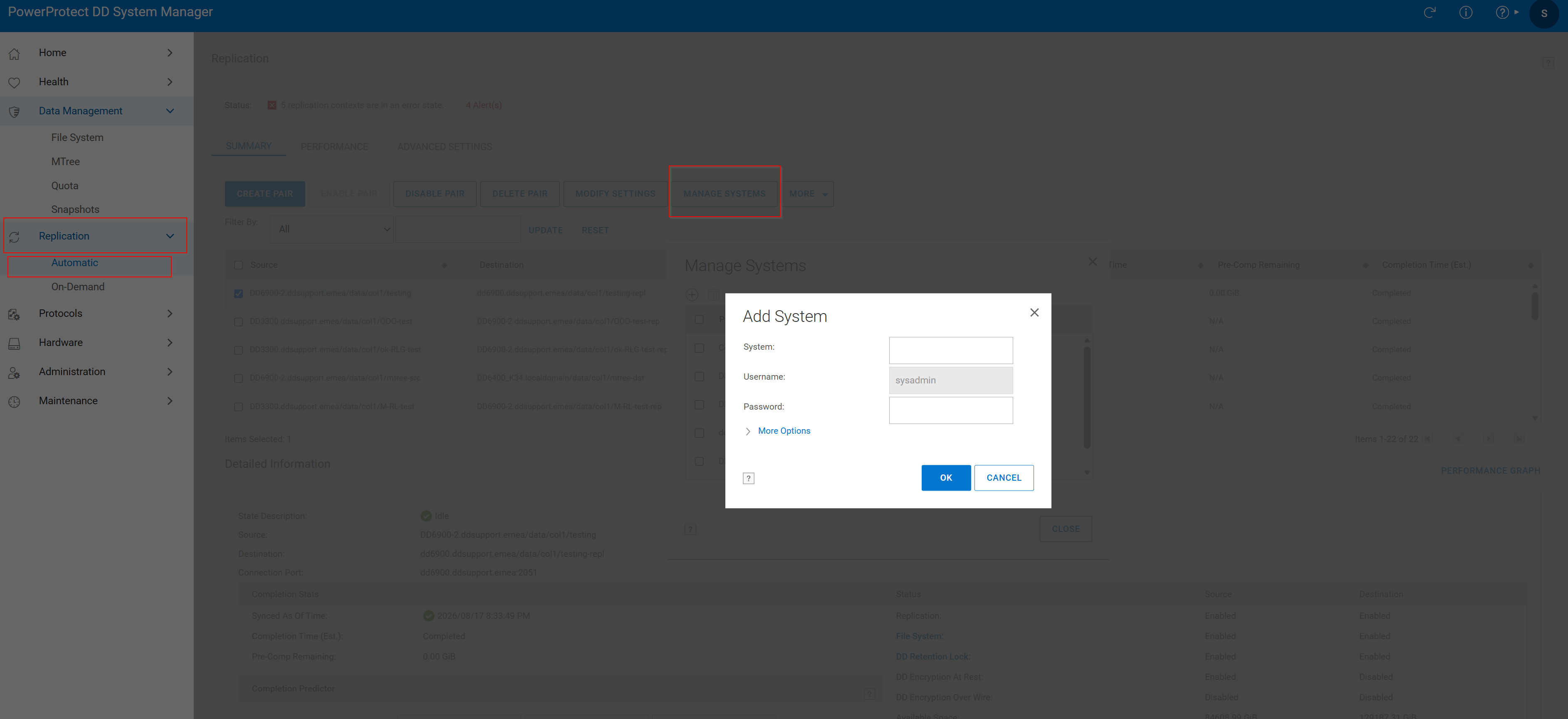 图 1.添加系统
2.创建复制对
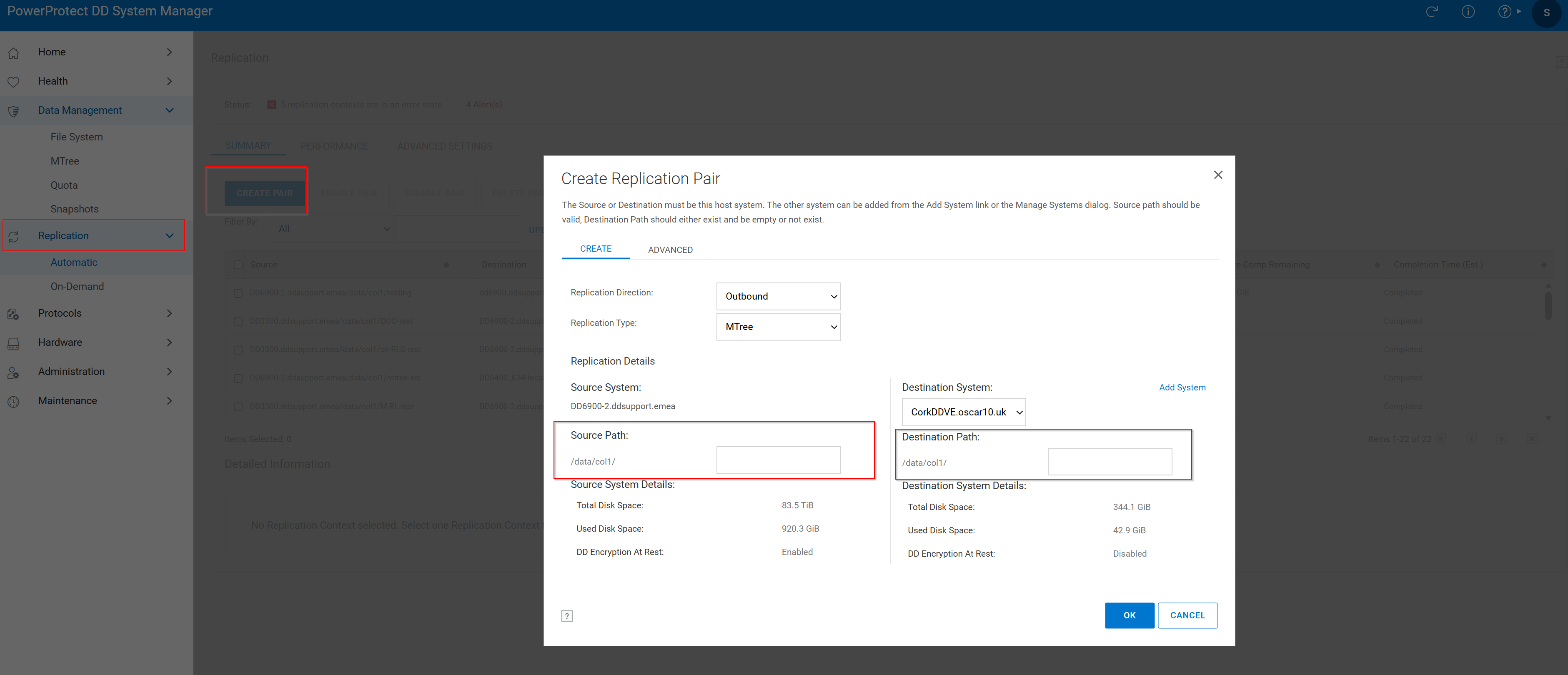 图 2.创建复制对 > 源路径
- 单击 Replication选项卡 ,然后单击 Create Pair。
- 选择 Source System 和 Source Path。Mtree 应已存在于源代码中。
- 选择 目标系统 和 目标路径。目标 MTree 不应已存在。如果已有,请查看以下知识库文章:
复制已成功创建,并显示以下窗口:
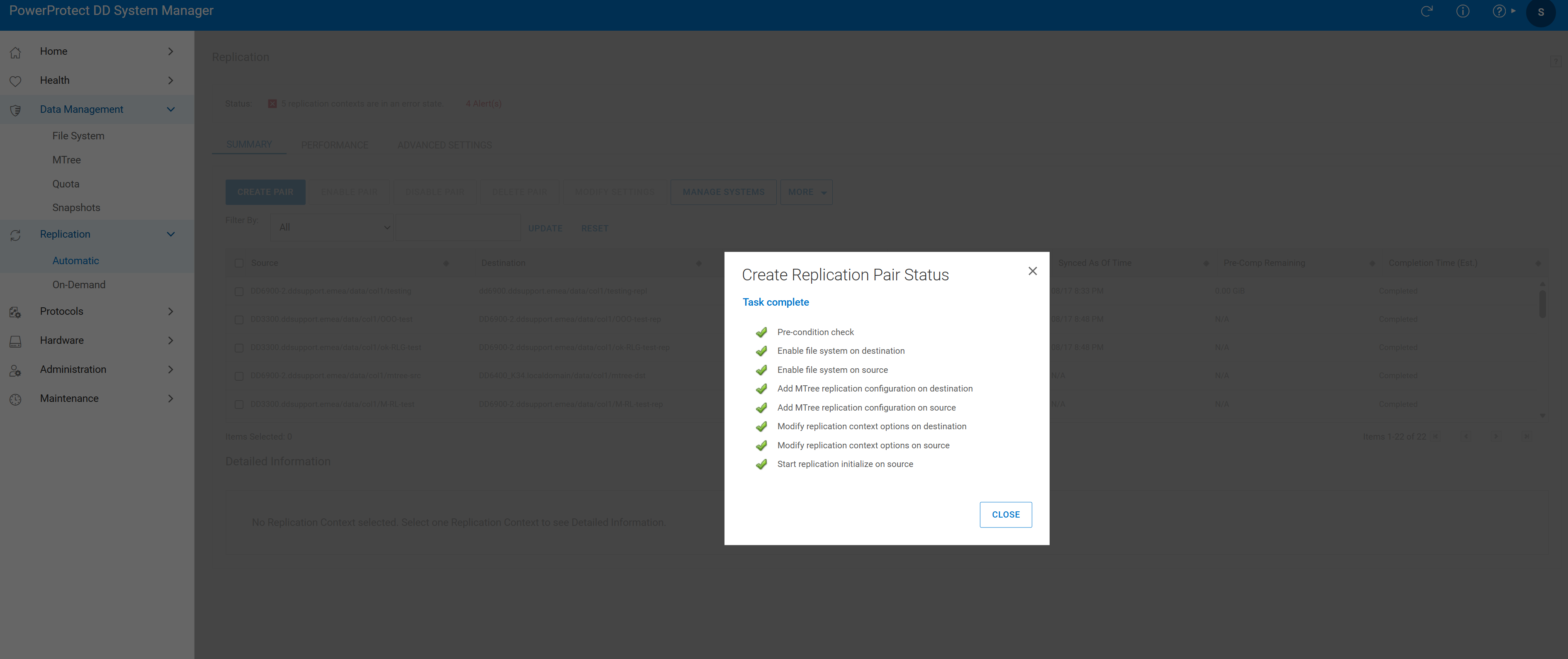 图 3.任务完成
- 验证复制会话。

图 4.复制验证
Additional Information
Affected Products
Data DomainProducts
Data DomainArticle Properties
Article Number: 000010996
Article Type: How To
Last Modified: 18 Aug 2026
Version: 7
Find answers to your questions from other Dell users
Support Services
Check if your device is covered by Support Services.