PowerStore: NAS Server Preferred IP Changes after NDU
Summary: NAS Server Preferred IP changes after NDU.
This article applies to
This article does not apply to
This article is not tied to any specific product.
Not all product versions are identified in this article.
Symptoms
If the user configured multiple network interfaces to NAS Server, one interface should be the preferred IP address, and the others are non-preferred IPs like below.
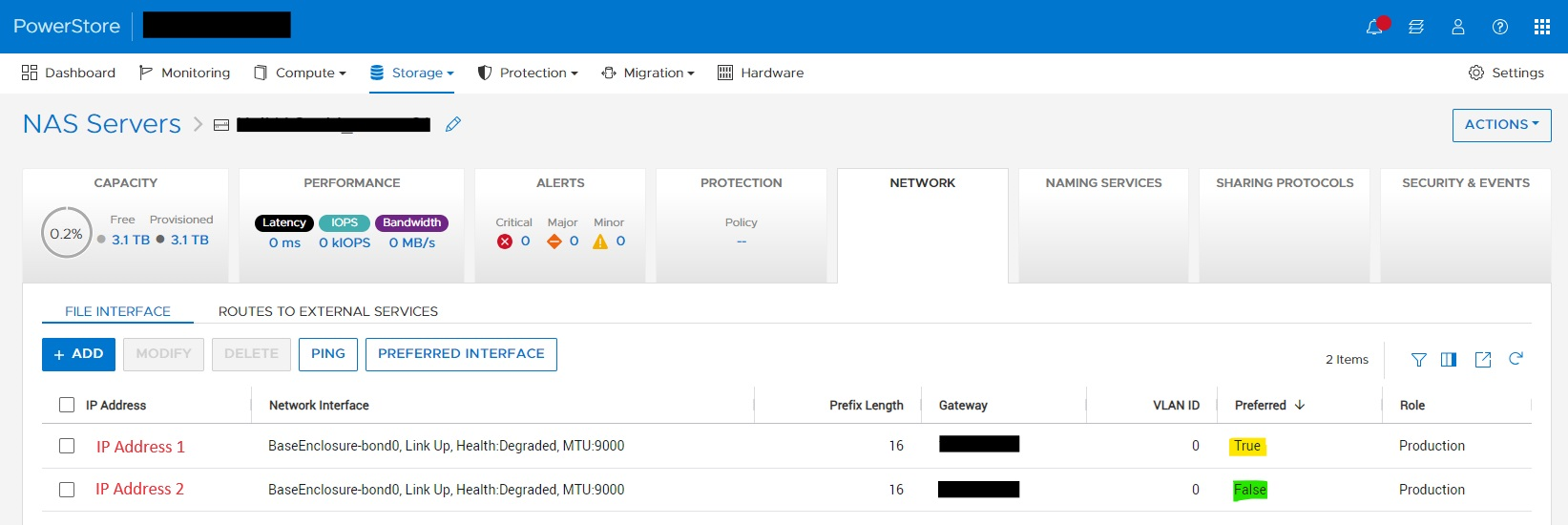
During NDU from pre-3.6.0.0 to 3.6.0.0 or later, this Preferred IP address unexpectedly changes to non-Preferred IP, and non-Preferred IP become Preferred IP. In the above screenshot, "IP Address 2" become Preferred IP.
As a result, depending on the user's configuration, the client access issue may occur.
The issue occurs during NDU from pre-3.6.0.0 to 3.6.0.0 or later.
During NDU from pre-3.6.0.0 to 3.6.0.0 or later, this Preferred IP address unexpectedly changes to non-Preferred IP, and non-Preferred IP become Preferred IP. In the above screenshot, "IP Address 2" become Preferred IP.
As a result, depending on the user's configuration, the client access issue may occur.
The issue occurs during NDU from pre-3.6.0.0 to 3.6.0.0 or later.
Cause
This is a side effect of a code logic change in 3.6.0.0 to address another issue.
Resolution
This issue is expected to be addressed in a future release.
If this issue occurs, the workaround is to change the Preferred IP selection after the NDU.
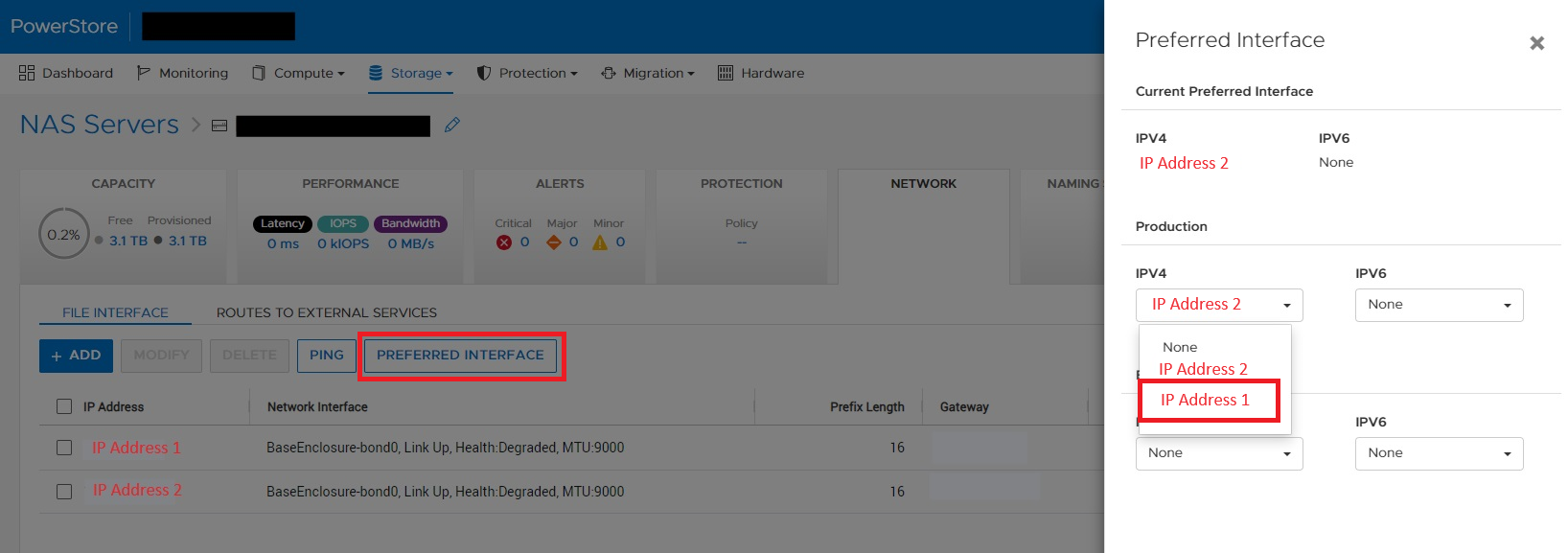
If this issue occurs, the workaround is to change the Preferred IP selection after the NDU.
- From Storage > NAS Server, click PREFERRED INTERFACE
- Select the original Preferred IP Address > click Add button
Affected Products
PowerStore 1000T, PowerStore 1200T, PowerStore 3000T, PowerStore 3200T, PowerStore 5000T, PowerStore 500T, PowerStore 5200T, PowerStore 7000T, PowerStore 9000T, PowerStore 9200TArticle Properties
Article Number: 000227903
Article Type: Solution
Last Modified: 21 Aug 2024
Version: 1
Find answers to your questions from other Dell users
Support Services
Check if your device is covered by Support Services.