Problemen in de configuratie van de Data Science Stack-toepassingsomgeving
Summary: Dit artikel bevat meer informatie over onjuiste of onvolledige installatie van de Data Science Stack (DSS)-configuratieomgeving.
Instructions
Betreffende besturingssystemen:
- Ubuntu
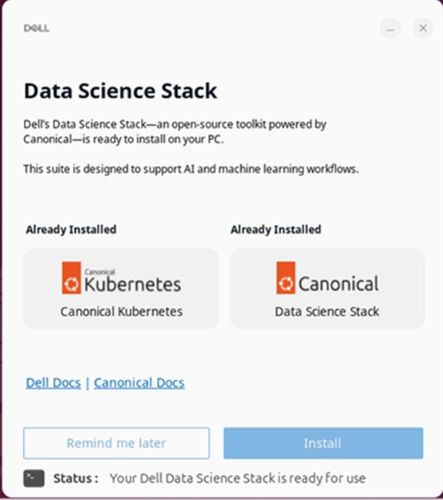
Gebruikers kunnen problemen ondervinden die verband houden met onjuiste of onvolledige installatie van de DSS-configuratie en installatieomgeving, wat van invloed kan zijn op de prestaties, compatibiliteit of functionaliteit. Ze kunnen dit probleem tegenkomen tijdens de installatiefase van de Dell Data Science (DDS)-applicatie (Installer for DSS). Dit gebeurt als de applicatie niet correct kan worden geïnitialiseerd of geconfigureerd vanwege interne fouten.
Zorg ervoor dat het apparaat verbinding maakt met een geldige en stabiele internetverbinding voordat u de DDS-applicatie start. De applicatie bevat een koppeling naar de documentatie van de Canonical official environment setup voor DSS. Deze site bevat gedetailleerde configuratie-instructies en stappen voor probleemoplossing. Klik op Canonical Docs in de Data Science Stack-applicatie.