Dell Unity: Włączanie i wyłączanie SSH
Summary: W tym artykule opisano wiele sposobów włączania i wyłączania protokołu SSH w macierzach Dell Unity.
This article applies to
This article does not apply to
This article is not tied to any specific product.
Not all product versions are identified in this article.
Instructions
METODA 1: Z Unisphere (UI) — gdy macierz działa w trybie normalnym
Aby włączyć:
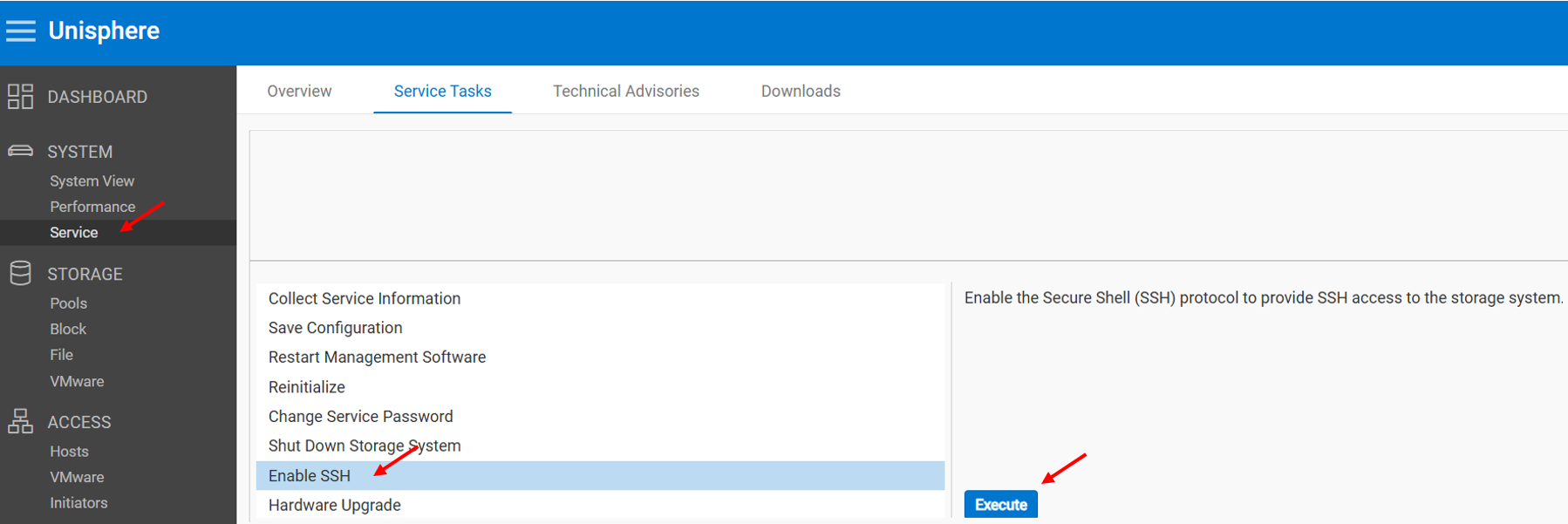
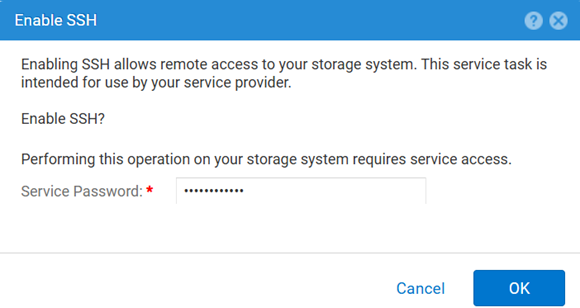
Aby wyłączyć:
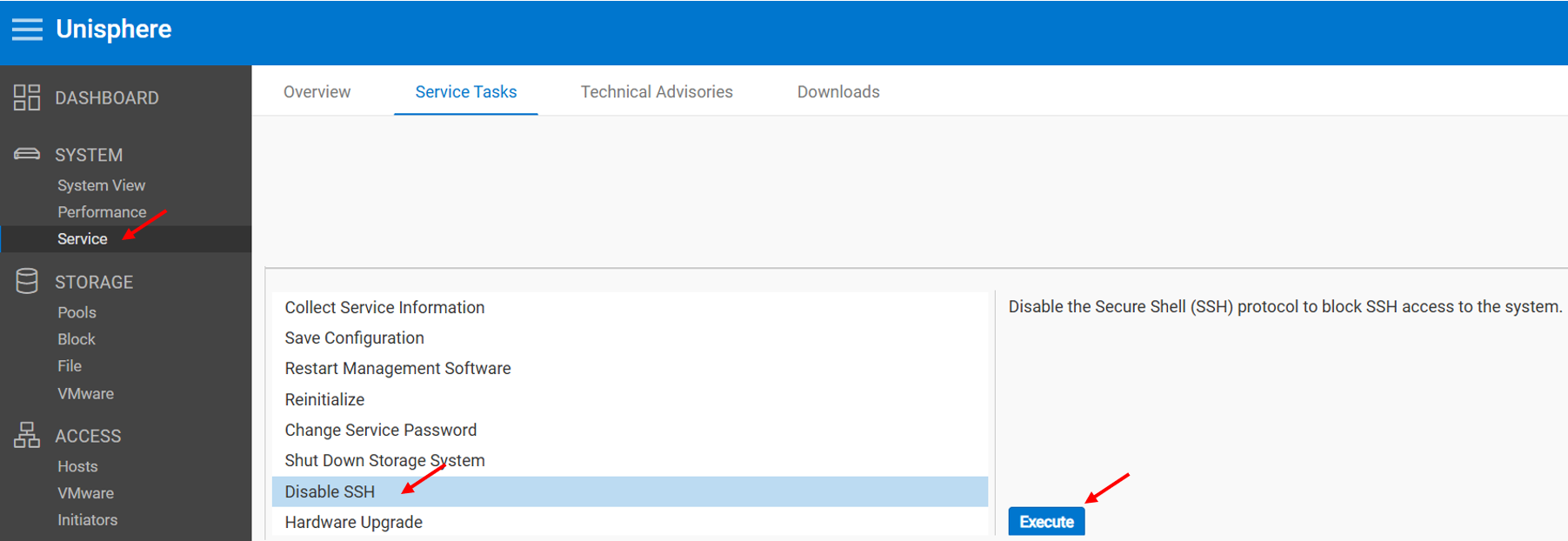
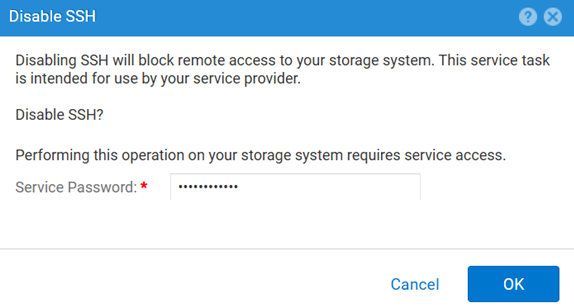
METODA 2: UEMCLI
Aby wyświetlić ustawienie SSH:
uemcli.exe -d <MGMT IP> -u admin -securePassword /service/ssh showAby włączyć SSH:
uemcli.exe -d <MGMT IP> -u admin -securePassword /service/ssh set -enabled yesAby wyłączyć SSH:
uemcli.exe -d <MGMT IP> -u admin -securePassword /service/ssh set -enabled noMETODA 3: Z IPMI Połączenia
Aby wyświetlić plik SSH Stan:
svc_ssh -sAby włączyć SSH:
svc_ssh -eAby wyłączyć SSH:
svc_ssh -d
METODA 4: Z usługi Unisphere (UI) — gdy macierz jest w trybie serwisowym
1. Otwórz przeglądarkę.
2. Przejdź do https://<management_IP>/service.html
3. Użyj polecenia admin .
4. Z tego menu SSH można włączyć.
Additional Information
Inne przydatne artykuły podczas rozwiązywania problemów związanych z SSH:
Affected Products
Dell EMC Unity, Dell Unity 450F DC, Dell Unity 300, Dell Unity 300 DC, Dell EMC Unity 300F, Dell EMC Unity 350F, Dell Unity 350F DC, Dell EMC Unity XT 380, Dell EMC Unity XT 380F, Dell EMC Unity 400, Dell Unity 400 DC, Dell EMC Unity 400F
, Dell EMC Unity 450F, Dell EMC Unity XT 480, Dell EMC Unity XT 480F, Dell EMC Unity 500, Dell EMC Unity 500F, Dell EMC Unity 550F, Dell EMC Unity 600, Dell EMC Unity 600F, Dell EMC Unity 650F, Dell EMC Unity XT 680, Dell EMC Unity XT 680F, Dell EMC Unity XT 880, Dell EMC Unity XT 880F, Dell EMC Unity Family |Dell EMC Unity All Flash, Dell EMC Unity Hybrid
...
Products
Dell Command | ConfigureArticle Properties
Article Number: 000446216
Article Type: How To
Last Modified: 15 Apr 2026
Version: 1
Find answers to your questions from other Dell users
Support Services
Check if your device is covered by Support Services.