VxRail: Enabling vSAN proxy fails with error "Cannot retrieve vSAN Internet Connectivity settings."
Summary: Enabling Virtual Storage Area Network vSAN proxy fails with error "Cannot retrieve vSAN Internet Connectivity settings" due to missing proxy setup at the vCenter level.
Symptoms
Enabling vSAN in the html 5 client under Hosts and clusters > vCenter > Configure > vSAN > Internet connectivity fails with error "Cannot retrieve vSAN Internet Connectivity settings." And a bit further down "Unable to extract requested data. Check vSphere Client logs for details."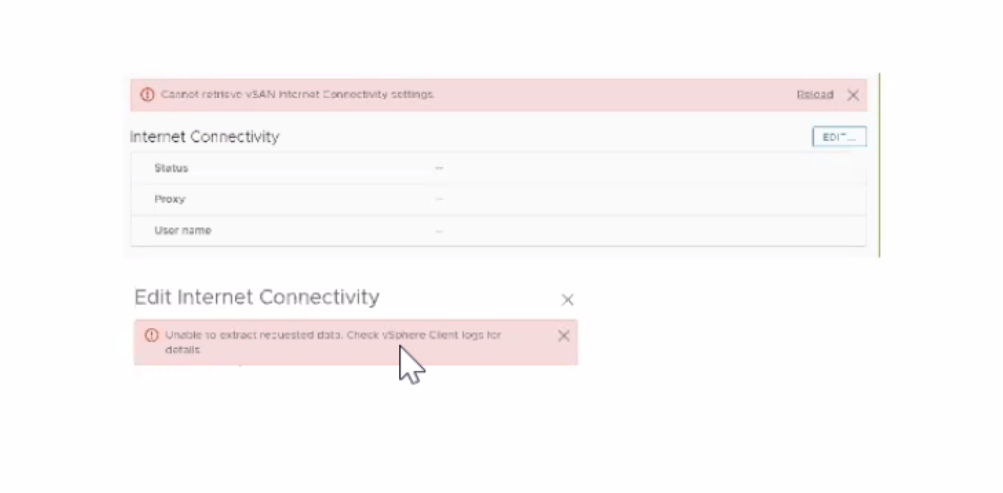
Other symptoms include
In the flash client of vCenter, browsing Hosts and clusters > Cluster > Configure > vSAN > General we would get errors "Error occurred while loading general configuration for vSAN." and right after "the vCenter server is not responding, please check your setup (statusCode 503)"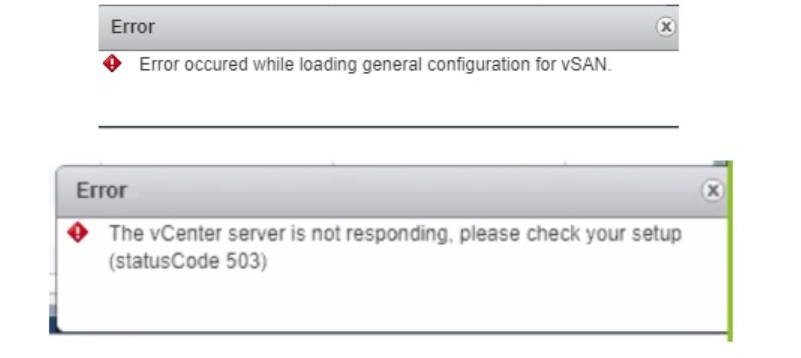
Oddly enough all other vCenter and vSAN pages worked and vSAN health passed without issue.
Cause
The root cause of the issue is that the proxy was not set at the vCenter level first.
|
Resolution
To resolve the issue of enabling vSAN proxy failing with the error "Cannot retrieve vSAN Internet Connectivity settings," follow these steps:
Set the proxy in VAMI on vCenter. This resolves the issue and allows you to enable the vSAN proxy and view its features.
After setting the proxy, verify that the issue has been resolved by checking the vSAN settings in the vCenter client.