Qualcomm 笔记本电脑无法找到 PXE 启动选项和 USB 设备,然后启动至 F12 菜单
Summary: 本文提供有关 Qualcomm 笔记本电脑在从电源重启恢复后无法找到预启动执行环境 (PXE) 启动选项和 USB 设备的信息。
This article applies to
This article does not apply to
This article is not tied to any specific product.
Not all product versions are identified in this article.
Symptoms
从电源循环恢复并引导至 F12 菜单后,Qualcomm 笔记本电脑可能无法找到 PXE 引导选项和 USB 设备。当计算机连接到坞站时WD22TB4出现此问题。
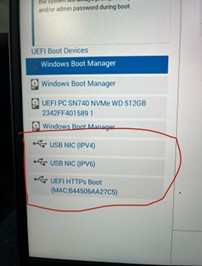
受影响的 Qualcomm 笔记本电脑:
- Inspiron 灵越 14 Plus 7441
- Latitude 7455
- XPS 13 9345
受影响的坞站:
- 戴尔 Thunderbolt 坞站 - WD22TB4
Cause
这是由于高通平台设计限制造成的。当平台从电源重启(冷启动、热启动或休眠)恢复时,它们会发送硬重置,导致坞站功率传输进入错误模式。
Resolution
在计算机上更新到 Dell Dock WD19/WD22TB4 固件更新实用程序版本 01.00.44、01.00.28 或更高版本可解决此问题。要下载并安装固件,请参阅 如何下载和安装戴尔驱动程序。
Affected Products
Inspiron 14 Plus 7441, Latitude 7455, Dell Thunderbolt Dock – WD22TB4, XPS 13 9345Article Properties
Article Number: 000228393
Article Type: Solution
Last Modified: 16 Apr 2025
Version: 4
Find answers to your questions from other Dell users
Support Services
Check if your device is covered by Support Services.