Data Domain:DD3300「監視程式計時器已過期」
Summary: DD3300 監視程式計時器已過期
This article applies to
This article does not apply to
This article is not tied to any specific product.
Not all product versions are identified in this article.
Instructions
問題說明
監視程式計時器已過期。
症狀
IDRAC UI 在系統事件記錄中顯示「Watchdog Timer 已過期」。
與以下螢幕擷取畫面類似,並會收集 TSR 記錄以確認。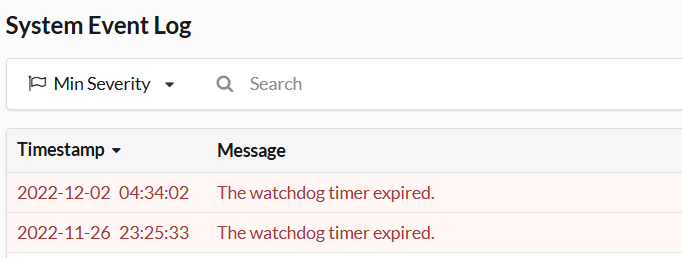
適用於:
DD3300
解析度
執行下列解決方案步驟:
-
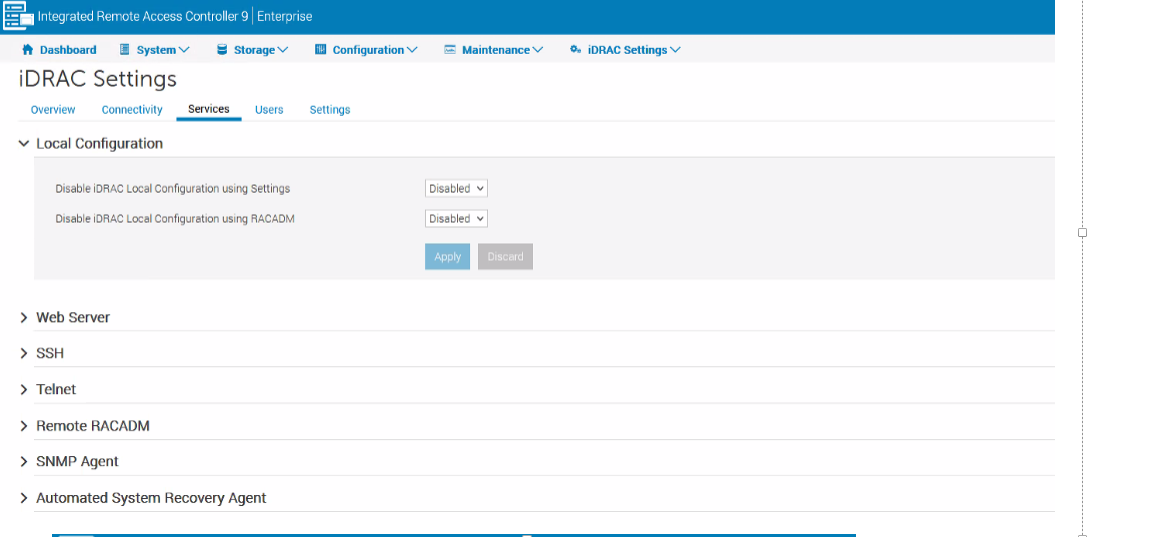
從 iDRAC 移至 iDRAC 設定 >> 服務 >> 本機組態 >> 檢查兩個選項是否已啟用,如果有,然後將其變更為「停用」,類似於以下螢幕擷取畫面。
-
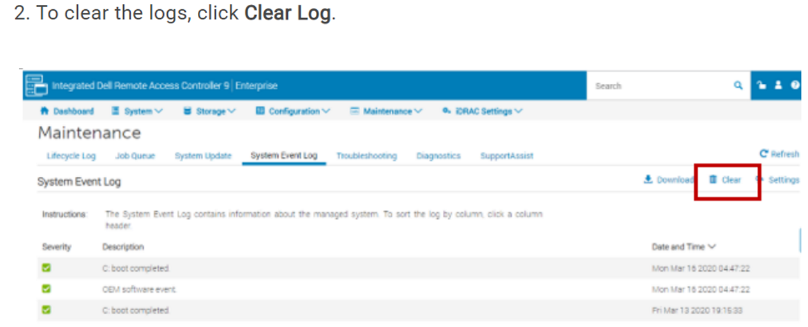
清除系統事件記錄,如以下螢幕擷取畫面所示:
-
如果警示仍在觸發,請按照以下提供的螢幕擷取畫面,套用之前的所有步驟後,請從 iDRAC 執行暖重新開機:
Affected Products
DD3300 ApplianceProducts
Data DomainArticle Properties
Article Number: 000263097
Article Type: How To
Last Modified: 12 Dec 2025
Version: 3
Find answers to your questions from other Dell users
Support Services
Check if your device is covered by Support Services.