PowerStore: Unexpected exception during appliance migration workflow
Summary: Unexpected PowerStore Manager exception during intracluster migration workflow.
This article applies to
This article does not apply to
This article is not tied to any specific product.
Not all product versions are identified in this article.
Symptoms
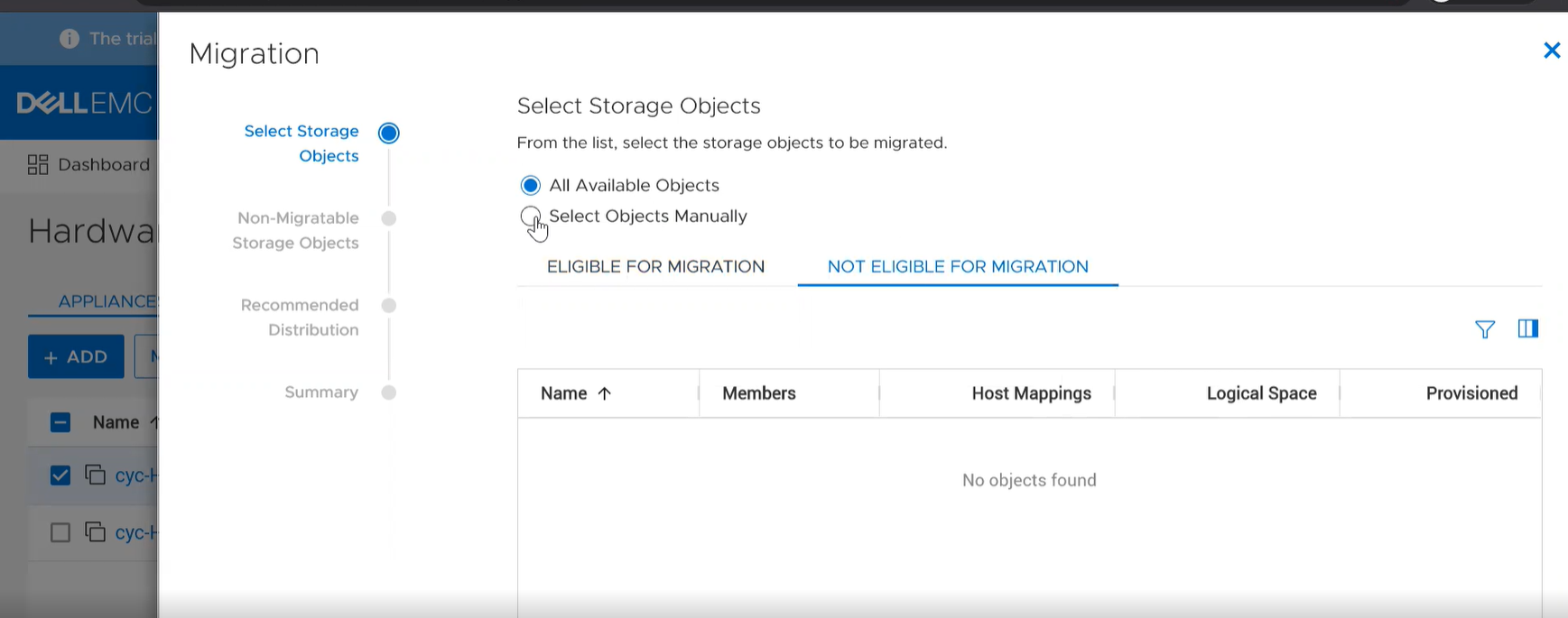
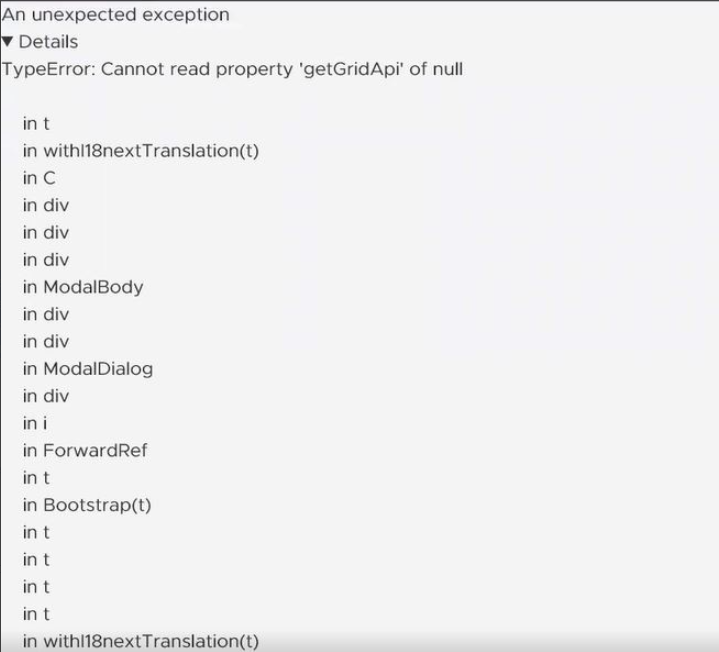
In PowerStore Manager during the selection of storage objects step of an intracluster migration action workflow, an unexpected exception appears if one of the following occurs:
- While All Available Objects and Eligible For Migration objects are selected, a user selects Not Eligible For Migration objects and then selects Select Objects Manually for migration.
- While Select Objects Manually and Eligible For Migration objects are selected, a user selects Not Eligible For Migration objects and then selects All Available Objects for migration.
Migration screen:
Observed exception:
Cause
A software issue in the PowerStore Manager.
Resolution
If an unexpected exception appears, reload the page to return to the Hardware page and try to migrate from the appliance again. Avoid switching between selected objects and all objects after viewing ineligible objects on subsequent migration work flows.
Permanent fix:
Recommend upgrading to PowerStore 2.0.1.0 or greater which has a fix for the issue discussed in this article.
Permanent fix:
Recommend upgrading to PowerStore 2.0.1.0 or greater which has a fix for the issue discussed in this article.
Affected Products
PowerStoreArticle Properties
Article Number: 000187884
Article Type: Solution
Last Modified: 13 Jun 2025
Version: 4
Find answers to your questions from other Dell users
Support Services
Check if your device is covered by Support Services.